What Is CRM? Meaning, Benefits, Types & How It Works for Growing Businesses
 Abhyank Srinet
Growing businesses usually don't struggle with getting enquiries. They struggle with managing them properly. A lead sends a message, someone replies, and maybe pricing is shared. Then the conversation slowly fades. There is no reminder, no structured follow-up, and no clear pipeline. Over time, interested prospects go cold. This is not a marketing issue. It is a system issue.
This is where CRM becomes important. If you are wondering what is CRM, it simply means a structured way to manage customer relationships. CRM stands for Customer Relationship Management. It helps businesses store customer details, track conversations, schedule follow-ups, and move leads through defined sales stages. Instead of relying on memory or scattered chats, teams work inside a clear process.
"Companies with effective CRM systems see a 34% increase in sales productivity and a 42% improvement in customer retention rates."
— Harvard Business Review, Sales Management Study 2023
As businesses grow, manual tracking stops working. Excel sheets become messy. WhatsApp chats get buried. Sales teams lose visibility on which leads need attention. A CRM system brings structure, improves response time, and supports consistent follow-ups. It turns scattered conversations into a predictable sales workflow. In this blog, we'll explain what CRM is, how it works, and why it matters for growing businesses.
What Does a CRM Actually Do?
A CRM helps businesses manage customer relationships in a clear and structured way. It stores contact details, tracks conversations, organizes leads, and reminds you to follow up. A structured CRM system also improves lead management , helping you segment, prioritize, and move deals smoothly through your pipeline. Instead of depending on memory or scattered tools, everything stays in one system. This makes your sales process smoother, more consistent, and easier to manage as your business grows.
Core Functions of a CRM
CRM Function | What It Does | Why It Matters |
Contact Management | Stores customer details and conversation history | Keeps all information in one place |
Sales Pipeline Tracking | Shows where each lead stands in the sales process | Helps you know what to do next |
Follow-Up Reminders | Alerts you to call, message, or check back | Prevents lost opportunities |
Team Collaboration | Shares updates across team members | Avoids confusion and duplicate replies |
Reports & Insights | Tracks performance and conversion data | Helps improve decision-making |
Why CRM Is Important for Small Businesses
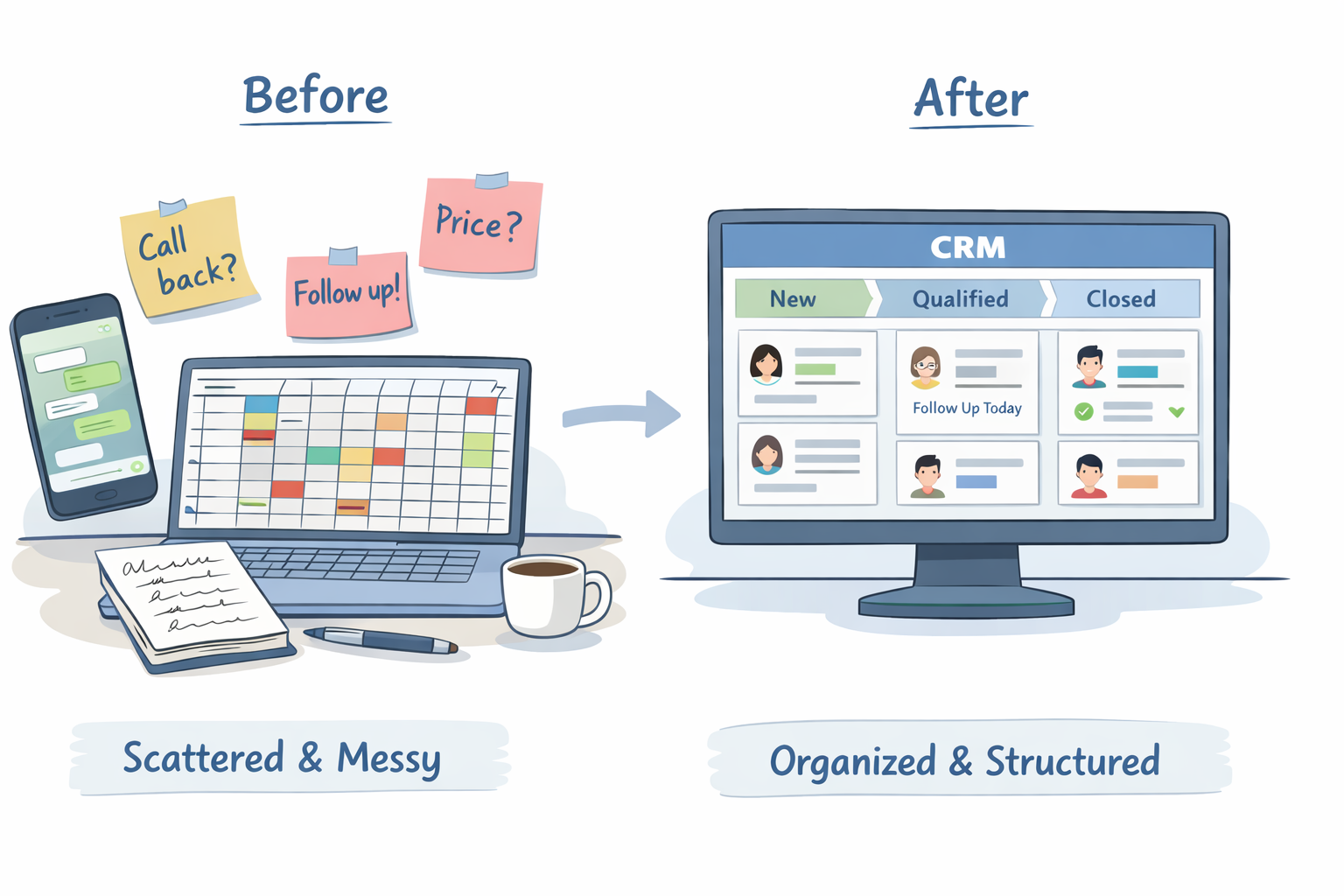
Many small businesses think CRM is only for large companies. That's not true. In reality, small businesses need structure even more because they often manage everything manually. When you are handling sales, support, and follow-ups at the same time, it becomes easy to forget small but important details.
"Small businesses that implement CRM systems increase their sales by an average of 29% within the first year."
— Forrester Research, Small Business CRM Adoption Report 2024
Without a CRM, customer information gets scattered. Some details stay in WhatsApp chats. Some are in Excel. Some are in your memory. Over time, this creates confusion and missed opportunities. A CRM brings everything into one place and gives your business a clear system to manage customers properly.
Here's why CRM matters for small businesses:
You never miss important follow-ups
All customer details stay organized in one system
Your team avoids duplicate replies or confusion
You can clearly see which leads are serious
Response time improves
Sales tracking becomes easier
Customer experience becomes more consistent
A CRM does not just store information. It gives your business direction and control.
Also read: Common Sales Mistakes in Small Businesses and How to Fix Them
Types of CRM
Not all CRM systems work in the same way. Different businesses use CRM for different reasons. Some want help with daily sales tasks. Others want better reports and customer insights. That is why CRM tools are usually grouped into different types.
In simple terms, there are three main types of CRM. Many modern CRM platforms combine these types together, but understanding them separately helps you see how CRM works in depth.
The Three Main Types of CRM:
Operational CRM: Operational CRM focuses on daily business activities. It helps manage leads, track sales stages, schedule follow-ups, and handle customer support requests. This type of CRM improves workflow and ensures no enquiry is ignored. It is most useful for sales teams that deal with regular customer interactions.
Analytical CRM: Analytical CRM focuses on data and insights. It studies customer behavior, purchase history, and interaction patterns. This helps businesses understand what customers want, which marketing campaigns work best, and where sales are slowing down. It supports smarter decision-making instead of guesswork.
Collaborative CRM: Collaborative CRM improves communication between teams. It ensures sales, marketing, and support departments all see the same customer information. This prevents repeated questions, confusion, or mixed messages. It creates a smoother experience for the customer across every touchpoint.
Most modern CRM systems include features from all three types. Instead of separate tools, businesses now use one unified system that handles operations, data analysis, and team collaboration together.
CRM vs Sales Automation: What's the Difference?
CRM and sales automation are often confused, but they serve different purposes. A CRM focuses on storing customer information and managing relationships over time. It helps you track conversations, leads, and deal progress in one place.
Sales automation, on the other hand, focuses on action. It automates repetitive tasks like follow-ups, reminders, and lead scoring. Instead of replacing CRM, it works alongside it to improve speed and efficiency.
CRM vs Sales Automation Comparison
CRM | Sales Automation |
Stores customer data and history | Automates repetitive sales tasks |
Manages the full customer journey | Focuses on specific task execution |
Tracks deals through pipeline stages | Sends automated follow-ups |
Used by sales, marketing, and support | Mainly used by sales teams |
Improves relationship management | Improves speed and efficiency |
Organizes information | Takes action on that information |
"Organizations that combine CRM with sales automation experience 50% faster sales cycles and 25% higher deal closure rates."
— Gartner, Sales Operations Technology Research 2023
Related: What Is a WhatsApp CRM?, Top WhatsApp CRM Tools for Startups, and WhatsApp CRM Best Practices for Better Response Rates.
What Is a WhatsApp CRM?
A WhatsApp CRM is a customer relationship management system that connects directly with WhatsApp. Instead of keeping conversations inside personal chats, it turns them into structured customer records. Every message, enquiry, and follow-up becomes part of an organized sales process.
Today, many businesses sell mostly through WhatsApp because customers prefer quick messaging over emails or long calls. But as conversations increase, it becomes difficult to track who is serious, who needs a reminder, and who is ready to close. A WhatsApp CRM brings clarity to this chaos.
What a WhatsApp CRM Actually Helps You Do
Centralize all conversations in one system: Every chat is stored under a contact profile. You can see the full conversation history, notes, and sales stage without switching between tools.
Move leads through clear sales stages: Instead of random chats, leads move from New → Qualified → Follow-Up → Closed in a structured pipeline.
Set reminders and follow-ups automatically: You don't have to depend on memory. The system ensures no lead is forgotten or ignored.
Enable team visibility and shared access: Multiple team members can see all conversations and updates in real time.
Related: Manual Follow-Ups vs Automated WhatsApp Follow-Ups: What Works Better for Sales
Related: What Is a Lead Nurturing Sequence? Simple Guide for Service Businesses
Frequently Asked Questions

Written by
Founder & CEO, Kraya AI
Abhyank Srinet is the Founder and CEO of Kraya AI, a WhatsApp CRM and sales automation platform serving 600+ Indian businesses. He is also the founder of MiM-Essay, one of India's largest Masters admissions consulting firms.
More from Abhyank



