WhatsApp Business API Coexistence 2027: Use the App and API on One Number
 Abhyank Srinet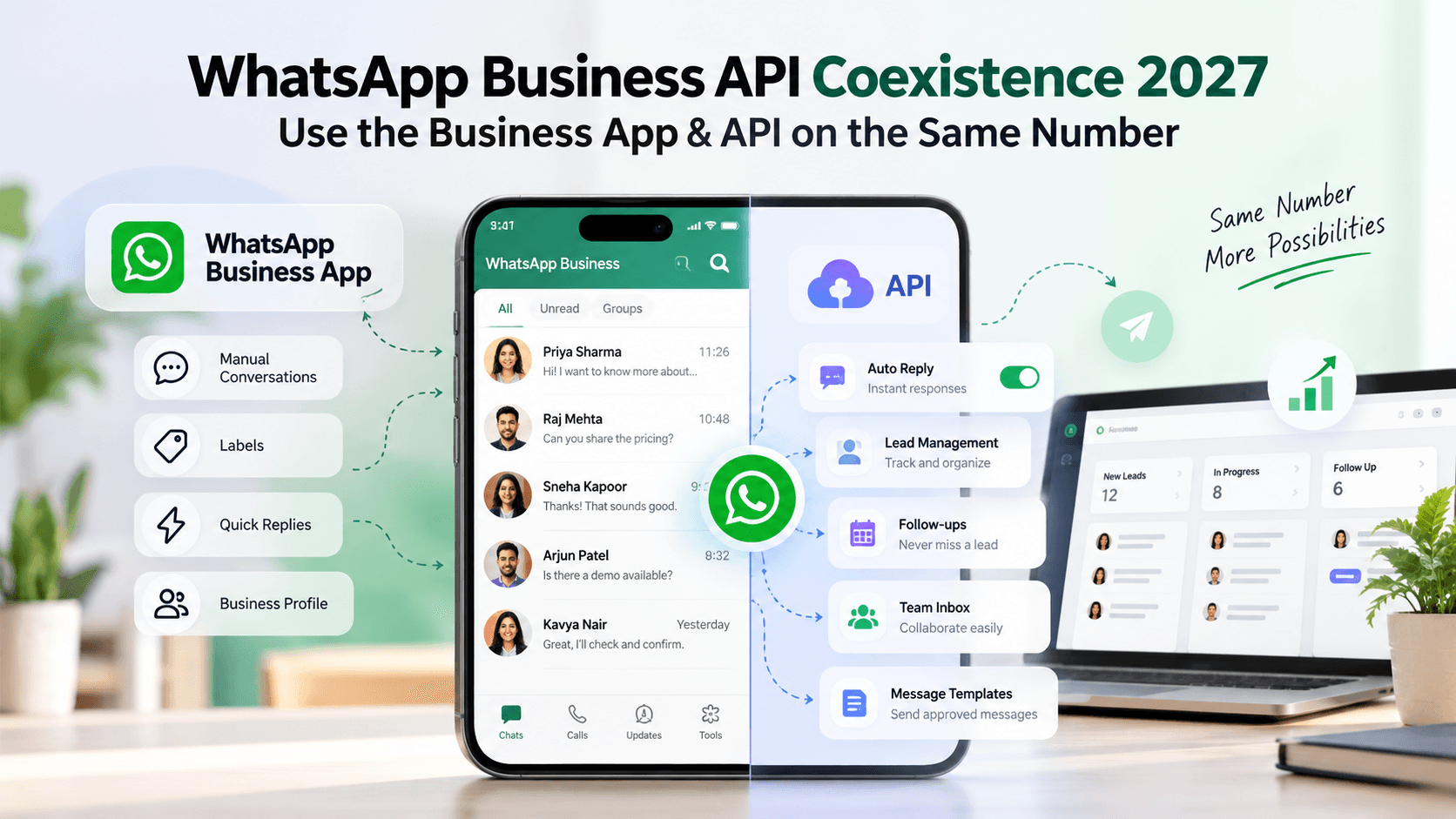
Quick Answer: WhatsApp Business API coexistence allows eligible businesses to use the WhatsApp Business App and Cloud API on the same phone number. Businesses can continue manual customer conversations while using compatible software for automated responses, lead tracking, and follow-ups without changing their existing WhatsApp number.
Introduction
Imagine using the same WhatsApp number for years to manage customer enquiries, appointments, and sales. Your customers recognize it, your advertisements use it, and your team relies on it every day. But as your business grows, managing hundreds of conversations manually becomes difficult. You want faster responses, better lead tracking, and automated follow-ups, but moving away from the familiar WhatsApp Business App feels like an unnecessary risk.
This is where WhatsApp Business API coexistence makes a difference. Instead of choosing between the Business App and the automation capabilities of the API, eligible businesses can use both on the same number. This guide explains how WhatsApp coexistence works, its benefits, eligibility requirements, setup process, pricing, and limitations. We'll also explore how businesses can use it with Kraya AI to manage sales conversations and reduce missed follow-ups.
What Is WhatsApp Business API Coexistence?
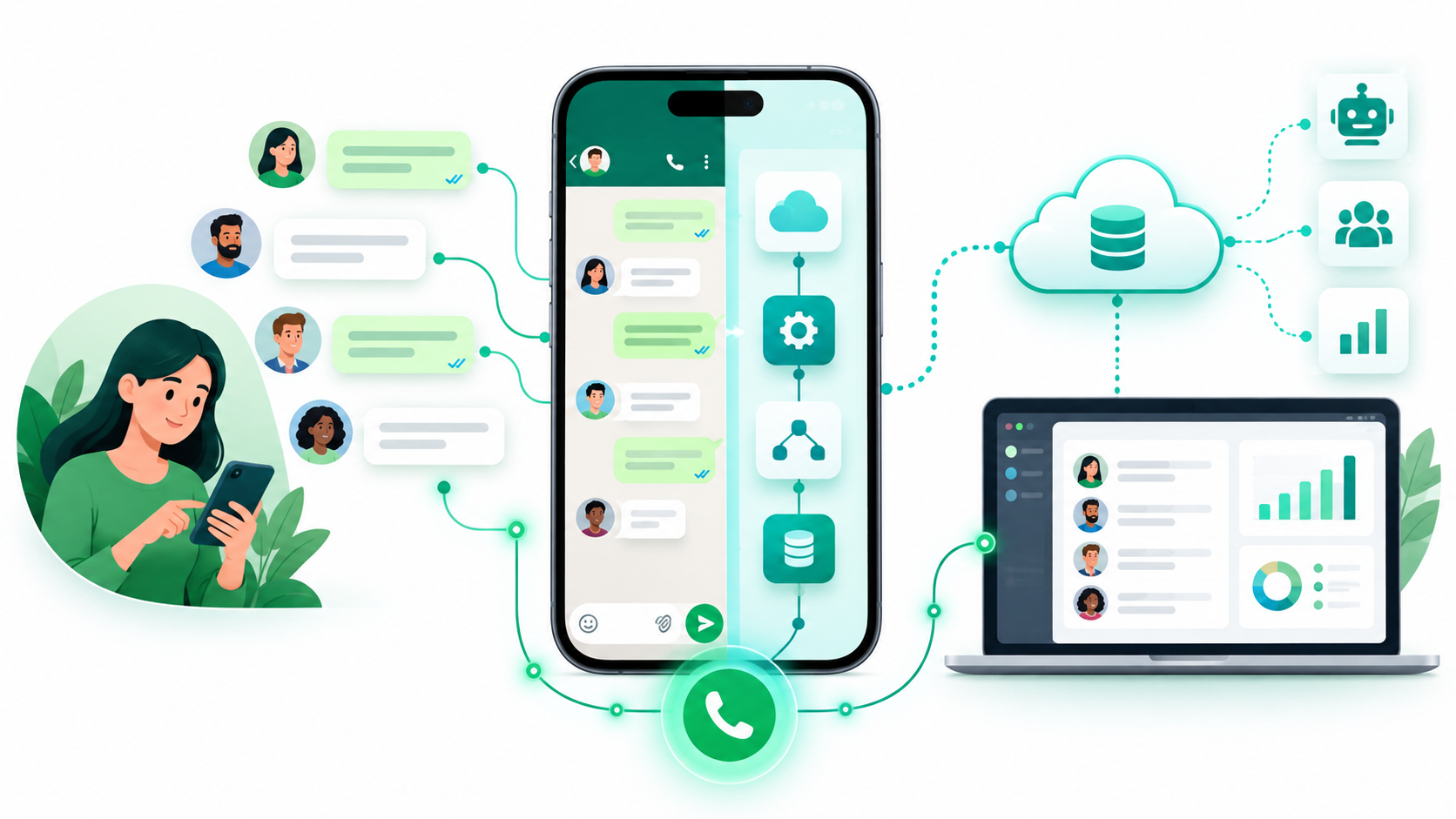
WhatsApp Business API coexistence is a feature that allows businesses to connect an existing WhatsApp Business App number to the WhatsApp Cloud API, Meta's official business messaging infrastructure. Unlike a traditional API-only setup, coexistence lets eligible businesses continue using the mobile app while accessing messaging capabilities through compatible software.
For example, a coaching institute can answer student enquiries manually through the Business App while its connected CRM sends approved message templates and schedules follow-ups. Students continue using the same contact number, and the institute does not need to move its existing conversations to a different number. Coexistence itself does not provide a CRM or AI assistant; those capabilities come from the software connected through the API.
How Does WhatsApp Coexistence Work?
WhatsApp coexistence connects the Business App and WhatsApp Cloud API to one business number. Customers continue messaging the same account, while supported messaging events allow the Business App and connected software to maintain visibility into conversations.
Here's how the two systems work together:
Manual conversations: Employees continue responding to customers through the WhatsApp Business App.
API messaging: Compatible software can send automated replies and approved WhatsApp message templates.
Message synchronization: Supported messages can appear across both environments, depending on the provider's implementation.
Lead management: Connected CRM software can organize enquiries, assign conversations, and track follow-up activity.
Team coordination: Employees can handle important conversations personally while automation supports repetitive tasks.
However, businesses must manage automation carefully. If a salesperson is already discussing pricing with a customer, an automated follow-up should not interrupt that conversation. Clear responsibilities help ensure that customers receive relevant messages without unnecessary duplication.
WhatsApp Business App vs API vs Coexistence
The WhatsApp Business App provides essential tools such as business profiles, labels, greeting messages, and quick replies. It works well for businesses that handle customer communication directly. The WhatsApp Business API, however, supports more advanced messaging through compatible platforms, including automated communication, team inboxes, and CRM integrations.
Coexistence combines these approaches by allowing eligible businesses to retain the Business App while connecting to the Cloud API.
Table 1: WhatsApp Business App vs WhatsApp Business API vs Coexistence — Feature Comparison
Feature | Business App | Business API | Coexistence |
|---|---|---|---|
Manual phone conversations | Yes | Requires another interface | Yes |
Automated follow-ups | Limited | With software | With software |
CRM integration | Limited | Yes | Yes |
Advanced team management | Limited | Provider-dependent | Provider-dependent |
Continue using the number in the mobile app | Yes | No, in API-only mode | Yes |
Best suited for | Small teams | API-focused operations | Growing WhatsApp-first businesses |
For businesses that depend on personal customer interactions but need better sales management, WhatsApp coexistence offers a practical alternative to moving completely to an API-only setup.
Learn more: WhatsApp Business App vs API
Benefits of WhatsApp Business API Coexistence for Small Businesses
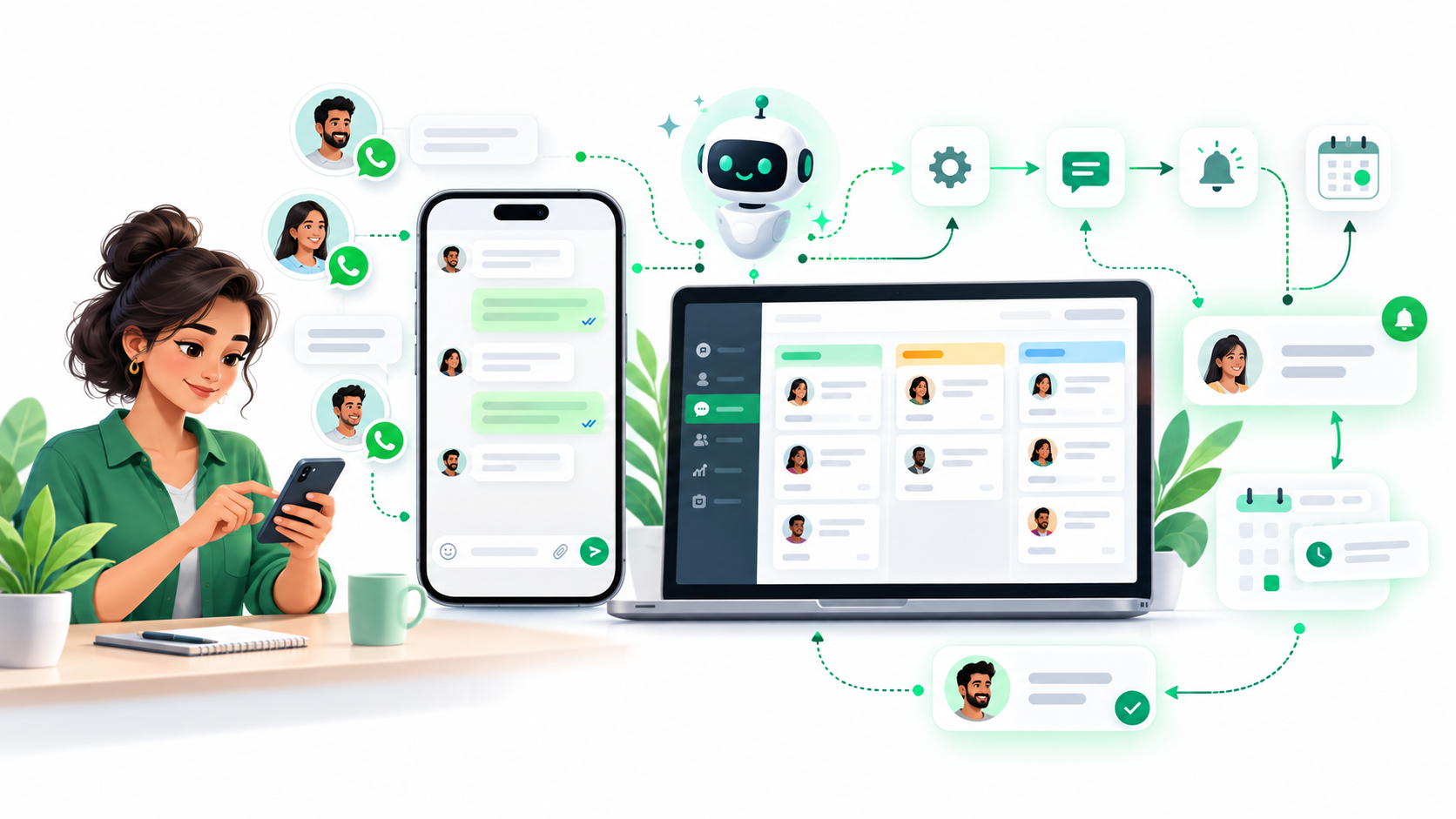
The biggest advantage of WhatsApp coexistence is that businesses can introduce automation without disrupting their existing customer communication. This matters particularly for service businesses where enquiries, quotations, appointments, and follow-ups regularly happen through WhatsApp.
Some important benefits include:
Keep your existing WhatsApp number: Continue using the number customers already recognize from your website, advertisements, and business profiles.
Automate customer responses: A compatible platform can acknowledge new enquiries and answer common questions when employees are unavailable.
Reduce missed follow-ups: Scheduled reminders and appropriate follow-up messages help businesses maintain contact with interested prospects.
Improve team coordination: A shared inbox or CRM can organize conversations, assign leads, and highlight enquiries requiring attention.
Maintain personal communication: Salespeople can handle important customer discussions while automation takes care of repetitive messaging activities.
Consider a fitness studio receiving enquiries about membership plans. Some customers request pricing, while others ask about trial sessions and promise to decide later. Without a structured follow-up process, these conversations can easily get buried beneath new messages. WhatsApp Business automation can help the studio track pending enquiries while its employees continue speaking personally with interested customers.
Who Is Eligible for WhatsApp Business API Coexistence?
WhatsApp coexistence is designed for eligible businesses that already use the WhatsApp Business App and want to connect their existing number to the Cloud API. However, availability depends on Meta's requirements, the account's configuration, and the chosen provider.
Before starting, businesses should confirm the following:
The phone number is registered with an active WhatsApp Business App account.
The WhatsApp Business App is updated to a supported version.
The business has the required Meta Business Portfolio permissions.
The selected provider explicitly supports coexistence onboarding.
The account is in a supported market and meets Meta's eligibility conditions.
The number is not affected by an incompatible existing API connection.
For established businesses, especially clinics, coaching institutes, travel agencies, and other WhatsApp-first service companies, keeping an existing number can be valuable. Businesses starting with a completely new phone number may instead prefer standard WhatsApp Cloud API onboarding.
How to Set Up WhatsApp Business API Coexistence
The WhatsApp coexistence setup process generally uses Meta's Embedded Signup, which connects an existing Business App number to a compatible API provider. The exact interface varies between platforms, but the main steps remain similar.
Check account eligibility: Confirm that your WhatsApp Business App number meets the provider's coexistence requirements.
Choose a supported provider: Select a WhatsApp Business API or CRM platform that offers Business App coexistence.
Start the connection: Open the provider's WhatsApp integration page and select the option to connect an existing Business App number.
Complete Meta's Embedded Signup: Sign in using the relevant Meta account, select your business details, and follow the verification instructions.
Approve the connection: Confirm the request through the WhatsApp Business App if prompted, using the displayed verification code or QR code.
Synchronize and test: Allow supported information to sync, then test incoming messages, manual replies, templates, and automation.
After connecting, begin with a small number of customer conversations before enabling automation more widely. This helps verify that messages are delivered correctly and that employees understand when to respond manually.
For Kraya AI users, the specific connection process is documented in its WhatsApp API Integration Guide.
What Syncs During WhatsApp Coexistence?
One of the most common concerns businesses have before enabling coexistence is whether their contacts and previous conversations will remain available.
Coexistence supports certain forms of synchronization, but the information imported into third-party software depends on the provider.
Table 2: WhatsApp Coexistence Data Synchronization
Information | What businesses should expect |
|---|---|
Existing WhatsApp number | Remains active in the Business App |
Existing contacts | Can be synchronized through supported providers |
Historical chat messages | Import support varies by provider |
New customer messages | Supported conversations can appear in connected software |
WhatsApp group conversations | Do not synchronize to the Cloud API |
Business profile information | Supported synchronization depends on the integration |
For example, Kraya AI's documented coexistence setup imports existing WhatsApp contacts, not historical chat messages. Previous conversations remain available in the Business App, while new messages after linking appear in Kraya. This is an important distinction for businesses that regularly refer to older customer discussions.
Important WhatsApp Coexistence Limitations
Although WhatsApp Business API coexistence provides flexibility, some Business App features become restricted after connecting to the Cloud API. Businesses should understand these limitations before connecting their primary customer communication number.
According to 8x8's WhatsApp coexistence documentation, important restrictions include:
Broadcast lists: Existing native broadcast lists become read-only, and creating new ones through the Business App is restricted.
Disappearing messages: This feature is disabled for individual chats under coexistence.
View-once media and live location: These features are restricted in individual conversations.
Group conversations: WhatsApp groups remain available in the app but do not synchronize to the API.
Linked devices: Previously linked devices may need to be connected again after onboarding.
Account activity: The Business App must remain installed and active to maintain the coexistence connection.
Businesses should also remember that API automation must follow Meta's messaging policies. Customers must have provided the necessary permission to receive business messages, and businesses must honor opt-out requests. Outside the 24-hour customer service window, API-initiated conversations generally require approved message templates.
These conditions are explained in Meta's WhatsApp Business Messaging Policy.
WhatsApp Business API Coexistence Pricing in 2027
WhatsApp coexistence does not have a single fixed price because costs depend on API message usage and the connected software provider. Messages sent manually through the Business App are separate from API billing, while Meta charges for applicable messages delivered through the WhatsApp Business Platform.
Businesses should consider three main cost factors:
Meta messaging charges: API charges depend on message category, recipient market, and applicable pricing rules.
Software subscription fees: CRM and automation platforms may charge for team access, lead management, and messaging features.
Additional provider charges: Some providers may apply usage fees or markups on top of Meta's rates.
Meta's official WhatsApp Business Platform FAQ confirms an important pricing change effective October 1, 2026. Under this policy, the first 1,000 API service messages per business phone number are free each month, with additional service messages charged according to published rates. Marketing, utility, and authentication messages have their own applicable rates.
Because 2027 rates may change, businesses should verify current charges using Meta's pricing page before calculating their messaging budget.
How Kraya AI Helps Businesses Manage WhatsApp Sales and Follow-Ups
For many businesses, the biggest sales challenge begins after the first conversation. A customer requests pricing, receives a quotation, and promises to decide later. Meanwhile, new enquiries continue arriving, the salesperson gets busy, and the original customer is forgotten. Even genuinely interested prospects can lose momentum when follow-ups depend entirely on memory.
Kraya AI is a WhatsApp-first sales platform designed to help businesses organize leads, manage customer conversations, and automate repetitive sales activities. It supports WhatsApp coexistence through its Link via Business App option, allowing eligible businesses to connect their existing WhatsApp number to Kraya's Cloud API capabilities.
With Kraya AI, businesses can use supported features to:
Organize incoming leads: Manage customer enquiries in a structured sales dashboard.
Automate initial conversations: Use AI-powered responses to answer common questions and collect lead information.
Schedule sales follow-ups: Create messaging sequences and reminders for prospects requiring further attention.
Use approved WhatsApp templates: Send eligible API messages according to Meta's messaging rules.
Coordinate team conversations: Control lead access and manage follow-up responsibilities.
Kraya also provides a safeguard during coexistence onboarding. According to its official integration documentation, existing contacts are imported into a hidden Existing Leads stage with AI Auto-Reply and automation initially disabled. This prevents contact synchronization from immediately triggering automated messages.
Kraya's Auto Followups can then be configured for suitable leads. Teams should note that manual replies do not automatically clear an assigned follow-up sequence. Instead, configurable delays can help prevent scheduled messages from interrupting active conversations.
For example, a study-abroad consultancy can personally discuss university options with a student while Kraya tracks the next follow-up. The objective is not to replace human communication but to make sure important sales conversations do not disappear when the team gets busy.
Conclusion
WhatsApp Business API coexistence gives eligible businesses a practical way to combine the familiar Business App with the advanced messaging capabilities of the Cloud API. By retaining their existing number, businesses can introduce automation and better sales management without disrupting everyday customer communication.
For businesses struggling with missed enquiries and inconsistent follow-ups, Kraya AI can help organize conversations and maintain a more reliable follow-up process. The goal is simple: keep customer conversations personal while making sure important sales opportunities receive timely attention.