WhatsApp Business Calling API India 2027: Setup, Pricing & Features
 Abhyank Srinet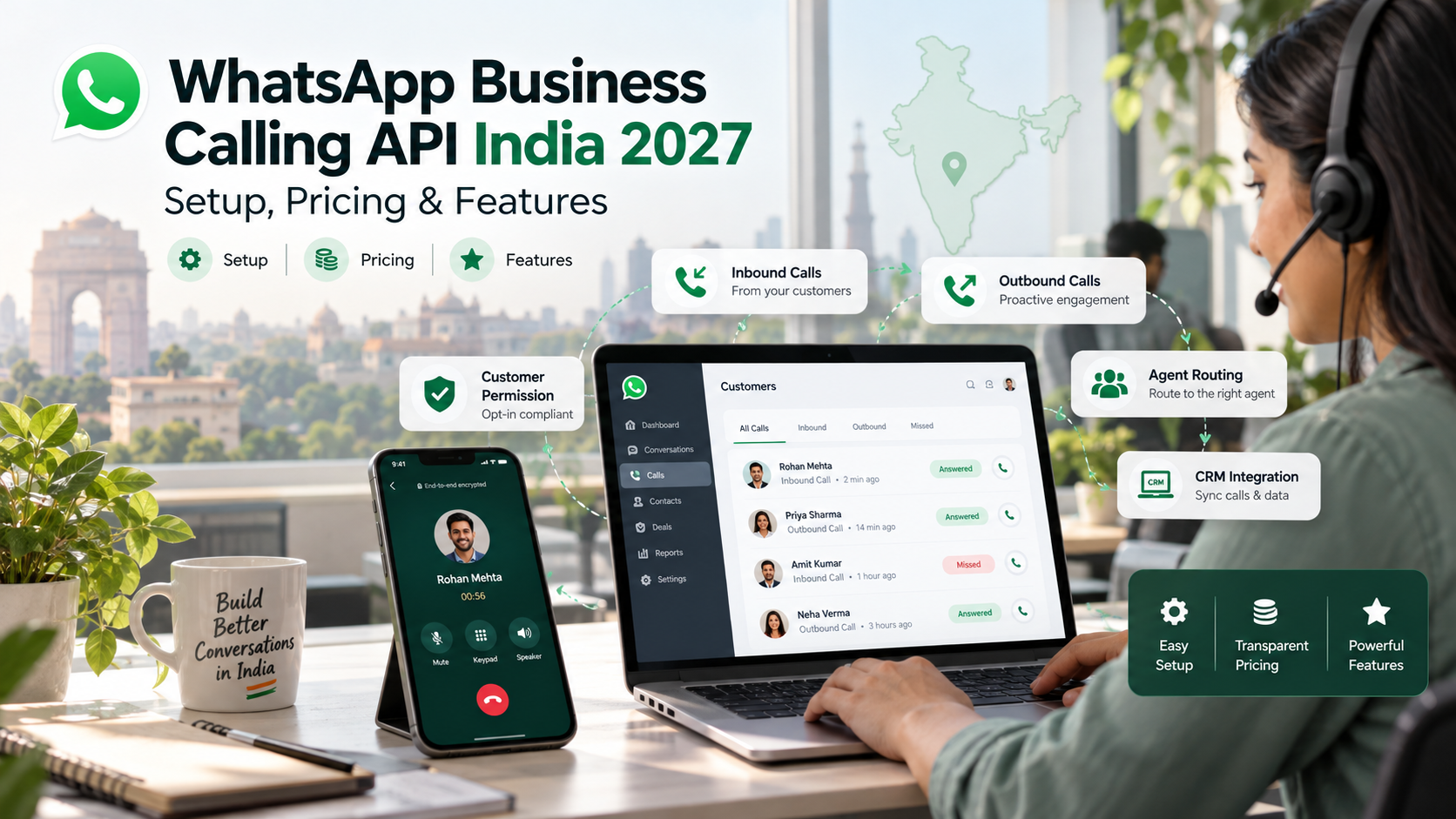
Quick Answer: The WhatsApp Business Calling API allows businesses to make and receive voice calls through a WhatsApp Cloud API number. Customer-initiated calls are free, while business-initiated calls require customer permission and are billed in 6-second intervals based on Meta's INR rate card. Businesses must use the Cloud API and have a messaging limit of at least 2,000.
Introduction
WhatsApp is already one of the most common ways Indian customers communicate with businesses. However, when a potential customer wants to speak directly with a sales or support representative, the conversation often shifts to a regular phone call from an unfamiliar number. The WhatsApp Business Calling API helps solve this problem by allowing customers to connect with businesses through WhatsApp itself. Customers can see the business name, and the call remains connected to the existing WhatsApp conversation.
This guide explains how the WhatsApp Business Calling API works in India, who is eligible, how to enable it, what it costs, and which customer consent rules businesses must follow. The information is based on Meta's official developer documentation available as of October 2026. We also discuss what businesses can expect in 2027, clearly separating confirmed developments from possible future changes.
What Is the WhatsApp Business Calling API?
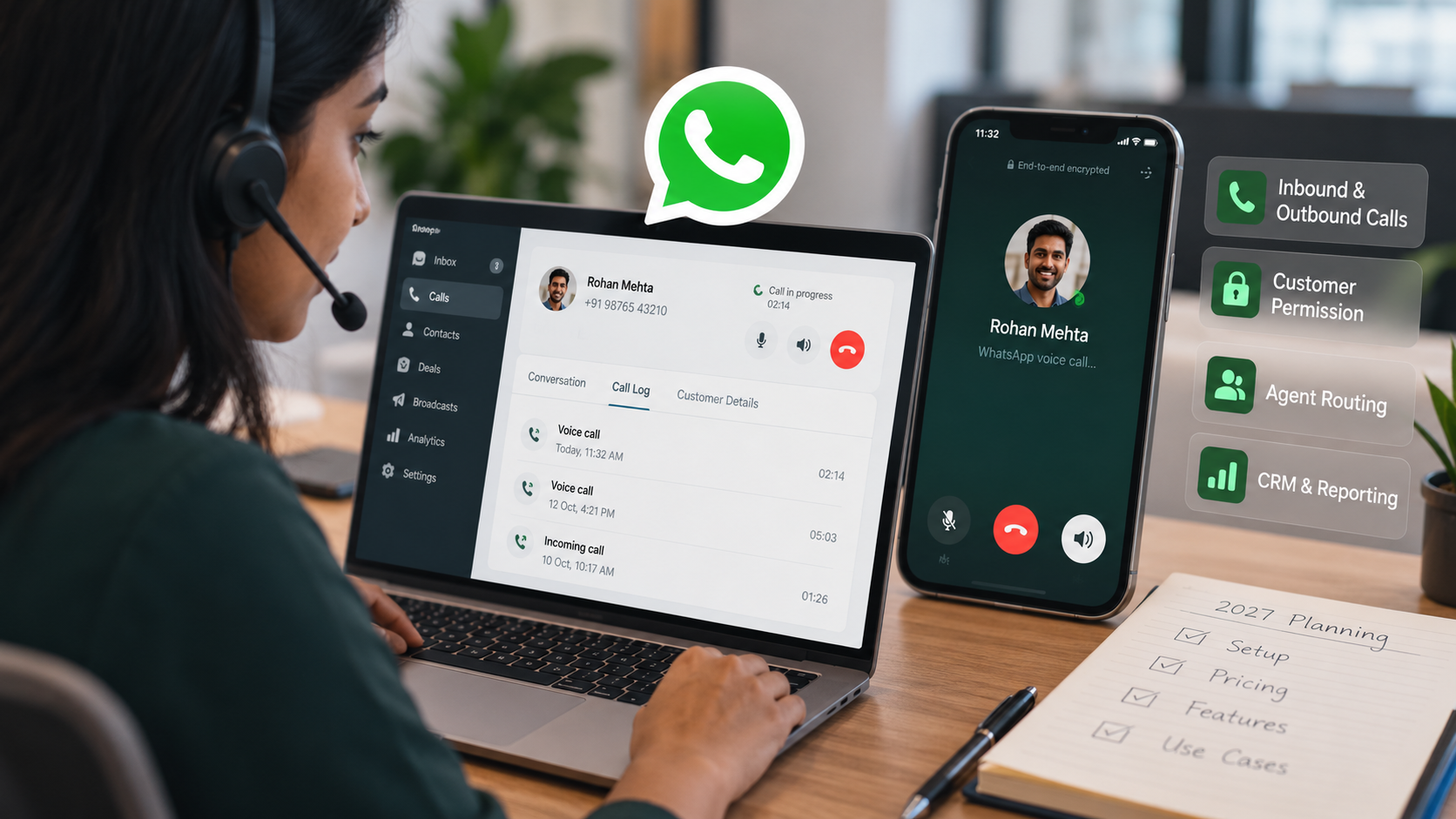
The WhatsApp Business Calling API is Meta's voice calling feature within the WhatsApp Cloud API. It allows businesses to make and receive internet-based voice calls using their existing WhatsApp business numbers.
Unlike traditional phone calls, WhatsApp API calls operate through Voice over Internet Protocol (VoIP). Businesses can integrate these calls with their existing sales or support systems using WebRTC or SIP technology. This allows agents to answer customer calls through a contact centre or communication platform instead of relying on standard mobile networks.
There are two types of WhatsApp Business API calls:
Call Type | Who Initiates the Call? | Is Permission Required? | Cost to Business |
|---|---|---|---|
User-initiated call | A customer taps the call icon in the WhatsApp chat or business profile | No | Free |
Business-initiated call | The business or its system calls a customer | Yes | Charged in 6-second intervals |
This distinction is important because the calling process, customer permissions, and pricing differ depending on who initiates the call.
Is the WhatsApp Calling API Available in India?
Yes, the WhatsApp Calling API is available to eligible businesses in India.
According to Meta's official WhatsApp Calling API documentation, customer-initiated calls are supported wherever the WhatsApp Cloud API is available.
For business-initiated calls, availability depends on the country code of the business's registered WhatsApp number. Meta excludes business numbers registered in the United States, Canada, Egypt, Vietnam, and Nigeria from initiating calls.
India is not included in this restricted list. Therefore, eligible businesses using Indian (+91) numbers can make and receive WhatsApp API calls.
The customer receiving a business-initiated call can be located in any country where WhatsApp Cloud API services are available.
What Are the Eligibility Requirements for WhatsApp Calling API?
Before enabling WhatsApp voice calling, businesses must meet the following requirements:
WhatsApp Cloud API number: Your business number must be registered with the WhatsApp Cloud API. The free WhatsApp Business application does not provide access to the Calling API.
Minimum messaging limit: Your WhatsApp business number must have a daily messaging limit of at least 2,000 unique customers.
Required API permission: Your application must have the
whatsapp_business_messagingpermission and be subscribed to the relevant WhatsApp Business Account (WABA).Call webhook subscription: Businesses using the standard calling integration must subscribe to the
callswebhook field. This requirement does not apply when using SIP signalling.Calling activation: The calling feature must be enabled for the business number because it is disabled by default.
If you are new to WhatsApp API services, read our WhatsApp Business API India guide to understand messaging limits, API access, and how to choose a suitable provider.
How Do You Set Up the WhatsApp Calling API?
Businesses can configure the WhatsApp Calling API directly through Meta's developer tools or with help from an authorised Business Solution Provider (BSP).
Although many companies prefer working with a BSP to simplify technical integration, the underlying setup process involves five important steps.
Step 1: Check Your WhatsApp Business Number and Messaging Limit
Start by opening WhatsApp Manager and checking whether your business number is registered with the WhatsApp Cloud API.
You must also confirm that the number has a messaging limit of at least 2,000 unique customers per day.
If your number does not meet this requirement, you must first become eligible for the required messaging limit before activating business calling.
Step 2: Enable WhatsApp Calling
You can activate WhatsApp Calling through WhatsApp Manager or directly through the Cloud API.
Method 1: Enable calling through WhatsApp Manager
Open WhatsApp Manager.
Navigate to Account Tools → Phone Numbers.
Locate your registered business number.
Click the gear icon beside the number.
Open the Calls tab.
Enable the calling feature.
Method 2: Enable calling through the API
Developers can activate calling by sending a request to:
POST /<PHONE_NUMBER_ID>/settings
The request must include a calling object with its status set to:
"status": "ENABLED"
According to Meta, the calling feature can take up to 7 days to appear in WhatsApp applications after activation, although many businesses may see the update sooner.
Step 3: Configure WhatsApp Call Settings
After enabling calling, businesses can customise how customers interact with their calling feature.
Meta's official call settings documentation describes the available configuration options.
1. Business calling hours
Set the days and times when customers can call your business. You can configure weekly schedules using your local time zone, such as Asia/Kolkata for Indian businesses.
The system also supports up to 20 holiday overrides, allowing you to modify calling availability during holidays or special business closures.
2. Call button visibility
Businesses can choose whether to display the WhatsApp call button.
If you do not want customers to initiate unsolicited calls, you can hide the calling option.
3. Callback permissions
Businesses can enable callback permission requests, allowing customers to grant permission for a return call after a missed or connected conversation.
4. SIP integration
If your business already uses a SIP-based contact centre, WhatsApp calls can be routed into that existing communication system.
These settings help businesses manage call availability, customer expectations, and communication workflows.
Step 4: Connect Your Calling System
The WhatsApp Business Calling API uses Graph API and webhooks for call signalling by default, while WebRTC manages the audio connection.
Businesses can alternatively use SIP signalling to integrate WhatsApp calls with an existing telephony or contact-centre infrastructure.
Supported audio codecs include:
Opus
G.711 PCMA
G.711 PCMU
These technologies allow businesses to connect WhatsApp calling with compatible communication platforms and agent systems.
Step 5: Test Your Calling Setup Before Launch
Before making WhatsApp Calling available to customers, test the complete calling experience using a test number.
Your testing should cover inbound customer calls, outbound business calls, customer permission requests, and configured calling hours.
Testing these scenarios helps identify integration issues before the feature is introduced to actual customers.
How Much Does the WhatsApp Business Calling API Cost in India?
WhatsApp Business Calling API pricing depends on whether the customer or business initiates the call.
Customer-initiated calls are free for businesses, while business-initiated calls are charged according to their duration in 6-second billing intervals. The applicable rate depends on the destination country and the business's monthly call volume.
Meta provides its pricing structure through the official WhatsApp Calling API pricing documentation.
WhatsApp Calling API Pricing Structure
Pricing Element | How It Works |
|---|---|
Customer-initiated calls | Free |
Business-initiated calls | Charged in 6-second intervals, rounded up |
Rate calculation | Based on destination country code and monthly calling volume |
India pricing | Available through Meta's INR rate card |
Volume-based pricing | Higher monthly call volumes may qualify for lower rates |
Permission request messages | Charged according to standard WhatsApp messaging rates |
Payment requirements | A valid payment method is required |
How Does 6-Second Billing Work?
Meta calculates business-initiated calling charges in 6-second intervals.
For example, consider a WhatsApp call lasting 56 seconds.
A 56-second call uses approximately 9.33 billing intervals of 6 seconds each.
Because Meta rounds the usage up to the next complete interval, the call is charged for 10 intervals, equivalent to 60 seconds.
This billing structure is useful for businesses that make frequent short calls because charges are calculated according to actual call duration rather than automatically charging for longer blocks.
What Is the WhatsApp Calling API Per-Minute Rate in India?
Meta publishes India's WhatsApp calling rates in a downloadable INR rate card.
The rate is not presented directly in the general developer documentation and can vary depending on the monthly volume tier.
Because third-party pricing estimates are not always consistent, businesses should refer to Meta's latest INR rate card or request the current pricing from their Business Solution Provider before calculating calling expenses.
Some BSPs may also charge additional platform or integration fees, which should be included in the overall cost.
How Do WhatsApp Calls Affect the Customer Service Window?
An important benefit of WhatsApp Calling is its connection to the WhatsApp customer service window.
When a customer calls your business, whether the call is answered or missed, a 24-hour customer service window opens or refreshes.
The same applies when a customer accepts a call initiated by your business.
During this window, businesses can send free-form WhatsApp messages instead of relying exclusively on approved message templates.
This allows sales and support teams to continue the conversation after the call.
How Do WhatsApp Calling Permissions and Customer Consent Work?
Businesses cannot initiate WhatsApp voice calls without the appropriate customer permission.
According to Meta's official calling permissions documentation, customers control whether a business is allowed to call them.
Customers can grant or revoke that permission, and businesses must follow the applicable limits.
How Can Customers Grant Calling Permission?
There are three main ways customers can authorise business-initiated WhatsApp calls.
1. Through a permission request message
A business can send a calling permission request as a free-form message during an active customer service window or through an approved WhatsApp message template.
Customers can then choose whether to grant temporary or permanent permission.
2. By calling the business first
When callback permissions are enabled, a customer who initiates a call to the business can automatically provide temporary permission for the business to call them back.
3. Through the WhatsApp business profile
Customers can grant permanent calling permission directly through the business profile.
This permission remains active until the customer decides to revoke it.
What Are WhatsApp Calling Permission Limits?
Meta applies specific limits to protect users from unwanted business calls.
Permission Rule | Limit |
|---|---|
Temporary calling permission | Valid for 7 calendar days (168 hours) |
Permanent calling permission | Remains active until the customer revokes it |
Permission requests | Maximum 1 per 24 hours and 2 per 7 days |
Permission request reset | Limits reset after a connected call between the business and customer |
Connected business-initiated calls | Up to 100 every 24 hours |
New call attempts | Maximum 10,000 per 24 hours per business number |
Two consecutive unanswered calls | Customer receives a prompt to reconsider permission |
Four consecutive unanswered calls | Calling permission is automatically revoked |
How Can Businesses Avoid Losing Calling Permission?
Businesses should avoid repeatedly calling customers who do not answer.
A practical approach is to call only during agreed business hours and follow up through WhatsApp messages when necessary.
For example, if a customer requests a callback after receiving a product quotation, your sales team should confirm a suitable time before calling.
Businesses should also record when and how customers granted calling permission. This is a useful practice when managing customer consent and supporting compliance with India's Digital Personal Data Protection Act, 2023.
How Is WhatsApp Calling Different From Normal Phone Calls?
The main difference between WhatsApp Business Calling API and traditional phone calls is how customers identify the business and how the conversation is managed.
WhatsApp calling keeps voice communication connected to the customer's existing WhatsApp conversation, while regular phone and IVR calls generally operate through separate telecom systems.
Factor | WhatsApp Business Calling API | Regular Phone or IVR Call |
|---|---|---|
Caller identity | Business name displayed through WhatsApp | Customer may see an unfamiliar phone number |
Conversation context | Connected to the existing WhatsApp chat | Usually separate from the chat history |
Incoming call cost | Customer-initiated calls are free for businesses | Depends on the telecom provider and plan |
Outbound consent | Requires WhatsApp calling permission | Subject to applicable telecom regulations |
Customer reach | Limited to WhatsApp users | Can reach regular phone numbers |
Traditional calling systems remain useful when businesses need to contact customers who do not use WhatsApp.
However, WhatsApp Calling can offer a more connected experience when customers are already communicating with the business through WhatsApp messages.
What Are the Benefits of WhatsApp Business Calling API for Indian Businesses?
The WhatsApp Business Calling API can help Indian businesses make customer communication more convenient by combining messaging and voice calling within one platform.
1. Build Greater Customer Trust
Customers can see the business name when receiving calls through WhatsApp, rather than an unfamiliar number.
This provides clearer caller identity and may make customers more comfortable answering calls from businesses they have already contacted.
2. Keep Calls and Messages Connected
WhatsApp Calling allows customers to move between messaging and voice communication without switching platforms.
For example, a salesperson can first share product information in a WhatsApp chat and then continue the discussion through a voice call.
After the call, the team can send quotations, brochures, or follow-up information in the same conversation.
3. Reduce Incoming Calling Costs
Customer-initiated WhatsApp API calls are free for businesses.
For companies handling large volumes of support enquiries, this can provide an additional communication channel without Meta's inbound calling charges.
However, businesses should still consider the cost of their calling infrastructure, BSP platform, and support systems.
Which WhatsApp Calling API Use Cases Work Best for Sales and Support Teams?
WhatsApp Business Calling can be useful across industries where customers often need direct conversations before making decisions.
1. Hot Lead Callbacks
A potential customer may ask a question about a product or service through WhatsApp and then request a call.
The business can obtain calling permission and contact the customer within the permitted 7-day window.
This is useful for sales teams handling enquiries from customers who have already expressed interest.
2. Real Estate Site Visit Coordination
Real estate businesses often share property brochures, floor plans, and pricing details through WhatsApp.
Once a buyer expresses interest, the sales team can arrange a WhatsApp call to discuss the property and confirm a convenient site visit time.
This keeps communication related to the property within the same WhatsApp conversation.
3. Education and Admissions Counselling
Education consultants and EdTech companies can allow students to contact counsellors directly through WhatsApp during configured calling hours.
Students can first review course details, admission requirements, and application information through messages, then speak with a counsellor if further clarification is needed.
4. Customer Support Escalation
Some customer issues are difficult to resolve through text messages alone.
WhatsApp Calling allows a support agent to move the conversation from chat to voice without asking customers to dial a different number.
After resolving the issue, the support team can continue communicating through WhatsApp messages.
What Are the Limitations of the WhatsApp Business Calling API?
Although WhatsApp Calling provides an additional communication channel, businesses should understand its limitations before implementation.
1. It Is Not Designed for Cold Calling
Businesses cannot use the WhatsApp Calling API as an unrestricted cold-calling tool.
Outbound calling requires customer permission, and Meta applies limits to permission requests and unanswered calls.
2. New Business Numbers May Not Qualify Immediately
Business numbers must meet the required messaging limit of 2,000 before becoming eligible for calling.
This requirement can prevent newly registered or low-volume numbers from accessing the feature immediately.
3. Customers Need an Internet Connection
WhatsApp voice calls operate over the internet.
As a result, call quality depends on the customer's internet connection, network stability, and device capabilities.
4. Technical Integration Is Required
Businesses need a compatible WebRTC or SIP calling setup.
Companies without an internal development team may need help from a Business Solution Provider or technical integration specialist.
5. Video Calling Is Not Yet Available
Meta currently lists video calling and screen sharing as features under development.
Businesses should therefore plan their implementation around voice calling until Meta officially confirms broader availability.
What Could Change for the WhatsApp Calling API in 2027?
Meta has not published a confirmed WhatsApp Calling API roadmap for 2027.
However, its existing documentation and previous updates provide useful areas for businesses to monitor.
These developments should be treated as possibilities or ongoing changes, not guaranteed features or pricing updates for 2027.
1. Video Calling and Screen Sharing
Meta's developer documentation lists video calling and screen sharing as features under development.
If introduced, these capabilities could expand how businesses use WhatsApp for consultations, customer support, and sales discussions.
However, no confirmed 2027 launch date has been announced.
2. Calling Limits May Continue to Change
Meta has previously updated its limits for business-initiated calling.
For example, the permitted number of business-initiated calls per user increased from 5 to 10 per day on 13 October 2025.
The limit was subsequently increased to 100 on 19 December 2025.
These changes show why businesses should monitor Meta's current developer documentation instead of relying on older calling limits.
3. Calling Prices May Be Updated
Meta's WhatsApp Calling pricing documentation includes dated pricing updates, including changes on 1 April 2026 and 1 July 2026.
Because calling rates can change, Indian businesses should regularly review the latest INR rate card, especially when preparing their communication budgets for 2027.
Where Does Kraya AI Fit Into WhatsApp Business Communication?
Kraya AI is a WhatsApp-focused sales automation platform designed to help Indian businesses manage customer enquiries, qualify leads, and improve