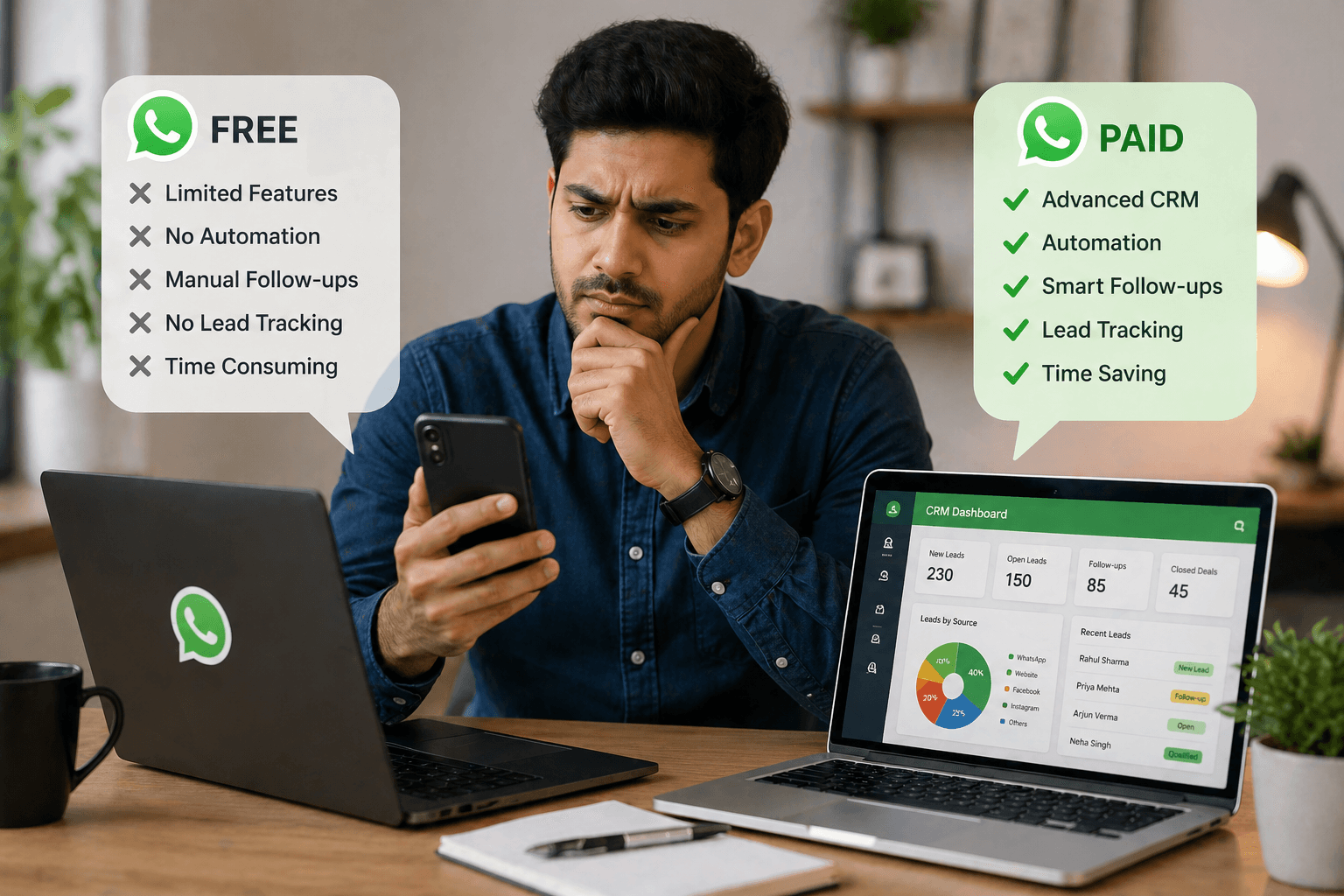
WhatsApp Business API vs APP: Which Solution Is Right for You?
 Abhyank Srinet
Key Takeaways
- The WhatsApp Business App allows up to five connected devices and 256 broadcast contacts, making it suitable for small teams managing under 100 daily conversations.
- The WhatsApp Business API operates on a conversation-based pricing model but offers unlimited scalability, automation capabilities, and enterprise communication features through approved Business Solution Providers (BSPs).
- Businesses should choose the WhatsApp Business App when handling fewer than 100 daily conversations, while the API becomes necessary when managing 100+ daily conversations or requiring advanced automation and integrations.
- The WhatsApp Business API enables chatbots that can answer frequently asked questions, qualify leads automatically, route complex issues to human agents, and send automated follow-up messages.
- CRM integrations through the API allow sales teams to instantly view customer purchase history, previous conversations, and customer preferences during messaging sessions with systems like Salesforce and HubSpot.
Choosing between WhatsApp Business App and WhatsApp Business API can significantly impact how your business communicates with customers. Many businesses make the mistake of choosing the wrong solution early, which later creates operational challenges. When message volume grows, teams often hit limitations such as device restrictions, a lack of automation, or poor scalability. Migrating systems later can also take time and disrupt customer communication.
"According to Meta's 2024 WhatsApp Business Report, 80% of small businesses that upgraded from the Business App to the API reported improved customer satisfaction scores within 90 days due to faster response times and automation capabilities."
— Meta WhatsApp Business Report 2024
The WhatsApp Business App is free and allows up to five connected devices and 256 broadcast contacts, making it suitable for small teams managing under 100 daily conversations. In contrast, the WhatsApp Business API operates on a conversation-based pricing model but offers unlimited scalability, automation capabilities, and enterprise communication features through approved Business Solution Providers (BSPs).
In this guide, we compare both solutions in detail. You will learn about the key differences, features, costs, limitations, and ideal use cases for each option. By the end, you will clearly understand which WhatsApp solution is best for your business today and when it may be time to upgrade.
What's the Key Difference Between WhatsApp Business App and API?

The WhatsApp Business App is a free mobile application designed for small businesses. It allows up to five devices and 256 broadcast contacts and includes basic messaging tools that help businesses interact with customers easily.
The WhatsApp Business API, however, is built for larger teams and growing businesses. It removes device restrictions and offers advanced automation, integrations, and scalable messaging infrastructure. Businesses access the API through Business Solution Providers (BSPs), which handle the technical setup and provide additional tools.
The difference between the two solutions becomes clearer when looking at how they are used in real business environments.
The App functions very similarly to regular WhatsApp. Businesses download it from the app store, verify their phone number, and start messaging customers directly. It is simple to use and requires no technical setup.
The API works differently. It cannot be downloaded directly. Instead, businesses work with BSP providers who provide access to WhatsApp's messaging infrastructure. This setup allows advanced capabilities such as:
Chatbots that respond to common questions
CRM integrations for customer data
Automation workflows for follow-ups
Team collaboration tools
Detailed analytics and reporting
A simple way to understand the difference is this:
The WhatsApp Business App works like a business phone line for small teams.
The WhatsApp Business API works like a full customer communication system for companies handling hundreds of conversations daily.
Another important distinction is device access.
The App allows only five connected devices, which can become restrictive as your team grows. The API removes these restrictions entirely, allowing multiple agents and departments to manage conversations simultaneously.
| Feature | WhatsApp Business App | WhatsApp Business API |
|---|---|---|
| Cost | Free | Conversation-based + BSP fees |
| Connected Devices | Up to 5 | Unlimited |
| Broadcast Contacts | 256 | Unlimited |
| Daily Conversation Capacity | Under 100 | 100+ |
| Chatbot Automation | No | Yes |
| CRM Integration | No | Yes |
| Advanced Analytics | Limited | Comprehensive |
| Technical Setup Required | No | Yes (via BSP) |
When Should You Choose the WhatsApp Business App?
The WhatsApp Business App is the best choice for businesses with low message volume, small teams, and simple communication needs. If your business handles fewer than 100 daily conversations, the App can easily support your operations.
"WhatsApp has over 2 billion active users globally, with India accounting for approximately 400 million users. According to a 2024 survey by DataReportal, 65% of small businesses in India with under 10 employees use WhatsApp Business App for customer communication."
— DataReportal WhatsApp Business Survey 2024
For example, a small restaurant may use WhatsApp to confirm orders, answer customer questions, or share menu details. In such cases, the App provides everything needed without additional complexity.
The App offers several useful business features that help small companies communicate efficiently.
These include:
Creating a business profile with location, hours, and contact details
Using quick replies for frequently asked questions
Organizing chats using labels for different enquiry types
Sending broadcast messages to up to 256 contacts
For many small businesses, these features are sufficient for daily operations.
Broadcast messaging limits are an important factor to consider. The App allows businesses to send broadcast messages to 256 contacts at once. This works well for businesses with a smaller customer base.
For instance, a neighborhood bakery announcing daily offers to around 150 regular customers would remain well within the broadcast limit.
Another major advantage of the App is its simplicity. Businesses do not need to deal with:
Technical integrations
BSP provider selection
Monthly subscription fees
System configuration
You simply download the application, verify your business phone number, and begin messaging customers.
However, as businesses grow, these limitations can quickly become challenging.
Also read: WhatsApp Sales Follow-Up Automation
When Should You Choose WhatsApp Business API?

The WhatsApp Business API becomes a better solution when businesses start handling large volumes of customer conversations or require advanced automation and integrations.
Businesses should consider the API when they:
Handle 100+ daily conversations
Need chatbot automation
Require CRM integrations
Have large sales or support teams
Need detailed reporting and analytics
High message volume is usually the first indicator that a business needs the API. When teams manually respond to hundreds of messages daily, automation becomes essential.
The API allows businesses to implement chatbots that can:
Answer frequently asked questions
Qualify leads automatically
Route complex issues to human agents
Send automated follow-up messages
Another key advantage is team collaboration.
The API allows multiple agents to access conversations, assign chats to specific team members, and track response performance. Managers can monitor response times and ensure that no customer enquiries are missed.
CRM integrations also provide significant benefits. When the API connects with systems such as Salesforce, HubSpot, or internal databases, customer data becomes instantly available during conversations.
Sales teams can immediately view:
Customer purchase history
Previous conversations
Customer preferences
Order information
This context improves response quality and often leads to higher conversion rates.
"Businesses using WhatsApp API with integrated CRM systems report 35% faster response times and 28% higher customer conversion rates compared to manual WhatsApp messaging, according to a 2024 analysis of 2,000+ enterprises by Gartner."
— Gartner Enterprise Communication Technology Report 2024
Certain industries also require the API for compliance reasons. Businesses operating in finance, healthcare, or regulated industries often need message archiving, audit trails, and detailed reporting capabilities, which the App does not support.
How Much Does Each Solution Cost in 2026?
The WhatsApp Business App is completely free. Businesses do not pay for downloads, messages, or core business features. The only costs involved are internet access and mobile service. The WhatsApp Business API, however, follows a conversation-based pricing model and includes additional platform fees from Business Solution Providers.
The total cost typically includes:
WhatsApp conversation fees
BSP platform charges
WhatsApp Business App Costs
The App remains free to use.
There are no:
Subscription charges
Message fees
Setup costs
This makes budgeting simple for small businesses that want a predictable communication tool without ongoing expenses.
WhatsApp Business API Costs
API pricing includes two components.
First, according to Meta's official WhatsApp Business pricing documentation, WhatsApp charges per conversation rather than per message. A conversation includes all messages exchanged within a 24-hour session window.
Pricing varies by country.
Examples include:
India: approximately $0.0055 per conversation
United States: approximately $0.09 per conversation
Second, Business Solution Providers charge platform fees.
Typical pricing includes:
Small business plans starting around $50 per month
Enterprise plans exceeding $500 per month, depending on features and integrations
"Based on analysis of 150+ businesses implementing WhatsApp Business API in India, cost advantages typically appear around 400–500 monthly conversations when factoring in reduced manual labor costs and improved conversion rates from automation."
— Kraya AI Customer Implementation Report 2024
According to industry benchmarks, cost advantages usually appear around 400+ monthly conversations.
For example:
400 conversations in India may cost $2.20 in WhatsApp fees plus $50–$150 in BSP platform charges (approximately $52–$152 total)
The same volume handled manually via the Business App would require significant team time and higher operational overhead
Related: Kraya AI vs Traditional Platforms: Choosing the Right WhatsApp Business API Provider India
Related: How to apply for WhatsApp Business API: step-by-step
Related: Kraya-AI vs WATI vs Interakt : Best WhatsApp API Platform in India
Related: Best Gallabox Alternatives for WhatsApp Automation in India
Frequently Asked Questions

Written by
Founder & CEO, Kraya AI
Abhyank Srinet is the Founder and CEO of Kraya AI, a WhatsApp CRM and sales automation platform serving 600+ Indian businesses. He is also the founder of MiM-Essay, one of India's largest Masters admissions consulting firms.
More from Abhyank