WhatsApp Message Templates: Complete 2026 Approval Guide
 Abhyank Srinet
Businesses that start using WhatsApp for customer communication often discover an important restriction that affects how they can message customers. WhatsApp allows businesses to reply freely to customers only within a 24-hour window after the customer sends the first message. During this period, the business can continue the conversation naturally. However, once those 24 hours pass, the business can no longer initiate new messages unless it uses approved WhatsApp message templates. This rule is designed to protect users from spam and ensure businesses communicate responsibly.
"WhatsApp's 24-hour messaging window is one of the most important policy constraints businesses must understand. Without templates, your ability to proactively engage customers essentially expires after a single day."
— Meta Business Communications Guidelines
This limitation becomes a challenge when businesses want to send updates, reminders, or promotions after the conversation window closes. For example, a business may want to send appointment reminders, order updates, special offers, or important notifications. Without message templates, none of these messages can be sent unless the customer messages the business again. As businesses grow and handle larger volumes of customers, relying only on reactive conversations becomes inefficient.
WhatsApp message templates solve this problem. Templates are pre-approved messages that businesses can send outside the 24-hour messaging window. Once a template is approved by Meta, the business can send that message to customers anytime while remaining compliant with WhatsApp policies. This allows businesses to maintain consistent communication without waiting for customers to initiate conversations.
For companies that rely heavily on WhatsApp for sales, support, or marketing, message templates become an essential part of their communication strategy. In this guide, you will learn how WhatsApp templates work, how to get them approved quickly, what formatting rules must be followed, and how businesses across industry successfully use them.
What Are WhatsApp Message Templates
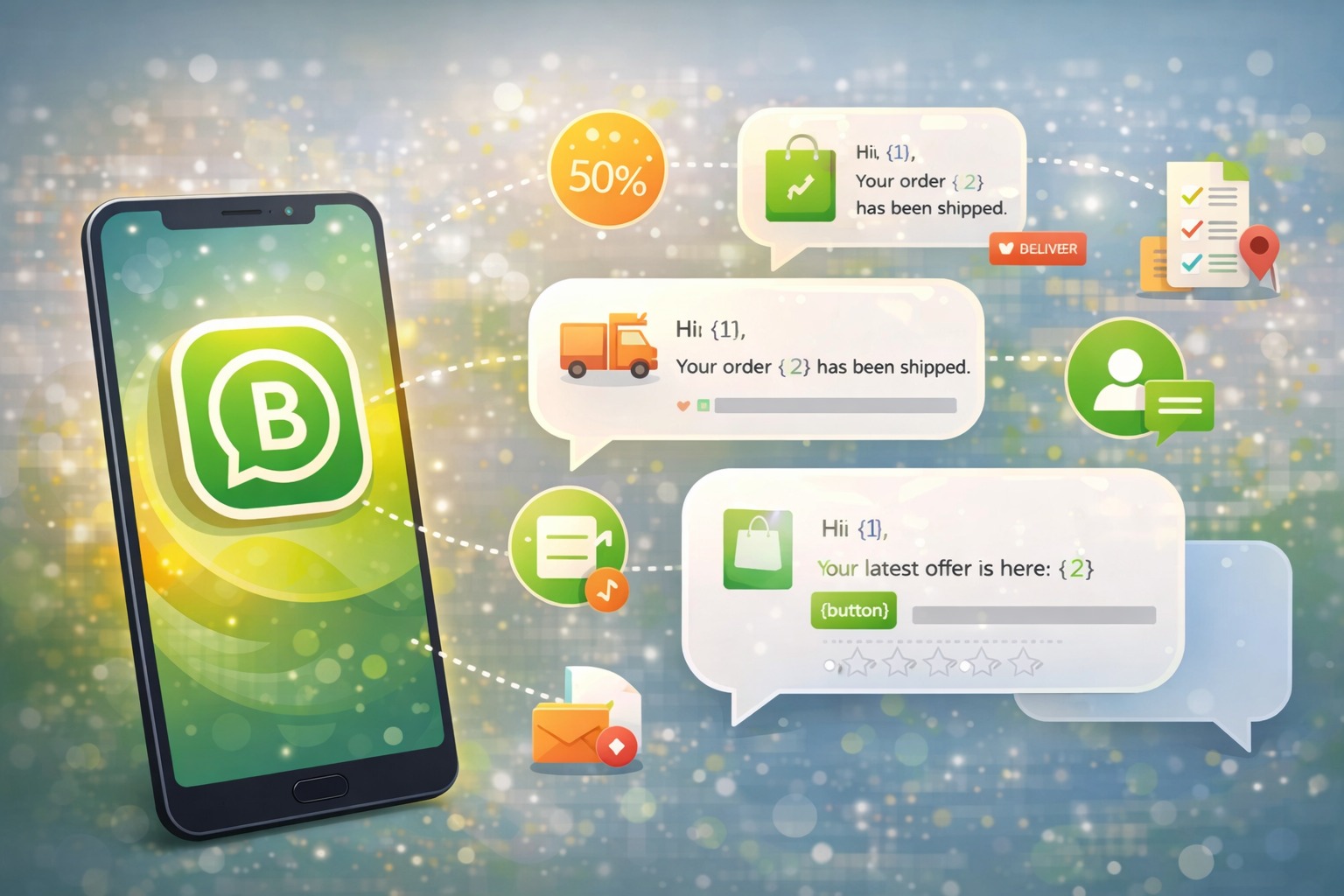
WhatsApp message templates are pre-written messages that businesses submit to Meta for approval before sending them to customers. These templates are designed to allow businesses to communicate with customers outside the standard 24-hour messaging window. Once approved, templates can be reused whenever needed, making them extremely useful for notifications, reminders, marketing campaigns, and important updates.
The biggest difference between regular WhatsApp messages and message templates is how they are used in the conversation timeline. Regular messages can only be sent within 24 hours after a customer contacts the business. If the conversation becomes inactive and the 24-hour period expires, the business cannot send a new message unless it uses a template. Templates remove this restriction and allow businesses to reach customers even when the conversation window has closed.
Templates also exist to maintain the quality of communication on the platform. Meta reviews every template to ensure it follows policy guidelines and does not appear spammy or misleading. The goal is to protect user experience while still allowing businesses to communicate effectively. Because of this review process, templates must follow strict formatting and content requirements.
"Businesses using approved WhatsApp templates see engagement rates 3x higher than traditional SMS marketing, with average response rates exceeding 45%."
— Statista WhatsApp Business Report 2024
Most templates must include essential elements such as the business name, clear instructions for customers to opt out of messages, and properly structured text. If these elements are missing or the wording appears overly promotional, the template may be rejected during the approval process. For businesses that plan to scale their WhatsApp communication, understanding these requirements is critical.
Without approved templates, businesses cannot proactively send important information such as delivery updates, appointment confirmations, or promotional campaigns. This makes templates one of the most important tools for any business using WhatsApp as a communication channel.
Types of WhatsApp Message Templates
WhatsApp currently supports three main types of message templates, and each category serves a different purpose. Meta reviews each type differently, which is why approval rates vary depending on the template's intent and content.
The three template categories are:
Utility templates
Marketing templates
Authentication templates
Each type is designed for a specific communication purpose, and businesses should choose the category that best matches their messaging needs.
Template Type | Purpose | Approval Time | Common Use Cases |
|---|---|---|---|
Utility | Transactional updates and helpful information | 24-48 hours | Order confirmations, shipping updates, appointment reminders |
Marketing | Promotional content and campaigns | 48+ hours | Product launches, discounts, loyalty programs |
Authentication | Account security and verification | 24 hours (fastest) | Verification codes, login alerts, password resets |
Utility Templates
Utility templates are used for messages that provide important information customers expect to receive. These messages typically contain transactional updates related to an order, service, or appointment. Because these messages deliver clear value to the customer, they usually receive the highest approval rates during the review process.
Common use cases for utility templates include order confirmations, shipping notifications, appointment reminders, and payment confirmations. Customers usually appreciate these messages because they provide helpful updates about actions they have already taken. As a result, Meta reviews these templates more favorably compared to purely promotional messages.
Examples of utility templates may include messages that inform customers about delivery timelines, appointment schedules, or account updates. Businesses can also add interactive buttons to these templates, allowing customers to track orders, confirm appointments, or access additional information quickly. Since these templates focus on providing useful information, they typically achieve high engagement rates and strong approval success.
Marketing Templates
Marketing templates are designed to promote products, services, offers, or announcements to customers. These templates are reviewed more strictly by Meta because promotional content has a higher risk of being perceived as spam. Businesses must be careful with wording and ensure the message feels helpful rather than aggressive or overly promotional.
Instead of writing loud promotional messages filled with excessive capitalization or exaggerated claims, marketing templates should be written in a natural, conversational tone. Messages that focus on customer value rather than direct sales pitches usually perform better during the approval process.
Marketing templates are commonly used for:
Product launches
Seasonal promotions
Discount campaigns
Customer loyalty programs
Re-engagement messages
Another important requirement for marketing templates is customer consent. Businesses must ensure that customers have agreed to receive promotional messages before sending them. Clear opt-out instructions must also be included so customers can easily unsubscribe from future communication.
Authentication Templates
Authentication templates are used for account security and verification purposes. These templates deliver important security messages such as login verification codes, password reset confirmations, or alerts about suspicious account activity.
Because these messages protect users and help secure accounts, authentication templates usually receive the fastest approval times. They are typically short, direct, and focused only on delivering the necessary security information.
Authentication templates cannot include marketing content or promotional language. Their purpose is strictly to support account safety and identity verification.
Examples of authentication templates include messages that send verification codes or notify users when a login attempt occurs from a new device. Since these messages are essential for security, Meta prioritizes their approval to ensure businesses can protect their customers effectively.
How to Create WhatsApp Message Templates
Creating a WhatsApp message template requires following a structured format defined by Meta. Each template must include specific components, and each component has strict limitations on length and formatting. Understanding these elements helps businesses avoid common mistakes that lead to template rejection.
A typical WhatsApp template contains four key components:
Header
Body text
Footer
Interactive buttons
Each of these elements plays a specific role in how the message is presented to customers.
Template Components
The header appears at the top of the message and can include either text or media. Text headers are limited to 60 characters and are often used to highlight the purpose of the message or include branding. Media headers can include images, videos, or documents, which are useful for visually engaging messages.
The body text contains the main message content. This section is limited to 1,024 characters and typically includes the primary information being communicated. Templates can also include variables inside the body text. Variables use a double curly bracket format such as {{1}}, {{2}}, and {{3}}. When the message is sent, these placeholders are replaced with actual customer information such as names, order numbers, or appointment times.
The footer appears below the body text and provides additional context. This section is limited to 60 characters and is often used for disclaimers, business information, or reminder notes.
Finally, templates can include interactive buttons that allow customers to take action immediately. Businesses can add up to three buttons, which may link to a website, initiate a phone call, or provide quick reply options. Buttons make it easier for customers to respond quickly without typing a message manually.
WhatsApp Template Approval Process
The WhatsApp template approval process usually takes between 24 and 48 hours, although some templates may take longer depending on their content and complexity. Utility and authentication templates often receive faster approvals because they provide clear value to customers. Marketing templates may take longer because Meta reviews promotional content more carefully.
"New WhatsApp Business accounts experience a 20–25% initial template rejection rate, but this drops to under 5% once businesses master Meta's content guidelines and formatting requirements."
— WhatsApp Business Best Practices Report 2024
During the review process, Meta evaluates templates based on policy compliance, message quality, and formatting accuracy. Templates that contain misleading language, formatting errors, or missing required elements may be rejected. For businesses submitting templates for the first time, the rejection rate can reach 20–25 percent. However, once businesses understand the guidelines and follow them carefully, rejection rates typically drop significantly.
Businesses should also be aware that new WhatsApp Business accounts may experience longer approval times. Templates containing media files, multiple variables, or complex interactive elements may also require additional review. Although Meta does not offer priority approval options, following the recommended formatting rules can significantly speed up the approval process.
WhatsApp Template Best Practices
Businesses that consistently get their templates approved usually follow a few important best practices. These practices not only improve approval rates but also increase customer engagement.
Successful templates typically follow these principles:
Write messages in a conversational tone rather than sounding like a corporate announcement
Personalize the message where possible using customer details
Include clear calls to action so customers know what to do next
Templates that sound natural and helpful are more likely to be approved and more likely to receive responses from customers.
Copy Guidelines
Writing templates in a natural and conversational tone is one of the most important factors for approval. Messages that sound like a real conversation are less likely to be flagged as spam and more likely to feel trustworthy to customers.
Personalization can significantly improve engagement. When templates include relevant information such as customer names, order numbers, or appointment details, the message feels more relevant and valuable. Instead of sending generic messages, businesses should aim to provide information that directly relates to the customer's activity.
Clear calls-to-action are also essential. Instead of using vague phrases such as "Click here," templates should include specific instructions that help customers take action quickly. Examples include tracking an order, confirming an appointment, or viewing additional information.
Compliance Requirements
WhatsApp requires businesses to follow strict compliance guidelines when creating templates. One of the most important requirements is including the business name within the message so customers clearly understand who is contacting them. Marketing templates must also include opt-out instructions so customers can unsubscribe if they no longer wish to receive messages.
"Templates with personalization see 2.5x higher engagement rates compared to generic messages, and conversations initiated with custom variables have 60% longer average duration."
— WhatsApp Commerce Analytics 2024
Messages should avoid excessive capitalization, unrealistic marketing claims, or aggressive promotional language. These elements often trigger spam detection systems and increase the likelihood of rejection. Businesses must also ensure that marketing messages are sent only to customers who have opted in to receive promotional communication.
Related: WhatsApp Follow-Up Message Templates, WhatsApp Broadcast Message Templates, and WhatsApp Cold Outreach Templates.
Related: How to Send Bulk WhatsApp Messages Without Getting Banned
Related: WhatsApp Greeting Messages That Convert: 10 Templates + Setup Guide
Related: Best AiSensy Alternatives for WhatsApp Marketing in India
WhatsApp Template Examples by Industry

```
Related: 20 WhatsApp Greeting Message Templates for Business
Related: WhatsApp Cold Message Templates: What Actually Gets a Reply
Related: WhatsApp Appointment Reminder Templates: 15 That Cut No-Shows
You might also find our industry-specific WhatsApp template library useful.

Written by
Founder & CEO, Kraya AI
Abhyank Srinet is the Founder and CEO of Kraya AI, a WhatsApp CRM and sales automation platform serving 600+ Indian businesses. He is also the founder of MiM-Essay, one of India's largest Masters admissions consulting firms.
More from Abhyank