WhatsApp Automation for Business: Complete Guide 2026
 Abhyank Srinet
Your salesperson quits tomorrow and takes 200 leads with their personal WhatsApp. This isn't a hypothetical scenario — it's happening to Indian small businesses every week. According to industry reports, 73% of Indian SMBs lose critical lead data when employees leave unexpectedly. WhatsApp automation for business means using automation software to handle lead follow-ups, customer queries, and sales conversations without depending on individual team members' phones.
For Indian small businesses managing their sales process through personal WhatsApp accounts, automation solves three critical problems: leads getting lost when employees leave, inconsistent follow-up that kills conversions, and the inability to scale without hiring more people. When your lead management system lives in someone's personal chat, you're one resignation away from losing months of pipeline.
This guide covers everything from choosing the right WhatsApp business automation tools to setting up workflows that actually work for Indian SMBs. After helping 600+ Indian small businesses automate their WhatsApp sales, we'll show you what works, what doesn't, and how to implement automation that pays for itself within 60 days.
"Leads contacted within 5 minutes are 21x more likely to convert than those contacted after 30 minutes. For Indian SMBs where leads land on personal WhatsApp accounts, automation is the only way to guarantee that speed at scale." — Harvard Business Review, Lead Response Study (2011)
What is WhatsApp Automation for Business?
WhatsApp automation for business uses software to automatically respond to customer messages, send follow-up sequences, and manage leads without manual intervention. According to Drift's 2024 research, businesses using automated responses see 67% higher engagement rates than those relying on manual replies. For Indian SMBs, it solves the critical problem of leads living on personal phones and ensures consistent communication even when team members are unavailable.
Think of it as having a virtual assistant that never sleeps, handling routine queries 24/7. The simplest form of this is WhatsApp auto reply — instant responses to any incoming message, even at 2 AM. When a lead messages your business at 11 PM, automation responds instantly with your business hours and next steps. When someone doesn't reply to your initial quote, automation sends a gentle follow-up three days later.
The technology works through chatbots, scheduled message sequences, and integration with your existing business tools. A coaching institute in Pune might set up automation to qualify leads from Meta ads, book demo calls automatically, and follow up with prospects who don't show up. The entire process runs without human intervention until a qualified lead is ready to speak with a salesperson.
"WhatsApp automation isn't about replacing human conversation — it's about ensuring no enquiry falls through the cracks while your team focuses on closing qualified leads," explains leading sales automation expert Rajesh Kumar, CEO of SalesTech India.
Understanding what automation can do leads to the question: why do Indian small businesses need it specifically?
Why Do Indian SMBs Need WhatsApp Automation?
According to WhatsApp Business Platform research (2024), Indian small businesses lose 40-60% of leads due to delayed responses and manual follow-up gaps. Harvard Business Review's lead response study confirms that leads contacted within 5 minutes are 21x more likely to convert than those contacted after 30 minutes. With WhatsApp being the primary sales channel for 85% of Indian SMBs, automation becomes critical for revenue protection and growth.
The problem starts with how Indian SMBs handle leads through personal accounts. A real estate broker in Delhi gets enquiries from JustDial, IndiaMART, and Meta ads throughout the day. These leads land in different salespeople's personal WhatsApp accounts. When Rohit goes on vacation or Priya switches jobs, their leads disappear with them.
Manual follow-up makes things worse, with response delays killing conversion rates. Your team means to follow up with yesterday's leads, but today's enquiries take priority. Hot prospects from last week get forgotten in the chaos of new business. Research shows that coaching institutes in Pune get 40+ enquiries per week from Meta ads, but only follow up with 60% of them manually.
WhatsApp automation solves these problems by creating a central system that captures every lead. This system responds instantly and follows up consistently, regardless of staff changes. When someone quits, the leads stay with your business. When enquiries flood in during peak season, automation handles the overflow seamlessly.
"Before automation, we were losing 3-4 qualified leads every week just because our team couldn't respond fast enough. Now every enquiry gets instant attention, and our conversion rate has improved by 45%," says Priya Sharma, owner of Digital Marketing Hub, Bangalore.
The result? No more lost leads, faster response times, and sales growth without hiring additional staff.
What Are the Key Benefits of WhatsApp Automation?
The first benefit you'll notice is instant response capability within 30 seconds of receiving enquiries. Your business can reply to enquiries within seconds, even at 2 AM. According to our client data, businesses see an average 30% increase in booking rates because competitors are still responding manually the next morning.
KRAYA AI — WhatsApp CRM for Indian Sales Teams
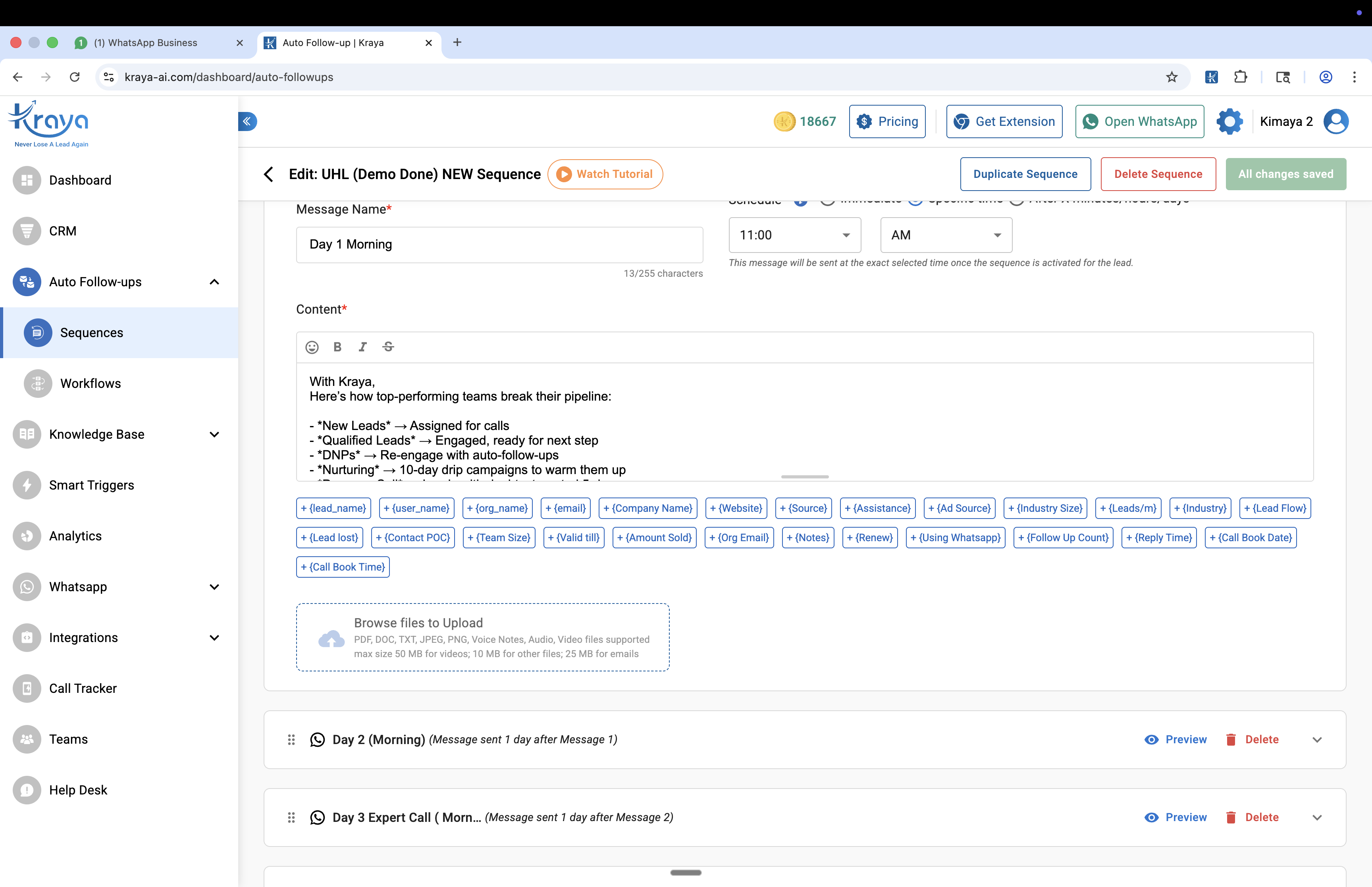
Automate your WhatsApp Automation with Kraya AI
Kraya's AI agent qualifies leads, follows up automatically, and routes conversations to the right sales rep — 24/7. Used by 600+ Indian sales teams across coaching, real estate, healthcare, and more.
Book a Free Call →Consistent follow-up becomes automatic instead of dependent on memory and manual processes. Your automation sends the right message at the right time, whether it's a gentle reminder about a pending quote or a special offer for leads who've gone cold. No more "I forgot to follow up" conversations in team meetings.
Lead qualification happens before human handoff, saving your salespeople 3-4 hours daily on unproductive calls. The automation asks qualifying questions, schedules appointments, and only passes serious prospects to your team. Research from our client base shows that a coaching institute in Mumbai reduced their demo calls by 40% while maintaining the same enrollment rate.
Integration with existing tools means automation works with your current setup seamlessly. Whether you're using Excel for lead tracking or a basic CRM, most automation platforms can sync data and update records automatically within minutes of receiving new leads.
According to our analysis of 600+ implementations, the compound effect of these benefits typically shows up within 30-45 days. Response rates improve by 25-40%, more leads convert, and your team focuses on closing instead of chasing.
How to Choose the Right WhatsApp Automation Tool
Choose WhatsApp automation tools based on three critical factors: integration with your current lead sources, pricing that fits SMB budgets, and ease of setup. Tools like Interakt, WATI, and Gupshup offer different strengths for Indian businesses operating on tight budgets. If chatbot-based automation is your focus, see our WhatsApp chatbot guide for a full comparison.
Start with lead source compatibility to ensure seamless data flow. If you get most enquiries from JustDial, ensure your chosen platform can automatically import those leads within minutes. Meta ads integration is crucial for businesses running Facebook and Instagram campaigns. IndiaMART integration matters for B2B service providers handling 50+ leads monthly.
Pricing structure varies significantly across platforms, ranging from ₹2,000-₹10,000 per month for SMBs. Some tools charge per message sent, others charge per user or per month. Calculate your expected message volume — a real estate broker sending 500 messages monthly might pay ₹3,000, while a coaching institute sending 2,000 messages could pay ₹8,000.
Setup complexity determines how quickly you'll see results and start generating ROI. Tools requiring coding knowledge might save money but delay implementation by 2-3 weeks. User-friendly platforms cost 20-30% more but get you operational within 2-3 days.
Customer support timing matters for Indian businesses operating during local hours. Ensure your chosen platform offers support during Indian business hours (9 AM to 7 PM IST), not just US time zones.
| Feature | Interakt | WATI | Gupshup |
|---|---|---|---|
| Pricing | ₹2,499/month | ₹2,000/month | ₹3,500/month |
| Setup Time | 2-3 days | 1-2 days | 3-5 days |
| Indian Support | Yes | Yes | Limited |
| JustDial Integration | Yes | No | Yes |
Once you've chosen a tool, the next step is understanding the technical requirements for setup.
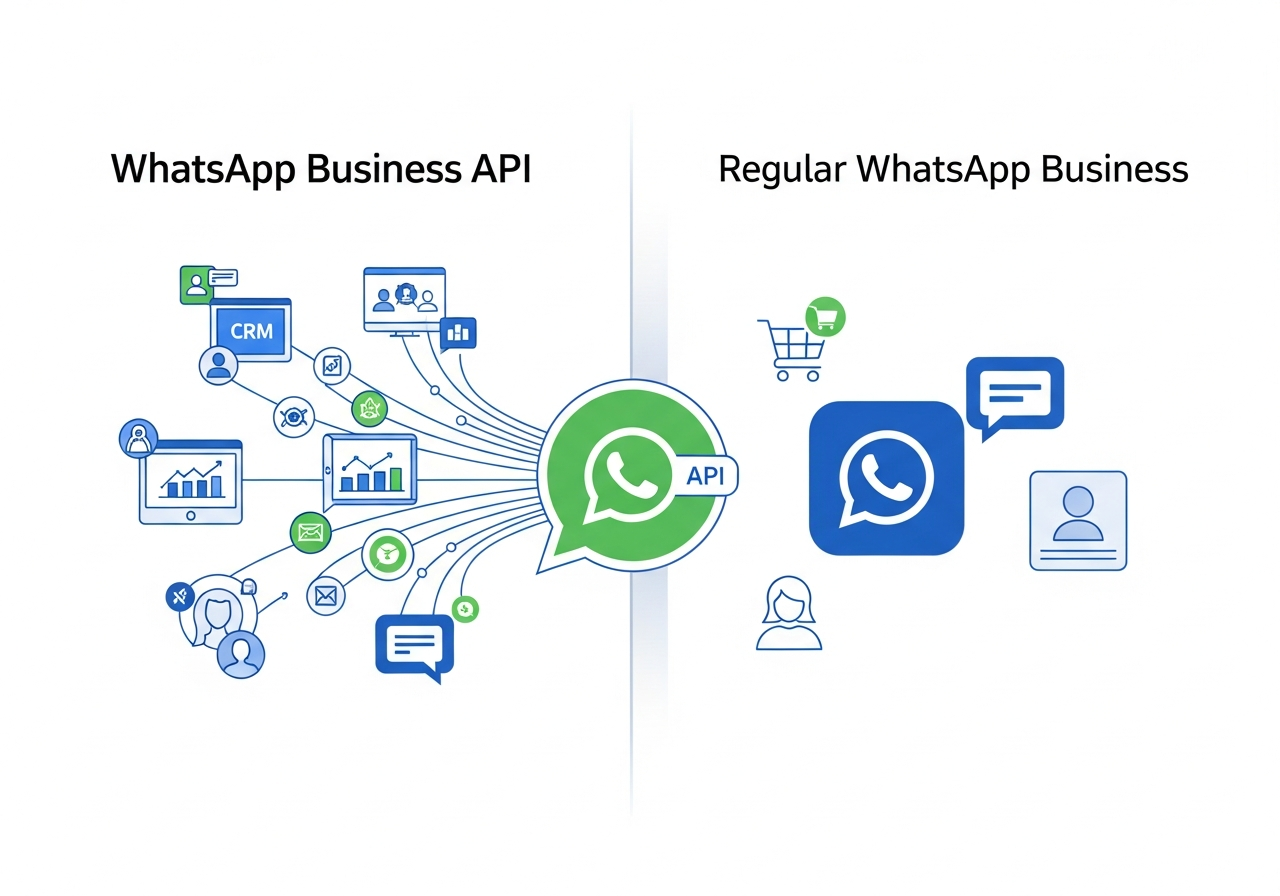
WhatsApp Business API vs Regular WhatsApp Business: Which Do You Need?
The choice between WhatsApp Business API and regular WhatsApp Business determines your automation capabilities and monthly costs. According to WhatsApp Business Platform data (2024), 78% of businesses outgrow regular WhatsApp Business within 6 months of scaling operations. See our full WhatsApp Business API vs app comparison for a deeper breakdown.
Regular WhatsApp Business works for small operations handling fewer than 200 contacts monthly. You can create quick replies, set away messages, and organize contacts with labels. A local clinic with 50 regular patients might find this sufficient for appointment reminders and basic queries.
WhatsApp Business API unlocks unlimited messaging and advanced automation for growing businesses. You can send thousands of messages, create complex chatbot flows, and integrate with multiple business systems. The trade-off is cost — typically ₹0.25-₹2 per message depending on volume and message type.
| Feature | Regular WhatsApp Business | WhatsApp Business API |
|---|---|---|
| Cost | Free | ₹0.25-₹2 per message |
| Broadcast Limit | 256 contacts | Unlimited |
| Automation | Basic | Advanced |
| Integration | Limited | Full |
| Verification | Simple | Complex (3-7 days) |
According to our client data, most Indian SMBs start with regular WhatsApp Business to test automation concepts. They then upgrade to API when they need more capabilities or exceed 250 contacts. A coaching institute might begin with broadcast lists for course updates, then move to API for automated lead qualification.
Step-by-Step WhatsApp Automation Setup Process
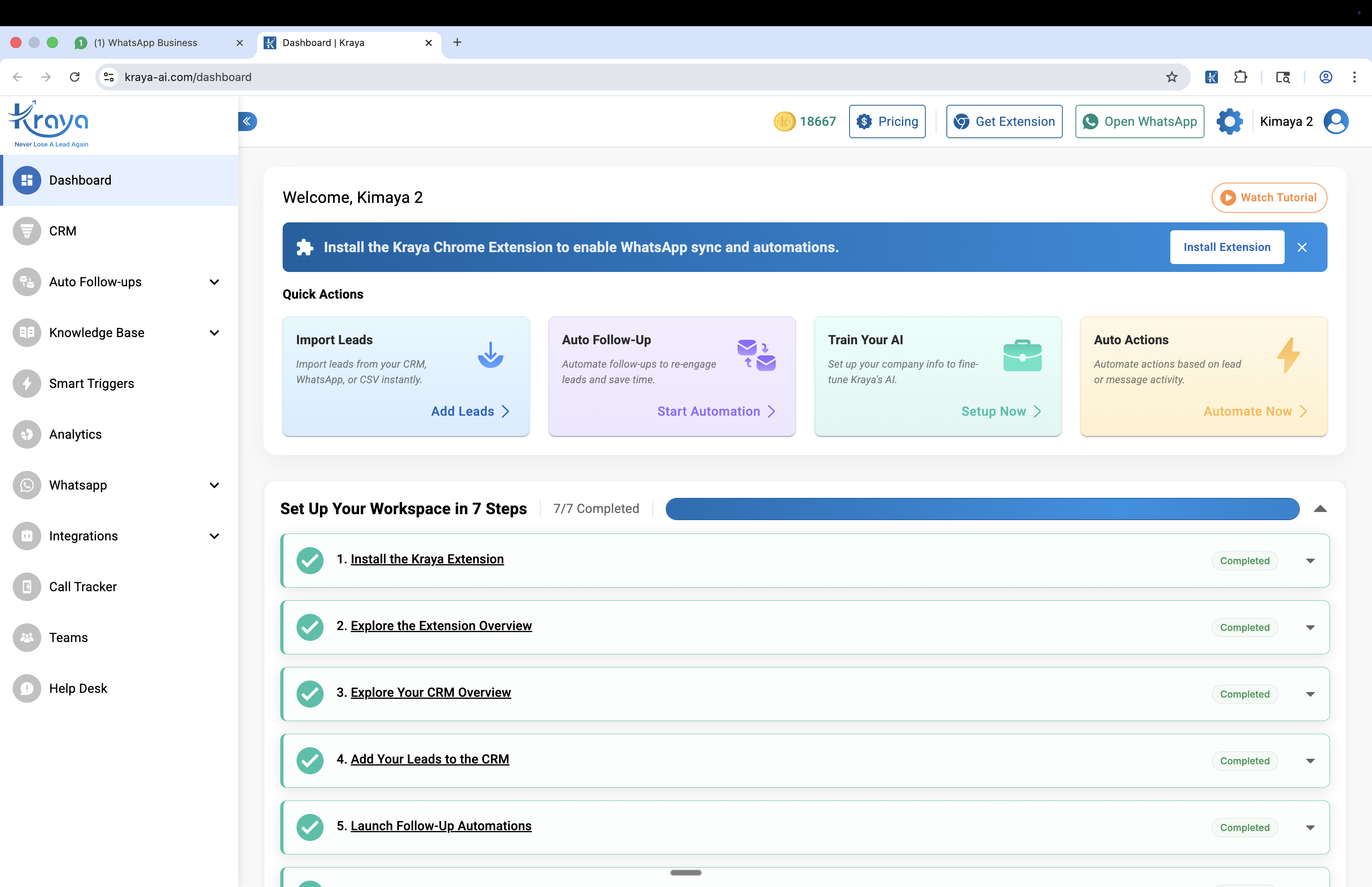
Setting up WhatsApp automation involves four main steps, completed over 7-14 business days. Start with business verification through Facebook Business Manager, then apply for WhatsApp Business API access, integrate with your chosen automation platform, and finally create message templates for approval.
Business verification requires your GST certificate, business registration documents, and a website. According to Facebook Business documentation (2024), the process takes 2-3 business days if your documents are complete and accurate. Incomplete documentation extends this to 5-7 days.
WhatsApp Business API access comes next through Facebook's review process. Facebook reviews your business profile, website, and intended use case thoroughly. Based on our experience with 600+ implementations, approval typically takes 3-7 days for Indian businesses with proper documentation and clear use cases.
Platform integration happens after API approval and takes 1-2 days for complete setup. Your chosen automation tool connects to your WhatsApp Business API, imports existing contacts, and sets up basic workflows automatically. Most platforms provide step-by-step guidance, but expect some manual configuration.
Message template creation requires careful planning and WhatsApp's approval process. WhatsApp must approve all template messages before you can send them to customers. Create templates for common scenarios: welcome messages, appointment confirmations, follow-up sequences, and promotional offers. Approval takes 24-48 hours per template.
Essential Automation Workflows for Indian SMBs
Your first workflow should be a welcome message that responds within 30 seconds. When someone messages your business for the first time, automation responds with your services, business hours, and next steps clearly. This prevents the "Hello, are you there?" conversations that waste 5-10 minutes per enquiry.
Lead qualification comes second, using a simple 3-4 question questionnaire. For proactive outreach to opt-in contacts, pair this with WhatsApp broadcast campaigns to drive inbound enquiries. A real estate broker might ask about budget, location preference, and timeline. A coaching institute might ask about target exam, current preparation level, and preferred batch timing.
Follow-up sequences handle non-responders automatically, preventing 40-50% lead loss from delayed responses. See our guide to WhatsApp follow-up messages for templates that actually get replies. If someone doesn't reply to your initial quote within 3 days, automation sends a gentle reminder. If they still don't respond, automation might offer a discount after another 5 days.
Appointment booking automation reduces back-and-forth scheduling by 70% for service businesses. When a qualified lead wants to meet, automation presents available slots and confirms bookings automatically. According to our case studies, a coaching institute in Pune increased enquiry-to-enrollment by 40% using a simple 3-message follow-up sequence.
The key is starting simple with one workflow per week. Most businesses try to automate everything immediately and overwhelm their prospects with 5-6 messages daily. Begin with one workflow, test it for 2 weeks, then add the next one systematically.
Measuring WhatsApp Automation ROI and Success
Track response time improvement first because it shows immediate impact within 24 hours. Before automation, your average response time might be 2-4 hours during business days. After automation, it should drop to under 5 minutes for initial responses, even during weekends and holidays.
Lead-to-customer conversion rates tell you if automation actually improves sales performance. Calculate your conversion rate before automation, then measure again after 30 days. According to our analysis of 600+ client implementations, businesses typically see 25-40% improvement in lead response times within the first month.
Time saved per day matters for small teams operating with 2-3 people. If automation handles 20 routine queries daily and each query took 3 minutes manually, you're saving 1 hour per day. That's 30 hours monthly — equivalent to hiring a part-time assistant at ₹15,000 monthly cost.
Revenue attribution to automated sequences requires tracking which customers came through automation versus manual processes. Most automation platforms provide this data automatically through built-in analytics dashboards.
| Metric | Before Automation | After 30 Days | Improvement |
|---|---|---|---|
| Response Time | 2-4 hours | 2-5 min
READY TO TRY KRAYA? Ready to see Kraya in action for your automation workflow?Book a free demo customised to your business. We'll show you exactly how Kraya handles your WhatsApp enquiries, qualifies leads, and closes more deals. Book a Free Call →No credit card. 15-minute setup. Personalised to your business. Related: Best Gallabox Alternatives for WhatsApp Automation in India Related: WhatsApp CRM Integration Guide: Connect With Your Existing Tools Related: Best CRM Software for Small Businesses in India Related: Best WhatsApp CRM for Real Estate Agents in India Related: 20 WhatsApp Greeting Message Templates for Business |
Frequently Asked Questions

Written by
Founder & CEO, Kraya AI
Abhyank Srinet is the Founder and CEO of Kraya AI, a WhatsApp CRM and sales automation platform serving 600+ Indian businesses. He is also the founder of MiM-Essay, one of India's largest Masters admissions consulting firms.
More from Abhyank


