WhatsApp Automated Messages: Types, Examples & Setup for Indian Sales Teams
 Abhyank Srinet
Your sales rep manually sent 40 WhatsApp follow-ups today. Three hot leads messaged at 11 PM — after the team logged off — got no response, and moved on by morning. The rep who could have closed them is now starting the next day without those deals in the pipeline. WhatsApp automated messages exist precisely for this: to respond, qualify, and follow up when your team can't.
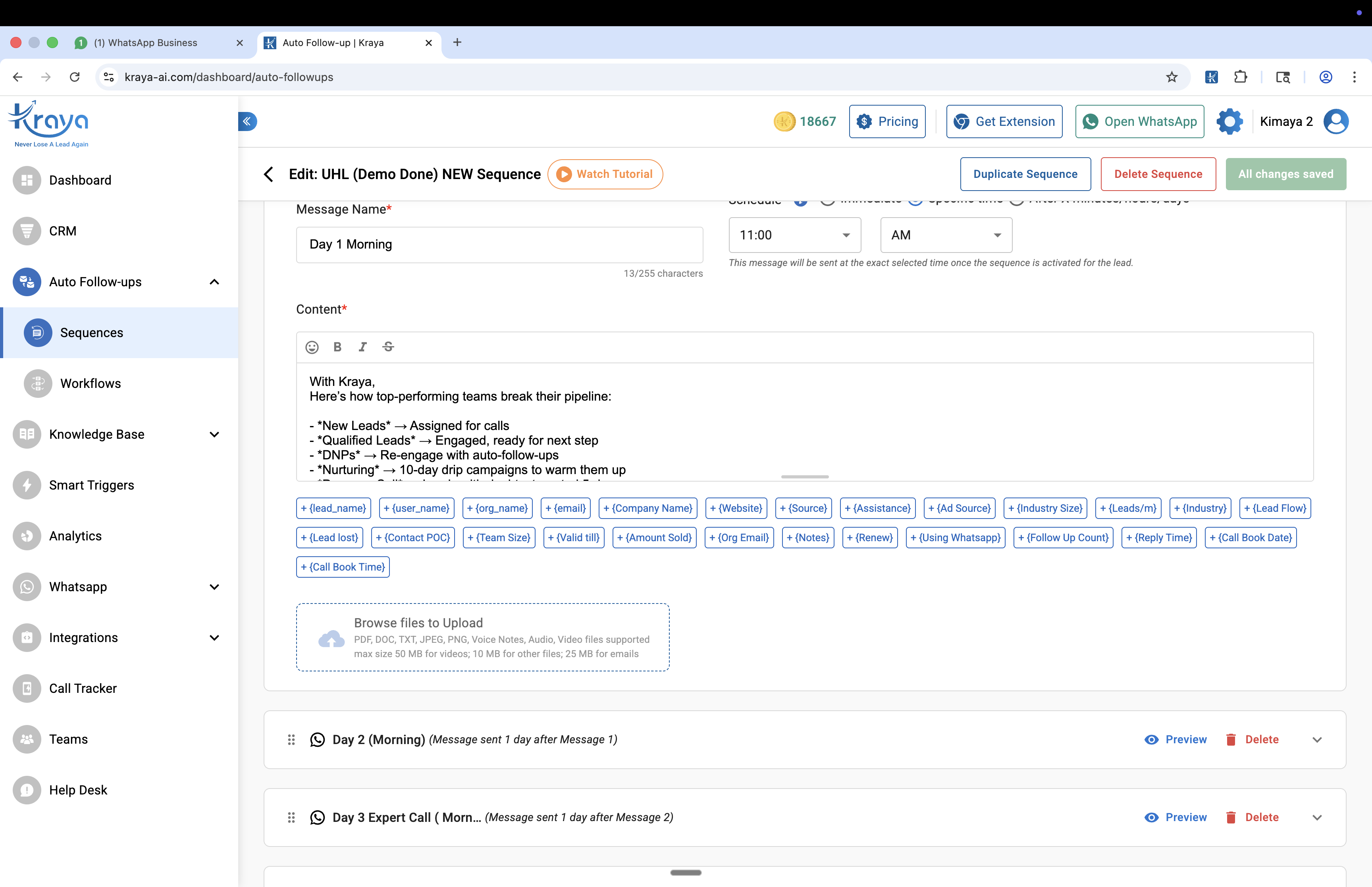
Most Indian businesses only know one type of WhatsApp automated messages — the greeting. According to Kraya's analysis of 600+ Indian sales teams, 73% use only the greeting and away message settings in the WhatsApp Business App, and leave the four other automation types completely unused. Those four types — follow-up sequences, transactional notifications, re-engagement messages, and API-driven trigger automations — are where the actual revenue recovery happens.
The short answer: WhatsApp automated messages are pre-written texts that send based on triggers without manual action. There are five types: greeting (first contact), away (off-hours), follow-up sequences (day 1/3/7), transactional notifications (order/payment/appointment), and re-engagement messages. The Business App covers greetings and away for free. Sequences and transactional messages require the API or Kraya Chrome Extension.
- WhatsApp Business App handles greeting + away messages — free but limited to one of each
- Follow-up sequences (day 1/3/7) require the API or Chrome Extension — the Business App cannot schedule sequences
- Transactional automation (order confirmations, payment reminders) requires Meta-approved templates via a BSP
- Re-engagement messages need opt-in proof — WhatsApp blocks unsolicited automation to cold contacts
- Indian businesses must collect DPDP Act-compliant opt-in before sending marketing automation
What Are WhatsApp Automated Messages?
WhatsApp automated messages are texts that send automatically based on a trigger or schedule — without a human pressing send each time. According to WhatsApp's official documentation, automated messages fall into three conversation categories: marketing, utility, and service. Each has different rules for when it can be sent, what opt-in is required, and how Meta charges for delivery.
At the simplest level, a WhatsApp automated message is a greeting message that fires when someone first contacts your business. At the most sophisticated level, it's a triggered message sequence that sends a payment reminder 24 hours after an invoice, re-engages a dormant lead on day 30, and routes the reply to the right sales rep — all without any manual action. The infrastructure depends on which setup you're using. See how the full picture fits together in the WhatsApp auto-reply system overview.
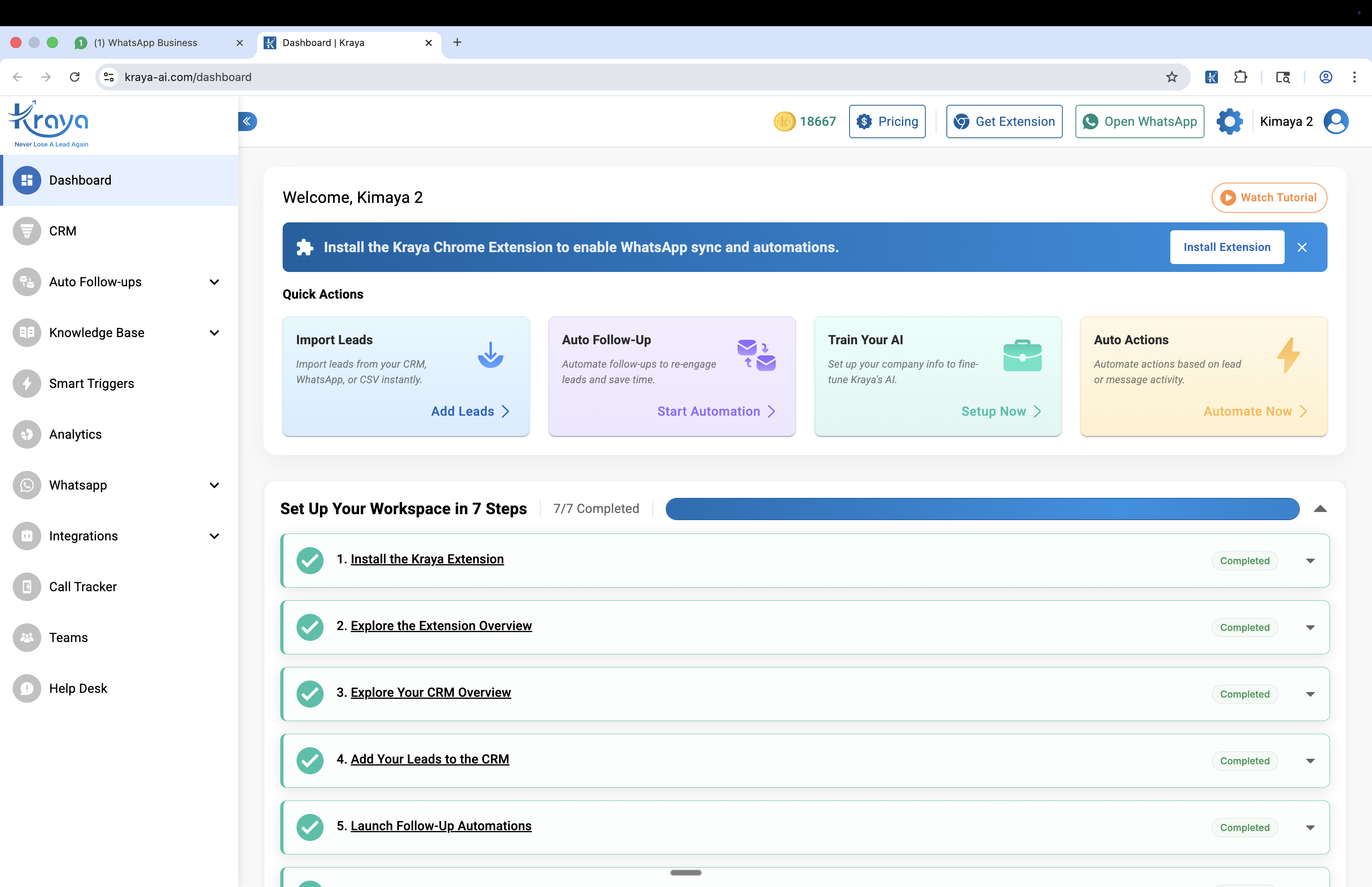
The difference between a business that closes 30% of its inbound leads and one that closes 12% is often not the quality of the product — it's the speed and consistency of follow-up. WhatsApp automated messages are the infrastructure that makes 30% possible at scale without adding headcount.
The 5 Types of WhatsApp Automated Messages (With Copy Examples)
Each type of WhatsApp automated message serves a different moment in the lead lifecycle. Here's what each does, when to use it, and real copy examples that work for Indian businesses.
Type 1: Greeting Messages
Fires when someone contacts your business for the first time, or after 24 hours of silence in an existing conversation. The 160-character limit forces brevity — which is the point. Set up in WhatsApp Business App → Business Tools → Greeting Message. For detailed templates by industry, see the WhatsApp greeting message templates guide.
What works: One qualifying question, your business name, a specific response time. What doesn't: generic acknowledgments with no next step.
Example — Coaching Institute:
"Hi from [Institute Name]! Are you looking for JEE/NEET prep or school tutoring? Tell me your class — I'll connect you with the right teacher in 2 hours."
Example — Real Estate:
"Hi from [Agency]! Are you buying, selling, or renting? Share your budget and area — I'll send matching listings within 2 hours."
Example — B2B SaaS:
"Hi from [Company]. Do you manage leads via WhatsApp? We work with 600+ Indian sales teams. What's your team size?"
Type 2: Away Messages
Fires outside your defined business hours. Unlike the greeting message, the away message is time-gated — it only triggers when your WhatsApp Business hours show you as offline. Set your hours in Business Tools → Business Hours, then configure the away message in Business Tools → Away Message.
The mistake most businesses make: writing the same passive acknowledgment for both greeting and away. The away message should be distinct — it needs to manage expectations around a longer delay while still giving the lead something useful.
Example — Day-Based Away (acknowledges timing):
"Hi from [Business Name]. Our team is offline right now — we respond by 9 AM IST. Share what you're looking for and we'll reply first thing."
Example — Action-Prompt Away (keeps lead engaged):
"[Business Name] here — we're offline but we'll reply by 9 AM. In the meantime, share your requirement and budget so we can come back with a direct answer."
Example — B2B Away (sets authority):
"Thanks for reaching out to [Company]. Our sales team responds within 4 business hours. Share your team size and use case — we'll come back with relevant case studies."
Type 3: Follow-Up Sequences
This is the highest-leverage type of WhatsApp automated message for Indian sales teams — and the one least used. A follow-up sequence sends pre-written messages at defined intervals (Day 1, Day 3, Day 7) to leads who haven't responded to the initial outreach. The WhatsApp Business App cannot do this. You need the API via a BSP or the Kraya Chrome Extension for warm inbound leads.
According to Kraya's data, 67% of Indian B2B deals that eventually close require 3+ follow-up touches. Manual follow-up at Day 3 and Day 7 is the task most sales reps consistently skip. The automated sequence removes the dependency on rep discipline.
Day 1 — First Follow-Up (reminder, no pressure):
"Hi [Name], following up from [Company]. Did you get a chance to look at what we sent yesterday? Happy to answer any questions — just let me know the best time to connect."
Day 3 — Second Follow-Up (add value, not just nudge):
"Hi [Name], sharing a quick case study — we helped [similar company type] reduce their follow-up time from 3 days to 4 hours using the same setup. Worth 10 minutes if you're interested?"
Day 7 — Final Follow-Up (close or move on):
"Hi [Name], last message from my side — is this still something you're exploring, or has your priority shifted? Either way, happy to reconnect when the timing is right."
For the full Day 1/3/7 sequence strategy and timing rules, see the WhatsApp follow-up message guide.
Type 4: Transactional Notifications
WhatsApp automated messages sent after a specific transaction or event — order confirmation, payment receipt, appointment reminder, shipping update. These require Meta-approved templates via the WhatsApp Business API and a BSP. They're the most reliable automation type because they're triggered by user-initiated events, which means opt-in is implicit and delivery rates are high.
In India, transactional WhatsApp messages are becoming the default communication channel for EdTech (class reminders), real estate (site visit confirmations), healthcare (appointment alerts), and e-commerce (order + shipping updates).
Example — Appointment Reminder (Healthcare):
"Hi [Name], this is [Clinic Name]. Your appointment with Dr. [Name] is confirmed for [Date] at [Time]. Reply 'CONFIRM' to confirm or 'RESCHEDULE' to change the time."
Example — Payment Due (B2B):
"Hi [Name], reminder from [Company]: Invoice #[Number] for ₹[Amount] is due on [Date]. Reply 'PAID' if already processed or click here to pay online: [Link]"
Example — Class Reminder (EdTech):
"Hi [Name], your [Subject] class with [Teacher] starts in 30 minutes. Join here: [Link]. Reply 'MISS' if you can't attend — we'll share the recording."
Example — Order Update (D2C):
"Hi [Name], your [Brand] order #[Number] has been shipped via [Courier]. Track here: [Link]. Expected delivery: [Date]. Questions? Reply to this message."
Type 5: Re-Engagement Messages
Sent to contacts who went quiet after initial interest — leads who responded once then stopped, or customers who haven't purchased in 60+ days. Re-engagement WhatsApp automated messages require the Business API (24-hour messaging window rules mean you can't message inactive contacts from the Business App without a template). They also require documented opt-in.
Re-engagement messages work when they reference what the lead originally enquired about — not a generic "we miss you." A coaching institute that re-engages with "Is your child still preparing for JEE 2027?" converts 4-6× better than one sending "Check out our latest courses."
Example — Dormant Lead Re-Engagement (30 days):
"Hi [Name], following up from [Company] — you'd asked about [specific service] last month. We have a few spots opening up this week. Is this something you're still exploring?"
Example — Customer Re-Engagement (60 days no purchase):
"Hi [Name], it's been a while since your last order from [Brand]. We've added [new product/feature] since then — would you like to see what's new? Reply 'YES' and I'll share our latest catalogue."
Example — Lost Deal Re-Engagement (90 days):
"Hi [Name], we spoke about [solution] a few months back. We've since launched [relevant new feature/case study]. Worth reconnecting if priorities have changed?"
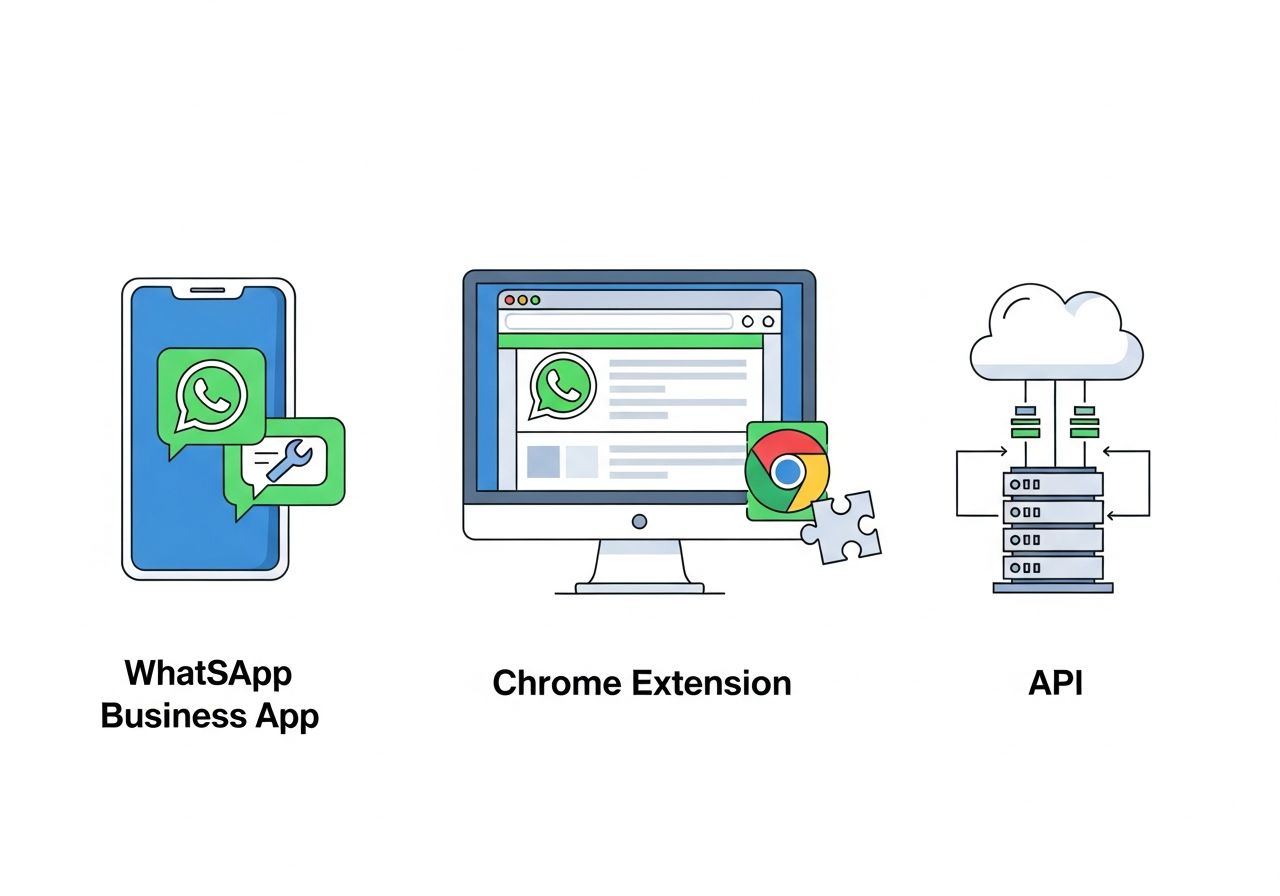
WhatsApp Automated Messages: Business App vs Chrome Extension vs API
The setup you need depends on your volume and use case. Indian teams often start with the Business App and hit its limits within weeks — then either jump straight to full API setup (expensive) or miss the middle layer the Chrome Extension covers.
KRAYA AI — WhatsApp CRM for Indian Sales Teams
Automate your WhatsApp Automated with Kraya AI
Kraya's AI agent qualifies leads, follows up automatically, and routes conversations to the right sales rep — 24/7. Used by 600+ Indian sales teams across coaching, real estate, healthcare, and more.
Book a Free Call →| Setup | Automation Types Supported | Volume | Cost | Best For |
|---|---|---|---|---|
| WhatsApp Business App | Greeting + Away only | Low (<20 leads/day) | Free | Solopreneurs, very small teams |
| Kraya Chrome Extension | Greeting, follow-up sequences, re-engagement | Medium (50–300/day) | ₹999/mo | Sales reps managing warm inbound leads from personal or team numbers |
| WhatsApp Business API (Kraya BSP) | All 5 types including transactional + bulk broadcast | High (500+/day) | ₹3,000+/mo | Teams scaling outbound, running transactional automation, managing multiple inboxes |
The Chrome Extension handles the segment most Indian B2B teams are actually in: warm inbound leads from JustDial, IndiaMart, referrals, or Meta ads who need a structured response and follow-up, but don't justify the full API cost. The API is the right choice when you're running bulk campaigns, need transactional templates, or have 3+ agents on the same inbox. For the full automation tool comparison including ban risk, see the WhatsApp automation ban risk guide.
Are WhatsApp Automated Messages Compliant with Indian Law?
India's Digital Personal Data Protection Act (DPDP Act) changed the landscape for WhatsApp automation in 2024. The key requirements for Indian businesses running WhatsApp automated messages:
Explicit opt-in required for marketing automation. You cannot send promotional or re-engagement automated messages to contacts who haven't given explicit consent. "Contacted us once" is not consent. Opt-in must be documented — via a web form, WhatsApp opt-in flow, or written agreement.
Transactional messages have implicit opt-in. If a customer placed an order, booked an appointment, or made a payment, sending a confirmation or update message is covered by the transaction they initiated. No separate opt-in needed for genuinely transactional messages.
Opt-out must be instant. Every automated message sequence must have a clear STOP mechanism. When a contact replies STOP, all automation must halt immediately for that number. The Kraya API and Chrome Extension both enforce this automatically.
Unofficial bulk tools are non-compliant by default. Third-party automation tools that access WhatsApp via unofficial methods (not the Business API) cannot guarantee opt-out enforcement, delivery logs, or audit trails — all of which are DPDP Act requirements. Using them creates both ban risk and legal exposure. The WhatsApp ban prevention guide covers what triggers Meta enforcement.
Why Are Your WhatsApp Automated Messages Not Working?
The most common failure modes — and the actual fixes:
Greeting fires to existing contacts too. The WhatsApp Business App only fires the greeting to numbers not in your contact list (default setting). If leads are saved in your phone before they message, they may not get the greeting. Fix: Go to Greeting Message settings → Recipients → change to "Everyone."
Away message fires during business hours. This means your business hours are set incorrectly in Business Tools → Business Hours. Check that your actual open hours are entered — the away message should not fire during those windows.
API template not delivering. Templates submitted to Meta for approval can take 2–48 hours. A template in "pending" status won't send. Log into your BSP dashboard (Kraya portal) and check template status before the campaign goes live.
Follow-up sequence stopped mid-way. The most common cause is the contact replying with anything — even a single word — which signals to most automation tools that the lead is now "active" and pauses the sequence. Check your tool's sequence pause rules and decide whether a one-word reply should stop the automation or continue it.
Re-engagement messages showing undelivered. If a contact blocked your number, deleted WhatsApp, or changed their number, the message won't deliver. Undelivered re-engagement at scale (above 5%) means your list quality needs cleaning — not a tool problem. For the full broadcast + scheduling system, see the WhatsApp scheduled messages guide.
The most expensive WhatsApp automated message is the one that never sent because the sequence was set up in the Business App — which can't run sequences. Matching the automation type to the right tool is the first fix before changing templates or timing.
Building a Complete WhatsApp Automation Stack for Indian Sales Teams
A functional WhatsApp automated message system for a 5-10 person Indian B2B sales team has four layers working together:
Layer 1 — Inbound capture: Greeting message (Business App or API) fires on first contact, qualifies the lead, sets response expectation. Every inbound lead gets an immediate response regardless of time.
Layer 2 — Off-hours management: Away message handles leads who contact outside 9 AM–7 PM IST. Gives a specific callback time — not "during business hours."
Layer 3 — Follow-up sequences: Chrome Extension or API runs the Day 1/3/7 cadence automatically for every lead the rep marks as "to follow up." Rep doesn't need to remember — the system sends.
Layer 4 — Transactional loop: API-driven confirmations, reminders, and updates keep customers informed after purchase without rep involvement. Appointment confirmed → Day-before reminder → Post-appointment follow-up.
Most Indian teams only have Layer 1 in place. Adding Layer 3 (follow-up sequences) is the single highest-ROI upgrade — it recovers the 67% of deals that needed a third touch but never got one. Connect this with the WhatsApp broadcast guide for the outbound side of the same automation stack.
READY TO TRY KRAYA?
Ready to see Kraya in action for your automated workflow?
Book a free demo customised to your business. We'll show you exactly how Kraya handles your WhatsApp enquiries, qualifies leads, and closes more deals.
Book a Free Call →No credit card. 15-minute setup. Personalised to your business.
Related: Best Interakt Alternatives for Indian Sales Teams in 2026
Related: Best Gallabox Alternatives for WhatsApp Automation in India
Related: WhatsApp CRM Integration Guide: Connect With Your Existing Tools
Related: Best CRM Software for Small Businesses in India
Related: Best WhatsApp Marketing Software for Indian Businesses
Frequently Asked Questions

Written by
Founder & CEO, Kraya AI
Abhyank Srinet is the Founder and CEO of Kraya AI, a WhatsApp CRM and sales automation platform serving 600+ Indian businesses. He is also the founder of MiM-Essay, one of India's largest Masters admissions consulting firms.
More from Abhyank


