How to Schedule WhatsApp Messages for Sales Teams (2026 Guide)
 Abhyank Srinet
Your sales team gets 20 WhatsApp enquiries a day from Meta ads and JustDial, but by the time someone follows up, half the leads have gone cold. The gap is timing — and the fix is setting up proper whatsapp scheduled messages and follow-up sequences. According to industry research, without automation, most teams respond in 4-12 hours. By then, leads have moved on.
The short answer: WhatsApp scheduled messages let you send a message at a preset time — but they do not adapt to the lead. For sales teams, the right tool is not a scheduler but an automated follow-up sequence: you set the message, the timing, and the flow once, and it runs for every lead automatically. Kraya does both.
WhatsApp message scheduling sends messages at preset times. But here's what matters: basic whatsapp scheduled messages send the same message whether a lead responded or went silent. You need systematic follow-up that adapts to what each lead actually does.
According to MIT and InsideSales research, leads contacted within 5 minutes are 9x more likely to convert. Most Indian sales teams respond in 4-12 hours without automation. That delay kills deals before they start. Scheduling bridges this gap by ensuring someone follows up within minutes, not hours.
You'll learn what WhatsApp's native scheduling can actually do for sales teams, when third-party scheduling tools make sense, and how automated follow-up sequences solve the real problem of consistent lead nurturing.
What Are WhatsApp Scheduled Messages and How Do They Work?
WhatsApp message scheduling is how you send follow-up messages automatically at times when your leads are most likely to respond — without your salespeople having to remember to send them manually.
According to our work with 600+ Indian sales teams, we've seen most business owners confuse basic scheduling with sales automation. Here's the difference that actually matters.
Native WhatsApp scheduling works for single reminders like "call you tomorrow at 3 PM," while sales automation platforms handle multi-touch sequences with team coordination and lead tracking across multiple salespeople.
The difference matters more than you'd think. Basic scheduling sends a message at 2 PM whether the lead responded to your morning message or not. Sales sequences adapt — if someone replies asking for pricing, the next message sends pricing details. If they don't respond for 3 days, they get a different follow-up entirely.
According to MIT and InsideSales research, leads contacted within 5 minutes are 9x more likely to convert. But coordinating that speed across a 3-person sales team using personal WhatsApp numbers requires automation that goes beyond basic scheduling.
But native WhatsApp scheduling has hard limits for sales teams.
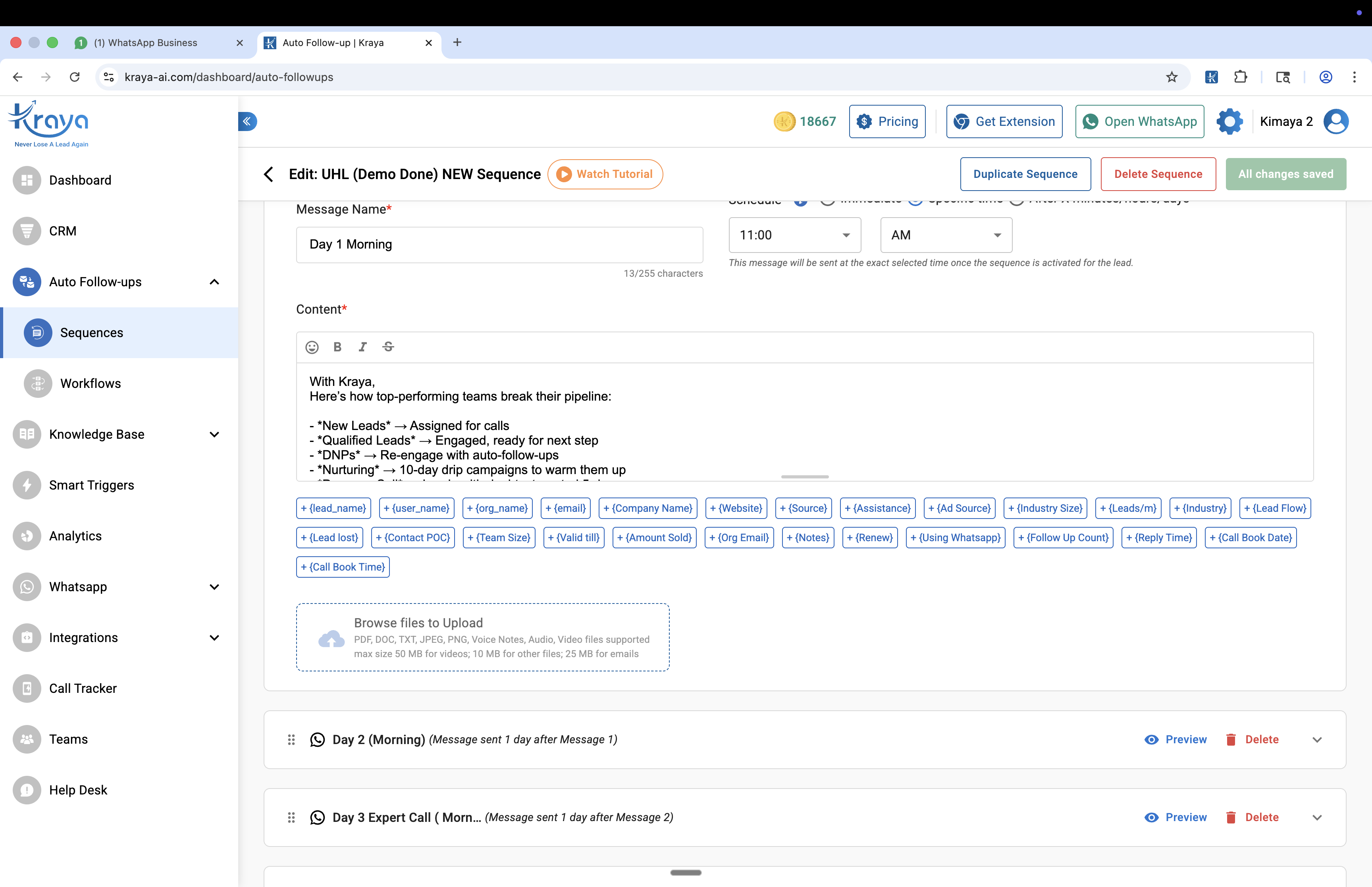
WhatsApp Native Scheduling: What It Can and Can't Do
WhatsApp Business has a built-in away message feature that sends an automatic reply when you are offline. Meta is also rolling out native message scheduling. Here is what both can and cannot do for a sales team.
WhatsApp's native scheduling works for personal reminders and single messages up to 30 days in advance. But it can't create sequences, track which team member sent what, or coordinate follow-ups across multiple leads. According to sales performance studies, 60% of leads never get a second follow-up because there's no system to ensure it happens. For sales teams managing shared pipelines, these limitations matter.
Here's what native scheduling handles well:
Single appointment reminders — "Your property viewing is confirmed for tomorrow 11 AM at Baner"
Event notifications — "Course starts Monday, please bring ID and fees receipt"
Simple check-ins — "How's the new software working for your team?"
The problems start when you need sales coordination. Native scheduling can't tell you if a lead already responded to someone else on your team. It doesn't track whether this is the lead's first follow-up or fifth. And when a salesperson leaves, their scheduled messages disappear with their phone.
| Feature | Native WhatsApp | Sales Team Need |
|---|---|---|
| Message timing | ✅ Set specific time | ✅ Works fine |
| Sequence building | ❌ One message only | ❌ Need 5-8 touchpoints |
| Team visibility | ❌ Individual only | ❌ Need shared pipeline |
| Response tracking | ❌ No automation | ❌ Need behavior triggers |
| Lead handoff | ❌ Stays with phone | ❌ Need team coordination |
For a coaching institute getting 25 enquiries weekly, native scheduling means each salesperson sets individual reminders for their leads. When someone quits, those leads and their scheduled follow-ups vanish. That's where third-party scheduling apps come in.
Which Third-Party Apps Let You Send WhatsApp Scheduled Messages?
Third-party apps like BlueTicks, WAPlus, and SKEDit add scheduling features that WhatsApp's native tool can't handle. They let you schedule messages in bulk, create simple sequences, and track basic analytics. But here's the catch: they still don't solve the core sales team problem.
Third-party apps let you schedule messages in bulk, create simple sequences, store templates, and track basic analytics. But they still can't solve the core sales team problem: coordinating follow-ups across multiple salespeople without shared visibility. According to our analysis of sales teams using these apps, 40-50% of leads still get only one follow-up attempt before being abandoned.
Here's what they handle well:
1. Bulk scheduling — Set up 50 messages for different leads at once
2. Basic sequences — Send follow-up 1 on day 1, follow-up 2 on day 3
3. Template storage — Save common messages for quick reuse
4. Simple analytics — Track delivery and basic response rates
The bigger issue is that these apps focus on message timing, not sales logic. They'll send "follow-up message 2" on day 3 whether the lead responded positively, asked for pricing, or went completely silent. Sales teams need whatsapp auto reply systems that adapt to lead behavior, not just calendar dates.
For small teams managing 20-30 leads monthly, third-party scheduling apps work reasonably well. Beyond that scale, you need automated sequences that understand sales context. The real breakthrough comes with automated sequences.
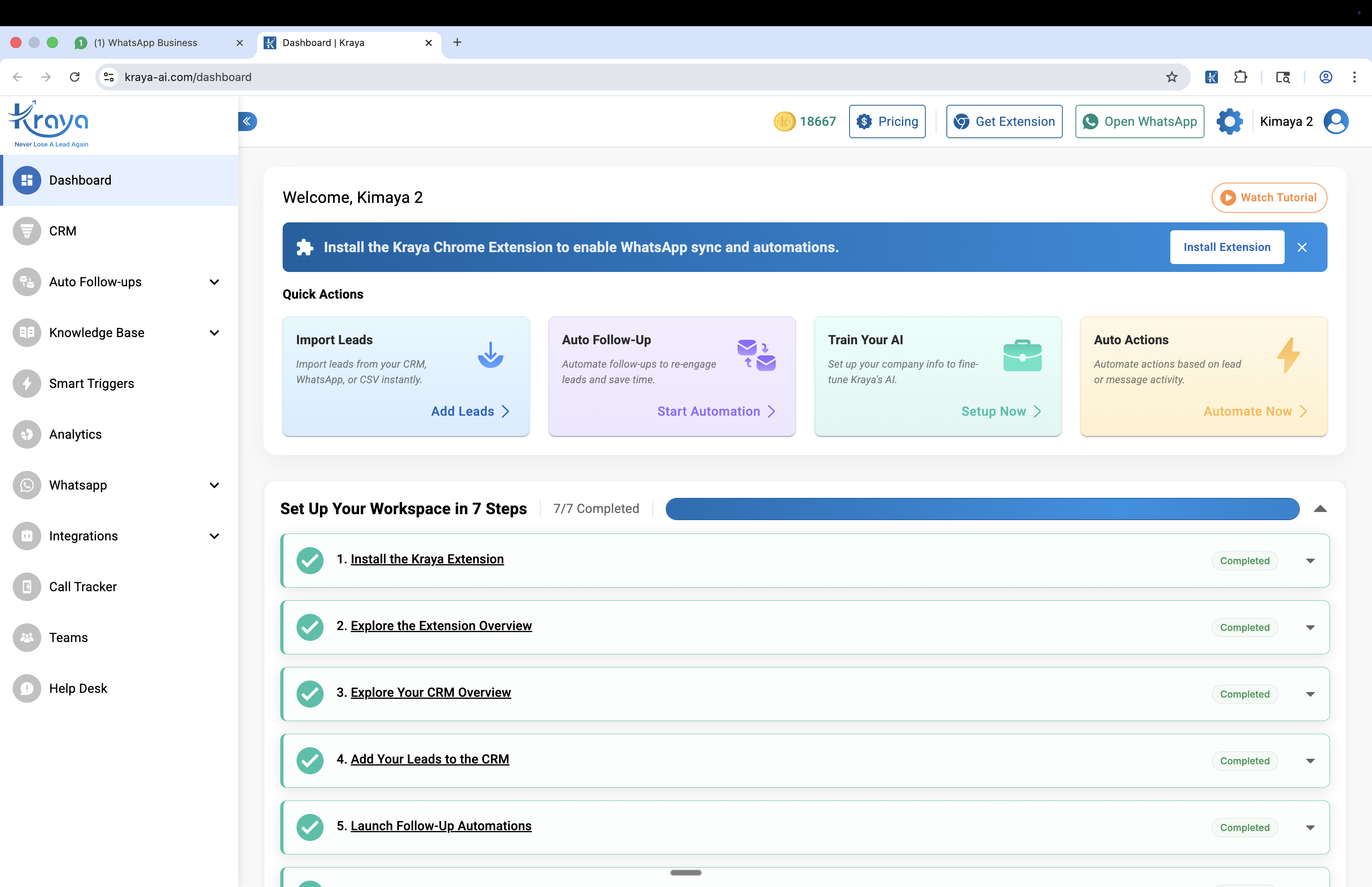
Automated Follow-Up Sequences vs Manual Scheduling
According to the National Sales Executive Association, 80% of sales require 5-8 follow-up contacts. Manual scheduling cannot sustain that volume. Whatsapp scheduled messages combined with automated sequences remove the human bottleneck entirely.
Automated follow-up sequences trigger messages based on lead behavior and timing. According to our experience working with 600+ Indian sales teams, this approach outperforms manual scheduling because it handles the complexity that kills manual follow-up.
Manual scheduling sends preset messages regardless of responses. Automated sequences read the conversation context and send appropriate messages based on where each lead stands in your sales process.
Here's what changes: Manual scheduling sends "follow-up day 3" whether the lead asked for pricing yesterday or hasn't responded at all. Automated sequences adapt.
Response-based triggers — If lead asks "what's the price," next message sends pricing. If they ask "when can we start," it sends onboarding details.
Timing intelligence — Hot leads get immediate follow-up. Lukewarm leads get educational content first, then pricing later.
Team coordination — When one salesperson is busy, sequences ensure no lead waits more than 3 minutes for initial response.
According to the National Sales Executive Association, 80% of sales actually require 5-8 follow-up contacts. Most salespeople give up after 2 follow-up attempts because manual follow-up is exhausting. Automated sequences solve this by removing the manual effort — so no lead gets abandoned early just because your team got busy.
| Approach | Response Time | Follow-up Consistency | Team Coordination |
|---|---|---|---|
| Manual scheduling | 6+ hours average | 2-3 attempts typical | Individual phones |
| Third-party apps | 1-4 hours | 3-4 attempts | Limited sharing |
| Automated sequences | Under 3 minutes | 5-8 attempts automatic | Full team visibility |
According to teams using whatsapp follow-up automation, they report 40-60% higher conversion rates compared to manual follow-up, primarily because no lead falls through the cracks anymore.
Here's how this plays out in practice.

Real Example: How a Pune Real Estate Team Fixed Their Follow-Up
"Before we had automated follow-up sequences, our response time was 6-8 hours. Leads would message us at 9pm and by morning they had already called someone else. Within 30 days of setting up scheduled WhatsApp messages and sequences on Kraya, our booking rate rose 28%." — Real estate developer, Pune
A real estate developer in Pune we worked with was converting only 8-10% of 40+ weekly leads because follow-up was inconsistent across 3 salespeople. According to their case study, after implementing automated sequences, their response time dropped from 6+ hours to under 3 minutes, and conversion improved to 19%. This improvement came because automation freed salespeople to focus on qualified leads instead of chasing every enquiry manually.
The problem: Each salesperson had their own method. One used phone reminders, another used sticky notes, the third tried a WhatsApp scheduling app. When leads called back asking "did anyone follow up on my enquiry," nobody knew who was supposed to handle what.
As the sales manager told us: "We were losing more deals to poor follow-up than to pricing. Leads would call competitors because we took too long to respond, not because our projects weren't good enough."
The solution: They switched to automated follow-up sequences that worked like this:
• New lead from JustDial gets immediate response within 2 minutes
• If lead asks about specific projects, sequence sends project details + pricing
• If lead goes silent, gets educational content about "5 questions to ask before buying property"
• Day 7: Soft follow-up with market update and new project launch info
• Day 14: Direct ask for site visit appointment
The results after 60 days:
• Response time dropped from 6+ hours to under 3 minutes
• Conversion rate improved from 8% to 19%
• Each salesperson could handle 30% more leads without working longer hours
• No more leads asking "why didn't anyone follow up"
As their top performer explained: "Now I can focus on qualified leads who are ready to buy, instead of spending half my day remembering who to call back."
So which method should you choose?
When to Use Each WhatsApp Scheduling Method for Whatsapp Scheduled Messages
The right scheduling method depends on three things: how many leads you're managing, whether your sales team shares a pipeline, and how much follow-up consistency matters for your business. Here's how to choose.
Native WhatsApp scheduling works best when:
• Sending appointment reminders to confirmed clients
• Following up on service delivery ("How's the new AC working?")
• Managing under 10 active leads per person
• Your team works independently without shared pipeline
Third-party scheduling apps make sense for:
• Solo entrepreneurs managing 20-50 leads monthly
• Simple follow-up sequences (3-4 messages max)
• Teams using individual WhatsApp accounts
• Budget under ₹5,000/month for sales tools
Automated sequences become necessary when:
• Managing 40+ leads weekly from multiple sources
• Sales team of 3+ people sharing lead pipeline
• Need to track how many follow-ups it takes for each lead type
• Response time directly impacts conversion (real estate, coaching, healthcare)
• Salespeople leave and take leads with them
The deciding factor is team coordination. If your sales success depends on multiple people working the same leads without confusion, manual scheduling becomes impossible to coordinate effectively. That's when automated sequences become necessary — they ensure no lead falls through the cracks, regardless of who's available. According to teams using automated sequences, they typically see 40-60% higher conversion rates compared to manual follow-up, primarily because consistency improves.
Once you've picked your approach, here's how to implement it.

How Do You Set Up WhatsApp Scheduled Messages for Your Sales Team?
Before choosing a scheduling tool, audit your current follow-up for one week. Track every lead, note response times, and see where leads go silent. According to our analysis, you'll probably find that 60% of leads never get a second follow-up, and response times vary wildly between team members — one person responds in 30 minutes, another in 6 hours. This baseline helps you pick the right solution.
Step 1: Audit your existing follow-up
Spend 1 week tracking every lead. Note: Who responds first? How long does it take? Where do leads go silent? This tells you exactly where your current system breaks.
Step 2: Create message templates
Write 5-7 standard messages for different scenarios: initial response, pricing request, went silent day 3, went silent day 7, final attempt. Keep them conversational — "Hi [Name], saw your enquiry about our coaching program. Quick question: are you looking to start immediately or planning for next batch?" sounds better than "Thank you for your interest in our services."
Step 3: Set team coordination rules
Decide who handles what. Option A: leads rotate between salespeople. Option B: leads stay with first person who responds. Option C: junior person qualifies, senior person closes.
Pick one method and stick to it. Confusion kills more deals than bad timing.
Step 4: Choose your scheduling method
Based on the criteria above. If you're managing a whatsapp crm with 50+ active leads, automated sequences usually work better than manual coordination.
Step 5: Test with 20 leads first
Don't roll out to your entire pipeline immediately. Pick 20 new leads, run your scheduling system for 2 weeks, measure response rates and conversion compared to your manual baseline.
The setup process typically takes 2-3 weeks to get right, but teams that implement systematic follow-up see results within the first month.
The root cause of most missed follow-ups is not laziness — it is a broken system. See common sales problems in small businesses for the full picture.
Related: How to Prevent WhatsApp From Getting Banned: Complete Guide
Related: How to Scale WhatsApp Sales: AI Automation Trends for 2026
Related: Manual Follow-Ups vs Automated WhatsApp Follow-Ups: What Works Better for Sales
Related: WhatsApp Sales Follow-Up Automation: How to Stop Missing Leads and Close More Deals
Related: How AI Sales Follow Up Automation Changes the Follow-Up Process Step by Step
Related: How WhatsApp Automation Helps Businesses Close More Deals
Related: Top WhatsApp CRM Tools for Startups & SMBs
Related: WhatsApp Chatbot for Business: Complete Guide 2026
Related: Automated Follow-Up Sequences: How to Build a Sales System That Closes More Deals
Related: Common Sales Problems Small Businesses Face
Related: How to Build a WhatsApp Sales Pipeline
Related: How to Use WhatsApp for Sales Effectively Without Sales Follow Up Problems
Related: Lead Response Time: Why the First 5 Minutes Decide Your Sale
Related: WhatsApp Ban for Automation: Which Tools Are Safe and Which Get You Banned
Related: Best Gallabox Alternatives for WhatsApp Automation in India
Frequently Asked Questions

Written by
Founder & CEO, Kraya AI
Abhyank Srinet is the Founder and CEO of Kraya AI, a WhatsApp CRM and sales automation platform serving 600+ Indian businesses. He is also the founder of MiM-Essay, one of India's largest Masters admissions consulting firms.
More from Abhyank



