WhatsApp Broadcast: Complete Guide for Indian Businesses (2026)
 Abhyank Srinet
What Is a WhatsApp Broadcast Message?
A WhatsApp broadcast message sends the same message to multiple contacts at once, while keeping every conversation completely private. Unlike groups where everyone sees each other's replies, broadcast recipients only see your message — as if you texted them individually.
Think of it as the difference between BCC in email (broadcast) and a group email thread (WhatsApp group). Each person gets a private conversation with you, not a noisy group chat.
WhatsApp broadcast delivers messages to up to 256 contacts per list, with each recipient receiving the message in their individual chat — completely private, no group visibility.
In a broadcast:
- Recipients don't see other people's numbers or replies
- Each person receives the message in their individual chat with you
- Replies come back to you privately, not to the entire list
- You can send text, images, videos, documents, and voice notes
This makes broadcast ideal for business communications where privacy matters — customer announcements, promotional offers, appointment reminders, or follow-up messages. A coaching institute in Mukherjee Nagar sending batch results, a property dealer in Wakad sharing new listings, a D2C brand in Koramangala announcing a flash sale — all of these work better as broadcasts than group messages.
How Does WhatsApp Broadcast Work? (Step-by-Step Process)
WhatsApp broadcast works in three steps — create a list, write your message, hit send. The entire setup takes under 2 minutes, and you don't need any technical knowledge or third-party tools.
- Create a broadcast list: Open WhatsApp → three dots menu → New broadcast → select up to 256 contacts
- Compose your message: Write text, attach images, videos, documents, or voice notes — same as any regular chat
- Send to the list: Your message goes to all selected contacts simultaneously
What Does a Broadcast Message Look Like to Recipients?
When someone receives your broadcast message, it appears in their individual chat with you — not as a group message. They see your name at the top, and the message looks exactly like a personal message from you.
There's only one small indicator: if they long-press the message and check Info, they'll see "Broadcast List" mentioned. Otherwise, it's completely indistinguishable from a regular message. Most recipients never check this.
Can Recipients See Each Other's Replies?
No — and this is the biggest advantage over groups. When recipients reply to your broadcast:
- Their reply comes to your individual chat, not to other broadcast recipients
- Only you and that person can see the conversation
- Other broadcast recipients don't know someone replied
- You can respond to each person individually, building a real 1:1 relationship
Broadcast replies are always private. Unlike WhatsApp groups, recipients never see each other's responses — making it safe for sensitive business communications like pricing, follow-ups, and personal offers.
This privacy is why broadcast works so well for sales and customer engagement — a coaching student asking about fees, a property buyer negotiating price, a patient confirming an appointment. None of these conversations should be visible to other contacts.
WhatsApp Broadcast vs Groups vs API: Which Should You Use?
The right tool depends on your contact volume, automation needs, and budget. Here's a direct comparison based on how Indian businesses actually use each option:
KRAYA AI — WhatsApp CRM for Indian Sales Teams
Send broadcasts that actually get replied to
Kraya lets you send WhatsApp broadcasts to opted-in contacts with personalised messages, auto follow-ups, and reply routing — all through the official API. 600+ Indian businesses use Kraya to get 2-3x more replies from broadcast campaigns.
Book a Free Call →| Feature | Broadcast (Free) | WhatsApp Groups | Business API |
|---|---|---|---|
| Contact Limit | 256 per list | 1,024 members | Unlimited |
| Reply Visibility | Private (only you see) | Everyone sees replies | Private (only you see) |
| Message Scheduling | No | No | Yes |
| Automation | No | No | Yes (CRM + chatbot) |
| Analytics | Basic delivery ticks | Read receipts only | Detailed (open, click, reply) |
| Media Support | All formats | All formats | Templates required |
| Cost | Free | Free | ₹0.25–2 per message |
| Setup Time | 2 minutes | 1 minute | 2–4 weeks (Meta approval) |
| Number Saving Required | Yes (must save your number) | No | No |
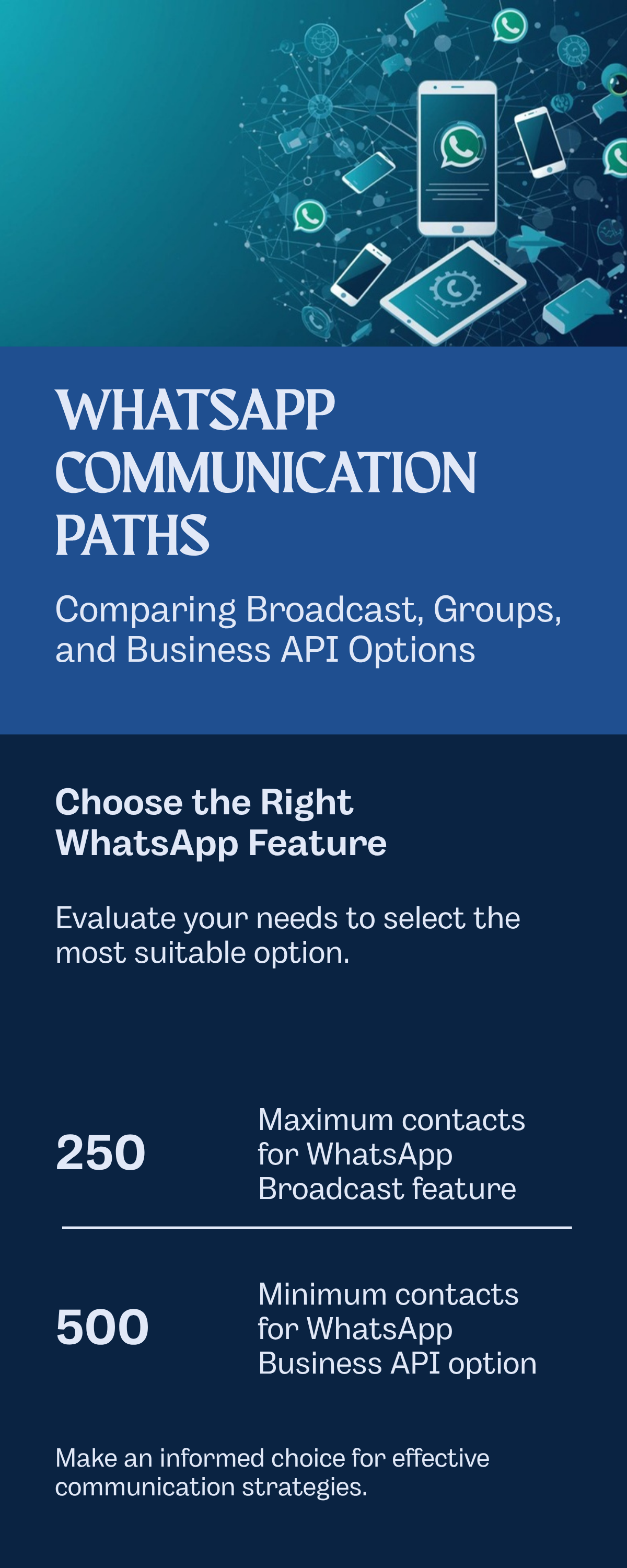
| Best For | Small businesses, <250 customers | Communities, courses | Large-scale marketing, automation |
When Should You Choose Broadcast Over Groups?
Use WhatsApp Broadcast when:
- You have under 250 regular customers who've saved your number
- You send occasional announcements, offers, or reminders
- Privacy matters — customers shouldn't see each other (pricing, follow-ups, medical reminders)
- You want to keep using your personal WhatsApp number without upgrading
Use WhatsApp Groups when:
- You want members to interact with each other (community building)
- Running a coaching programme, course, or mastermind where participants should connect
- Peer discussions add value — alumni networks, interest groups, local business forums
Use WhatsApp Business API when:
- You have over 500 contacts or growing fast
- You need automated follow-up sequences (day 1, day 3, day 7)
- You want detailed analytics — open rates, click-through, reply tracking
- You need CRM integration to track leads across the funnel
For a deeper breakdown on how broadcast compares to sending messages individually, see our WhatsApp broadcast vs individual message comparison.
What Are the WhatsApp Broadcast Limits? (2026 Updated)
WhatsApp imposes hard limits on broadcast that directly affect how businesses can use the feature. Understanding these limits upfront saves you from deliverability surprises later.
The most critical broadcast limit: recipients must have your phone number saved in their contacts. If they haven't saved you, they won't receive your broadcast — regardless of list size.
How Many Contacts Can You Add to a Broadcast List?
- 256 contacts maximum per broadcast list — this is a hard limit set by WhatsApp
- You can create multiple lists, but each individual list caps at 256
- There's no limit on how many broadcast lists you can create
- The same contact can be on multiple lists (be careful not to spam them)
Why Aren't My Broadcast Messages Being Delivered?
The biggest pain point for businesses: recipients must have your number saved to receive broadcast messages. If you send to 100 contacts but only 60 have saved your number, only those 60 will receive your message. The other 40 won't even know you sent anything.
Typical broadcast delivery rate is 60–70%, according to our work with 600+ Indian businesses on Kraya. The gap is almost always caused by contacts who haven't saved your number.
This is why the first message you send to any new contact should ask them to save your number. A simple "Save this number to get future updates from us" dramatically improves delivery rates over time.
How Do Broadcast Limits Differ Across Apps?
- Personal WhatsApp: 256-contact lists, no scheduling, basic delivery reports, no labels
- WhatsApp Business App: Same 256 limit, but adds quick replies, labels, business profile, and catalogue
- WhatsApp Business API: Unlimited contacts, scheduled messaging, approved templates required, per-message pricing (₹0.25–2 depending on category and volume)
For workarounds and detailed breakdowns of each limit, see our comprehensive WhatsApp broadcast limits guide.
7 WhatsApp Broadcast Use Cases for Indian Businesses (With Real Examples)
Based on real usage patterns from our work with 600+ Indian businesses, here are seven proven ways to use WhatsApp broadcast — each with a ready-to-send message template and actual results.
1. How Do Coaching Institutes Use Broadcast for Admissions?
An IAS coaching institute in Mukherjee Nagar follows up with 200 enquiries after a free demo class. Instead of calling each person — which takes a full day — they send one broadcast and let interested students self-select.
Message:
Hi [Name], thank you for attending yesterday's *Current Affairs* demo class. Your next step: Book a 15-minute career counselling session to choose the right batch for your preparation. Link: [booking-link]. Questions? Just reply here — I'll respond personally.
Result: 30–40% response rate, 15–20% book counselling calls. The coaching institute saved 6 hours of calling time per batch.
2. How Do Property Dealers Send Listing Alerts via Broadcast?
A real estate agent in Baner, Pune sends new property listings to segmented buyer lists — one for 2BHK buyers under ₹80L, another for 3BHK buyers in the ₹1–1.5Cr range. Segmentation matters because an irrelevant listing gets you blocked.
Message:
🏠 *New Listing Alert*
3BHK in Baner, ready possession
₹1.2 Cr | 1,200 sq ft | East facing
Parking + amenities included
Interested? Reply 'YES' for photos and site visit booking.
Result: 20–25% express interest, 5–8% book site visits within 48 hours.
3. How Do D2C Brands Run Flash Sales on WhatsApp?
A fashion brand in HSR Layout, Bangalore runs 48-hour flash sales exclusively through WhatsApp broadcast — creating urgency that email can't match because WhatsApp messages get opened within 3 minutes on average.
Message:
⚡ *48-Hour Flash Sale* ⚡
40% OFF everything
Free shipping above ₹999
Limited stock — 127 items left
Shop now: [link]
Code: FLASH40
Result: 10–15% click-through rate, 3–5% purchase conversion. Compare this to email's 1–2% click rate for the same audience.
4. How Do Travel Agencies Reduce Last-Minute Queries?
A travel company in Kothrud, Pune sends pre-trip reminders 3 days before departure. The broadcast includes weather, pickup details, and a checklist — eliminating the 15–20 last-minute calls they used to get per trip.
Message:
Your *Goa trip* starts in 3 days! 🌴
📋 Packing checklist attached
🌤️ Weather: Sunny, 28°C
🚗 Pickup: 6 AM sharp from Kothrud office
Questions? Reply here — Ravi will respond within 30 minutes.
Result: 90%+ read rate, reduces last-minute phone calls by 60%.
5. How Do Clinics Reduce No-Shows with Broadcast Reminders?
A dental clinic in Aundh, Pune sends day-before appointment reminders via broadcast list. Before this, their no-show rate was 35%. The two-word reply system ("CONFIRM" or "RESCHEDULE") makes it frictionless for patients to respond.
Message:
Hi [Name], reminder: appointment with Dr. Sharma tomorrow at 4:30 PM.
📍 [Clinic address]
📞 9876543210
Reply CONFIRM to confirm or RESCHEDULE to change time.
Result: 40% reduction in no-shows, saving approximately ₹15,000/month in lost revenue per dentist.
6. How Do Fitness Studios Drive Renewals Through Broadcast?
A gym in Koramangala sends renewal reminders 7 days before membership expiry. They include a time-limited renewal discount — creating urgency without being pushy.
Message:
Hey [Name]! Your membership expires on [date].
Renew before [date+3] and get 15% off your next quarter.
Your trainer Arjun has a spot reserved in the 7 AM batch.
Reply RENEW to lock in the discount.
Result: 55% renewal rate from broadcast alone vs 30% from email reminders.
7. How Do Event Planners Fill Last-Minute Seats?
A wedding planner in Juhu, Mumbai fills cancelled spots in vendor showcases by broadcasting to their waitlist. The scarcity ("only 3 spots left") combined with WhatsApp's instant visibility means spots fill within hours, not days.
Message:
🎪 3 vendor spots just opened for the Dec 15 wedding showcase at Grand Hyatt.
Categories: Florist, Photographer, Caterer
Footfall: 200+ couples expected
Reply with your category to claim. First come, first served.
Result: All 3 spots filled within 4 hours.
For 15 ready-to-use templates across more industries, see our WhatsApp broadcast message templates collection.
WhatsApp Broadcast Best Practices: 10 Rules to Avoid Getting Banned
WhatsApp actively monitors broadcast behaviour, and violating their policies can get your account temporarily or permanently restricted. These rules are based on patterns from our work with 600+ businesses — the ones that follow them maintain 95%+ deliverability, the ones that don't get banned within weeks.
What Should You Always Do When Broadcasting?
- Get explicit opt-in consent before adding contacts: Use website forms, business cards, or verbal permission. "Can I send you updates on WhatsApp?" is all it takes. Never assume consent.
- Personalise when possible: Use recipients' names and reference their last interaction. "Hi Priya, following up on the 3BHK you saw in Baner last Tuesday" beats a generic blast.
- Include one clear call-to-action: Tell recipients exactly what to do — "Reply YES", "Click this link", or "Call now". Multiple CTAs confuse people and reduce response rates.
- Time your messages carefully: Send between 10 AM–1 PM or 7–8 PM IST. Tuesday and Wednesday mid-morning get the highest response rates. Avoid Monday mornings and Friday evenings.
- Clean your lists monthly: Remove numbers that haven't responded in 3+ broadcasts. Dead contacts hurt your sender reputation.
What Mistakes Get Your WhatsApp Account Banned?
- Sending to contacts who haven't saved your number: They won't receive it anyway, and repeated failed deliveries flag your account.
- Broadcasting more than 2–3 times per week: Once a week maximum for promotional content. Twice a month is the sweet spot — frequent enough to stay top-of-mind, rare enough that each message feels worth reading.
- Using ALL CAPS or excessive emojis: This triggers WhatsApp's automated spam detection. Professional formatting always wins.
- Buying or scraping contact lists: Sending to purchased lists violates WhatsApp's Terms of Service and almost guarantees a ban within the first week.
- Ignoring replies: When someone replies to your broadcast and gets no response, they're likely to report you as spam. Always respond within 2 hours during business hours.
The single most important metric for broadcast health: maintain at least a 10% reply rate. If fewer than 1 in 10 recipients respond, WhatsApp's algorithm starts flagging your account for potential spam behaviour.
How Do You Avoid WhatsApp's Anti-Spam Algorithm?
WhatsApp's algorithm monitors four signals. Stay on the right side of all four:
- Reply ratio: Aim for 10%+ response rate on every broadcast. If it drops below 5%, pause and re-evaluate your content or list quality.
- Message variation: Don't send identical messages to multiple broadcast lists. Change the wording, even slightly — WhatsApp detects copy-paste patterns.
- Complaint rate: If more than 2–3% of recipients report or block you, WhatsApp restricts your account. Monitor block rates via delivery reports.
- Sending velocity: Don't create 10 broadcast lists and send to all 2,560 contacts within 5 minutes. Stagger sends across 30–60 minute intervals.
For more on keeping your account safe, read our guide on how to prevent WhatsApp from getting banned.
When Should You Upgrade from WhatsApp Broadcast to Business API?
Broadcast is free and simple, but it has a ceiling. Here are the five signs you've outgrown it:
- You're managing 3+ broadcast lists: Juggling multiple 256-contact lists manually means you're spending more time on list management than actual selling.
- You're missing follow-ups: Broadcast is one-shot — no automated day-3 reminder, no drip sequences, no "if they didn't reply, send this" logic.
- You can't track what's working: Basic delivery ticks don't tell you which messages drive revenue. You need click tracking, reply analytics, and conversion attribution.
- Replies pile up unassigned: When 50+ people reply to a broadcast, there's no system to route leads to the right sales rep or track who followed up.
- You need to message contacts who haven't saved your number: API messages deliver regardless of whether the contact saved you — the biggest limitation of regular broadcast disappears.
WhatsApp Business API removes the 256-contact limit and the "must save number" requirement, but adds per-message costs (₹0.25–2 depending on template category) and requires Meta's approval process, which takes 2–4 weeks.
Is There a Middle Path Between Broadcast and Full API?
Some businesses need more than basic broadcast but aren't ready for the full API implementation and its per-message costs. Solutions like Kraya AI bridge this gap by adding automation layers on top of your existing WhatsApp:
- AI qualification: Automatically respond to broadcast replies with qualifying questions — "What's your budget?" "When are you looking to start?" — before a human takes over
- Follow-up sequences: Auto-send nurturing messages to leads who go silent after day 1, day 3, and day 7
- CRM integration: Track every lead from broadcast reply to closed deal without leaving WhatsApp
- Analytics: Monitor response rates, qualification success, and conversion metrics per broadcast campaign
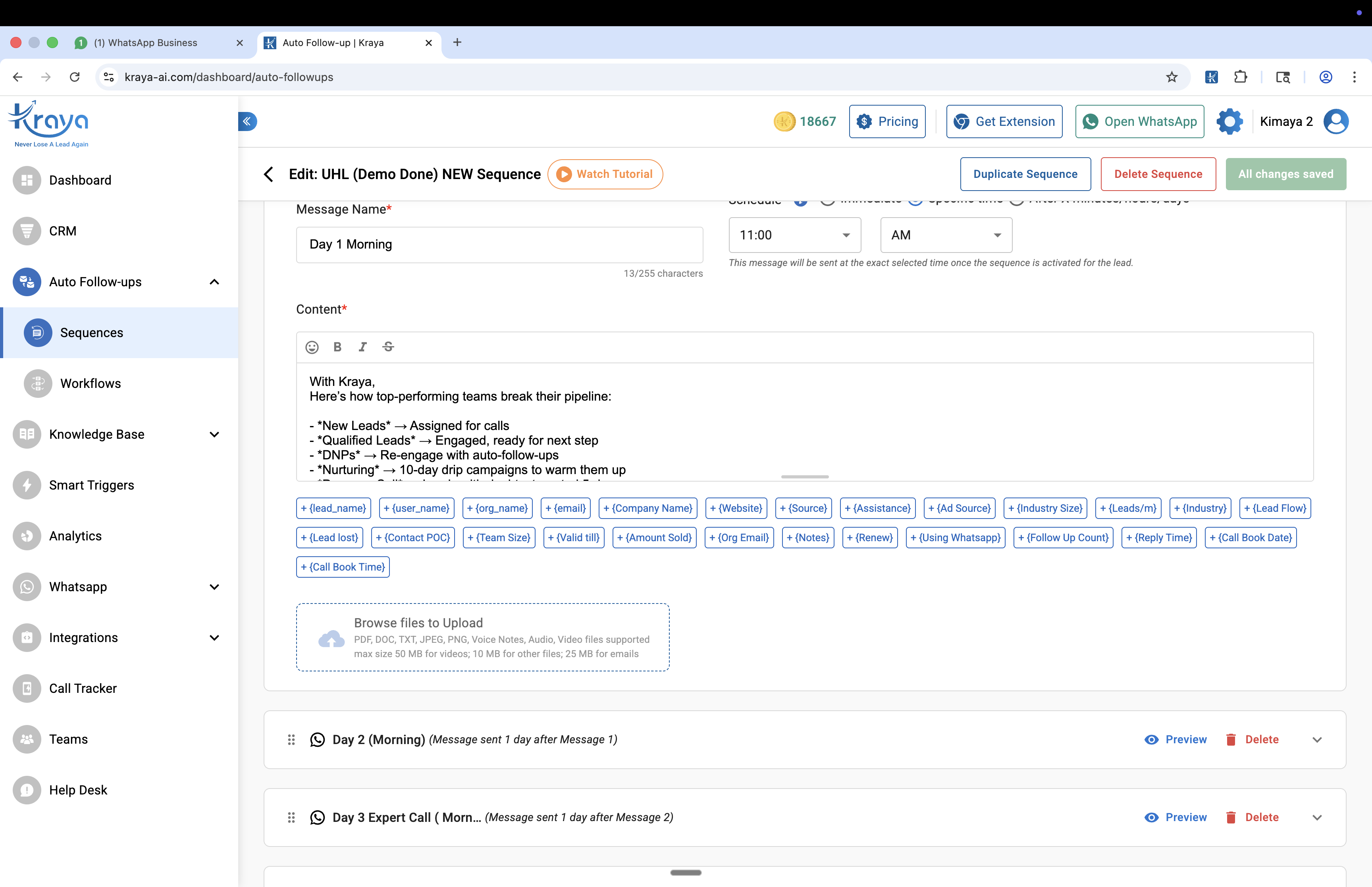
This approach lets you keep your existing WhatsApp number while adding the automation and analytics that broadcast alone can't provide. For a full comparison of your options, see our guide on WhatsApp Business API providers.
Troubleshooting: Why Is My WhatsApp Broadcast Not Working?
Before you assume broadcast is broken, check these five common issues — they account for 90% of all broadcast problems, based on our experience.
| Problem | Cause | Fix |
|---|---|---|
| Message not delivered to some contacts | They haven't saved your number | Ask contacts to save your number in your first message |
| Broadcast list disappeared | All contacts in the list were deleted or changed numbers | Create a new list and re-add current contacts |
| Can't add more than 256 contacts | WhatsApp's hard limit per list | Create multiple lists or upgrade to Business API |
| Account temporarily restricted | Too many broadcasts too quickly, or high block/report rate | Wait 24–72 hours, then resume with smaller batches and better targeting |
| Messages showing single tick only | Recipient's phone is offline or they've blocked you | Check delivery reports; remove consistently undelivered contacts |
If your broadcasts consistently underperform, the issue is usually list quality — not the feature itself. Focus on getting contacts to save your number, segment your lists by interest, and only broadcast content that's genuinely useful to that specific audience.
Need help setting up your first list? Our step-by-step guide to creating broadcast lists covers Android, iOS, naming, and segmentation.
How to Start Using WhatsApp Broadcast Today (5-Step Action Plan)
You can set up your first broadcast in under 5 minutes. Here's the no-nonsense process:
- Collect and verify contacts: Export your customer list. Call or message your top 50 contacts and ask them to save your number. This is the step most people skip — and it's the most important one.
- Create your first broadcast list: Open WhatsApp → three dots → New broadcast → select contacts who've confirmed they saved your number. Name it clearly (e.g., "VIP Customers Pune" or "Coaching Batch 12").
- Write a value-first message: Your first broadcast should NOT be a sales pitch. Send something useful — a tip, an exclusive insight, a free resource. Build trust before you sell.
- Send at the right time: Tuesday or Wednesday, 10–11 AM IST for B2C. 10 AM–1 PM weekdays for B2B. Avoid Monday mornings and Friday evenings.
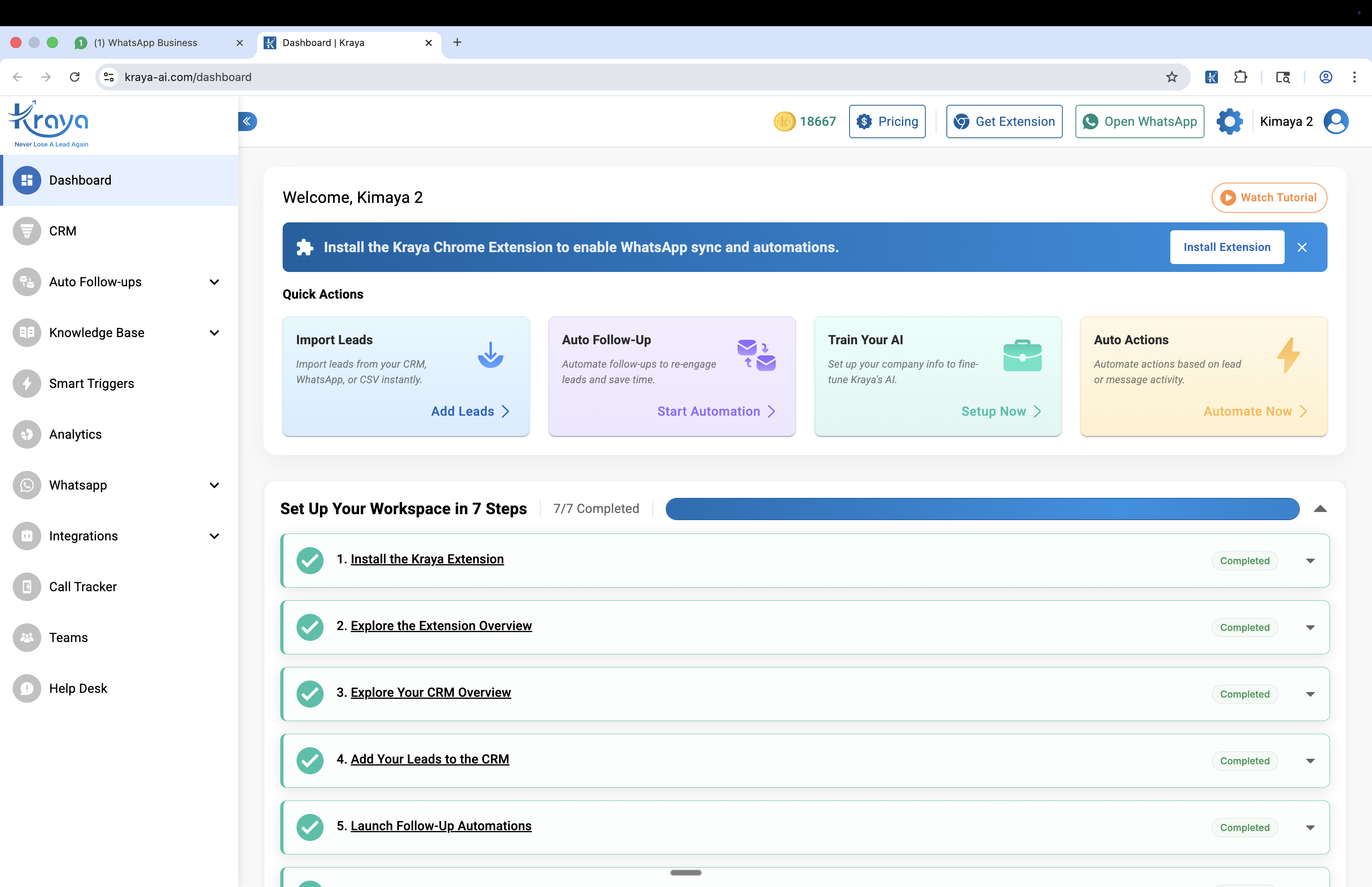
- Reply to every response: This is harder than it sounds. When 30 people reply, you need to respond to each within 2 hours. If you can't handle the volume, that's your signal to explore automated WhatsApp follow-up tools.
For detailed step-by-step instructions with screenshots for Android, iOS, and WhatsApp Web, read our guide to sending WhatsApp broadcast messages.
See also: WhatsApp Ban for Automation: Which Tools Are Safe and Which Get You Banned
See also: How to Send Bulk WhatsApp Messages Without Getting Banned
See also: WhatsApp Business API: The 2026 India Guide
See also: WhatsApp Chatbot for Business: Complete Guide 2026
You might also find our best aisensy alternatives for whatsapp marketing in india guide useful.
You might also find our best gallabox alternatives for whatsapp automation in india guide useful.
You might also find our whatsapp crm integration guide: connect with your existing tools guide useful.
You might also find our best whatsapp marketing software for indian businesses guide useful.
Frequently Asked Questions

Written by
Founder & CEO, Kraya AI
Abhyank Srinet is the Founder and CEO of Kraya AI, a WhatsApp CRM and sales automation platform serving 600+ Indian businesses. He is also the founder of MiM-Essay, one of India's largest Masters admissions consulting firms.
More from Abhyank


