WhatsApp Shared Inbox: How Multiple Agents Can Use One Number
 Abhyank Srinet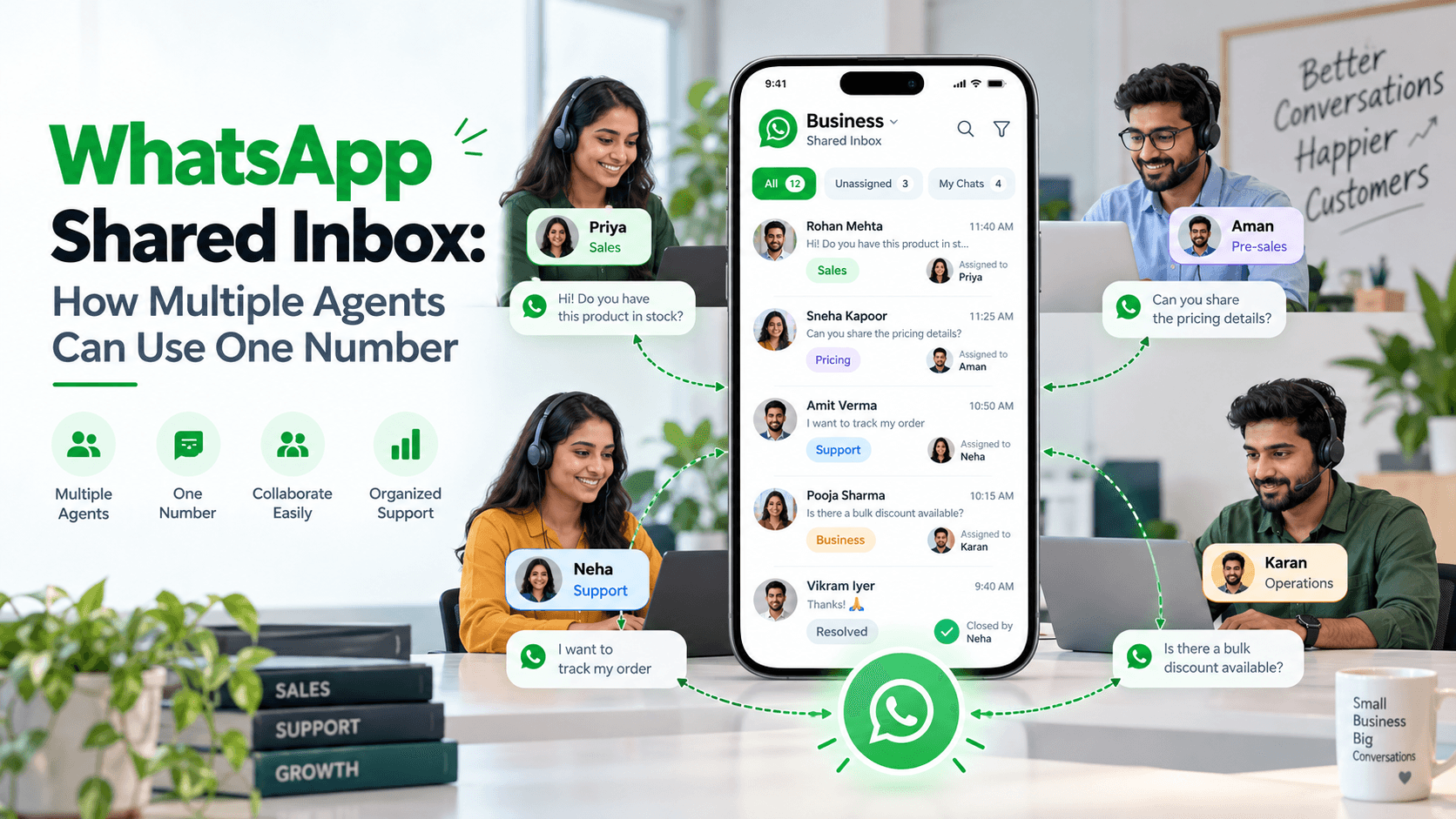
Quick Answer
A WhatsApp Shared Inbox allows multiple employees to manage customer conversations using one WhatsApp Business number. Teams can view messages, assign chats, track customer enquiries and coordinate responses through a shared workspace. It helps businesses manage incoming leads, avoid duplicate replies and improve communication without requiring separate WhatsApp numbers for every employee.
Introduction
Managing customer conversations becomes difficult when several employees use the same WhatsApp Business number. One salesperson may reply to an enquiry while another sends the same information. Sometimes, messages remain unanswered because nobody knows who is responsible. These situations can affect customer experience and lead management, particularly for businesses receiving enquiries throughout the day.
A WhatsApp Shared Inbox helps businesses organise conversations in one place. Instead of switching between phones or forwarding screenshots, employees can work together using a common messaging system. Companies can also use suitable software to assign conversations, manage leads and automate follow-ups. This guide explains how a WhatsApp shared inbox works, its features, setup process, pricing and benefits for Indian businesses.
What Is a WhatsApp Shared Inbox?

A WhatsApp Shared Inbox is a central messaging system where multiple team members can access and manage conversations from one business number. Depending on the platform, employees can assign chats, view customer history, add internal notes and monitor pending enquiries.
For example, a real estate business receiving property enquiries can assign conversations to different salespeople based on location or customer requirements. Customers continue messaging the same WhatsApp number while the team manages conversations internally.
How Does a WhatsApp Shared Inbox Work?
When someone sends a message to the business number, it appears in the connected inbox. An administrator or automated routing system can assign the conversation to an available employee.
The process generally follows these steps:
A customer sends a WhatsApp enquiry.
The message appears in the shared inbox.
A manager or routing rule assigns the conversation.
The assigned agent responds to the customer.
Customer details and conversation history remain available for follow-ups.
This makes it easier to maintain customer communication when employees change shifts or transfer conversations.
Can Multiple Agents Use One WhatsApp Business Number?

Yes, multiple agents can use one WhatsApp Business number through linked devices or compatible multi-agent software. The WhatsApp Business app supports basic shared access, while the WhatsApp Business Platform enables more advanced team workflows through third-party applications.
WhatsApp Business App and Linked Devices
WhatsApp Business allows companies to connect up to four additional devices to their primary account. Employees can access messages through supported linked devices without needing separate business numbers.
Eligible Meta Verified subscriptions offer higher device limits, with some plans supporting up to ten linked devices and additional agent management features. Availability depends on the subscription and business account.
For small teams, linked devices may be sufficient. However, companies handling large numbers of enquiries may require more structured lead assignment, reporting and automation.
WhatsApp Business Platform and Shared Inbox Software
The WhatsApp Business Platform, also called the WhatsApp Business API, enables businesses to connect WhatsApp with compatible customer communication software.
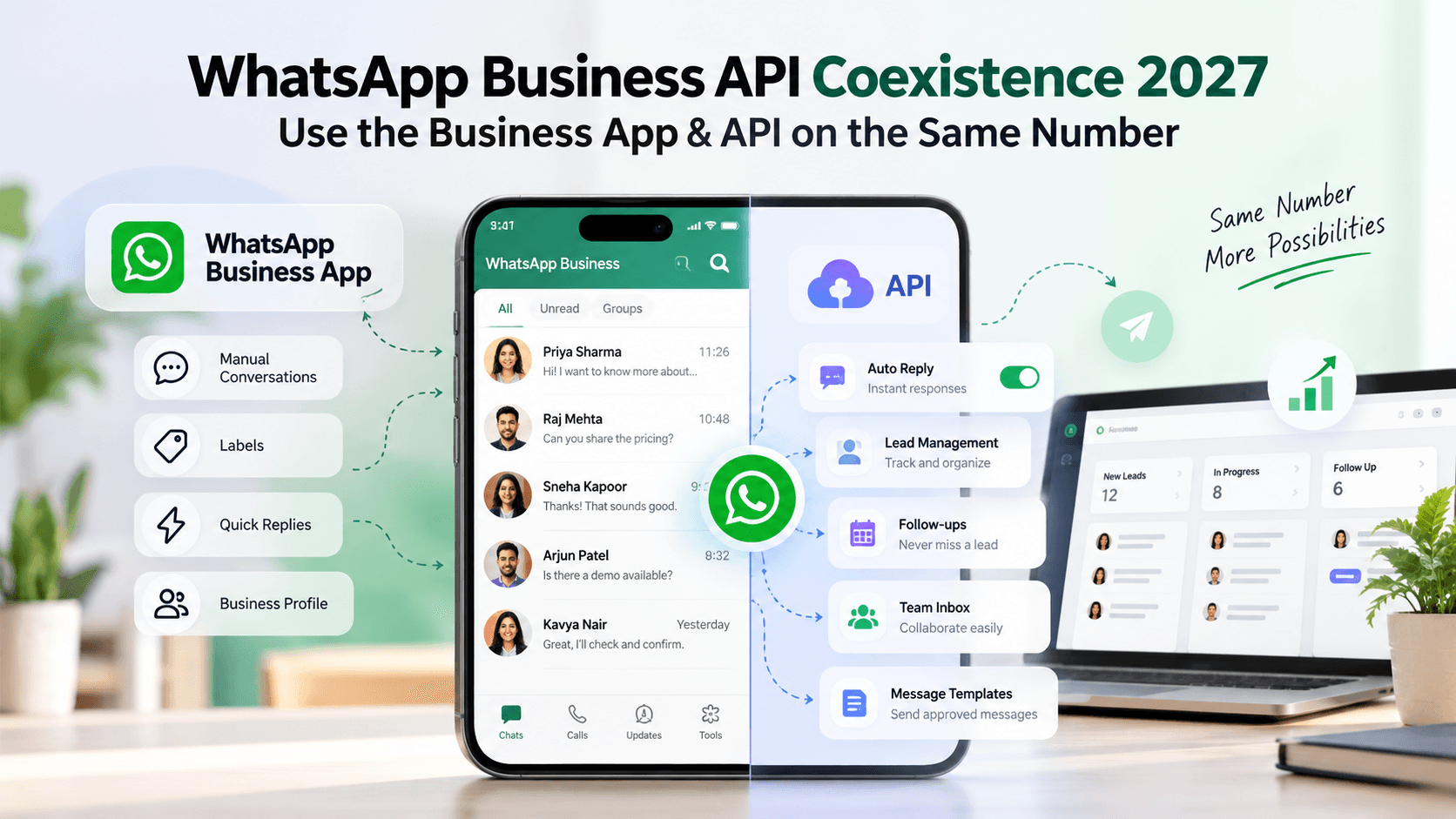
Depending on the provider, these platforms can offer automatic chat assignment, customer records, internal notes, CRM integrations and follow-up workflows. Some eligible businesses can also use supported coexistence arrangements to access the Business app alongside API-connected software.
Businesses should check number eligibility and compatibility before changing their existing setup.
How Do You Set Up a WhatsApp Shared Inbox?

Setting up a WhatsApp Shared Inbox depends on whether your team needs basic message access or advanced conversation management. There are two common approaches, and each serves a different business requirement.
Method 1: Use WhatsApp Business Linked Devices
This method is suitable for smaller teams that want several employees to handle messages through the same account.
Open WhatsApp Business on the primary phone.
Select Linked Devices from the settings or menu.
Choose Link a Device.
Open WhatsApp Web or the desktop application.
Scan the QR code using the primary phone.
Repeat for other supported devices.
Employees can then access the connected account. However, linked devices alone may not provide the detailed sales management features available in dedicated shared inbox software.
Method 2: Use a WhatsApp Business API Shared Inbox
Businesses requiring automated lead management can choose a compatible WhatsApp Business Platform provider.
The general process involves selecting a provider, completing the required onboarding, connecting an eligible business number and adding team members. Administrators can then configure agent permissions, conversation assignments and supported automation features.
Before selecting a platform, check its integration requirements, pricing, customer support and available reporting tools.
What Are the Main Features of a WhatsApp Team Inbox?
A WhatsApp team inbox should make customer conversations easier to manage as the business grows. Although features vary between providers, the most useful capabilities focus on team access, customer information and clear conversation ownership.
Multiple Agent Access and Chat Assignment
Multiple employees can work through one business number without maintaining separate accounts. Chat assignment helps teams identify which salesperson or support agent is responsible for each enquiry.
Shared Conversation History
Agents can review previous discussions before responding to customers. This reduces repeated questions and makes conversations easier to transfer between employees.
Internal Notes and Customer Tags
Internal notes help employees share customer requirements without sending those comments to the customer. Tags can organise leads according to interest, location or enquiry status.
Automated Replies and Lead Routing
Automated replies can acknowledge customer enquiries when employees are unavailable. Routing rules can also direct messages to the appropriate team based on predefined conditions.
Follow-Up Reminders and Reporting
Follow-up reminders help employees track customers who need another response. Reporting tools can provide visibility into response times, pending conversations and agent activity.
Feature | Business Benefit |
|---|---|
Multiple agent access | Centralised communication |
Chat assignment | Clear conversation ownership |
Shared history | Easier customer handovers |
Internal notes | Better team coordination |
Automated replies | Timely initial responses |
Follow-up reminders | Fewer forgotten enquiries |
Reporting | Improved team visibility |
WhatsApp Business App vs Shared Inbox vs WhatsApp CRM
The WhatsApp Business app, shared inbox software and WhatsApp CRM have different purposes. The Business app provides basic messaging tools, a shared inbox focuses on team conversations, and a CRM adds structured lead and sales management.
Feature | WhatsApp Business App | Shared Inbox | WhatsApp CRM |
|---|---|---|---|
Multiple employees | Linked devices | Yes | Usually |
Chat assignment | Plan-dependent | Usually | Usually |
Customer history | Basic | Shared | Shared |
Lead pipeline | Limited | Provider-dependent | Yes |
Automated follow-ups | Limited | Provider-dependent | Often |
Sales tracking | Basic | Limited to advanced | Advanced |
Businesses primarily answering customer questions may prefer a shared inbox. Sales teams managing enquiries, quotations and ongoing follow-ups may benefit from a WhatsApp CRM.
For more information, read the WhatsApp CRM India Guide.
What Are the Benefits of Using a WhatsApp Shared Inbox?
A shared inbox helps businesses manage customer communication when several employees handle WhatsApp enquiries. Its main benefit is improving coordination so conversations are assigned, answered and followed up consistently.
Fewer Missed Customer Messages
When messages appear in a common workspace, employees can identify conversations that still need attention. Clear assignment rules make it easier to prevent enquiries from being overlooked.
Better Team Coordination
Agents can understand customer requirements before taking over conversations. Managers can also review pending enquiries instead of repeatedly asking employees for updates.
Improved Sales Follow-Ups
Sales teams often speak to customers who need time before purchasing. Reminders and organised customer records help agents return to these conversations without relying entirely on memory.
More Consistent Customer Support
Shared access allows another employee to continue a conversation when the assigned agent is unavailable. This is especially useful for businesses operating across different shifts.
How Much Does a WhatsApp Shared Inbox Cost in India?
WhatsApp Shared Inbox pricing depends on the software provider, number of agents, available features and integration requirements. Basic linked-device access does not require a separate shared inbox subscription, while advanced platforms commonly charge for their software.
Businesses should consider three possible costs:
Software subscription: Monthly or annual charges for the inbox platform.
Agent access: Additional fees that some providers charge for team members.
WhatsApp Platform charges: Applicable Meta messaging fees, which depend on the message category and current pricing rules.
Some providers may also charge for onboarding, integrations or advanced automation. Before subscribing, businesses should compare the complete cost rather than focusing only on the advertised monthly price.
For official information, visit the WhatsApp Business Platform.
Which Indian Businesses Can Benefit From a WhatsApp Shared Inbox?

Businesses receiving regular customer enquiries through WhatsApp can benefit from centralised conversation management. The right workflow depends on how customers contact the company and how employees handle those enquiries.
Real Estate Businesses
Real estate teams can assign property enquiries to agents based on location, project or availability. Conversation history helps salespeople track customer preferences and arrange property visits.
Education and Coaching Companies
Education consultants and coaching centres can manage course enquiries, counselling requests and admission-related conversations using one business number.
Healthcare Businesses
Clinics can organise appointment enquiries and general administrative questions. Access permissions and appropriate privacy safeguards are important when handling patient information.
E-commerce and Service Businesses
Online sellers and service providers can distribute order enquiries, quotation requests and support messages between employees without changing their customer-facing number.
How Can Kraya AI Help Manage WhatsApp Sales Conversations?
Kraya AI is a WhatsApp-first CRM designed to help businesses manage leads, qualify enquiries and automate sales follow-ups. It connects WhatsApp communication with sales pipeline management, allowing teams to organise customer information and identify leads requiring attention.
Kraya AI supports AI-powered lead qualification, automated WhatsApp follow-ups, reminders and pipeline tracking. Its documented integrations include Meta Lead Ads, Google Sheets and other lead sources, helping businesses organise incoming enquiries.
For example, when a customer enquires about a service, AI can collect basic requirements before passing relevant information to the sales team. Follow-up automation can then support continued communication when appropriate.
Businesses should confirm their required multi-agent inbox and conversation assignment capabilities before choosing a plan.
Learn more about automating WhatsApp sales follow-ups.
How Do You Choose the Right WhatsApp Shared Inbox?
Choosing the right platform requires understanding your team's current communication challenges. A business with three employees may need basic shared access, while a larger sales team may require lead routing, CRM integration and reporting.
Before selecting software, consider:
Number of employees who need WhatsApp access
Average daily customer enquiries
Chat assignment and permission requirements
CRM and automation capabilities
Data security and customer privacy
Subscription and messaging costs
Availability of onboarding and technical support
Testing the software with actual customer workflows can help businesses decide whether it fits their operations.
Related Articles
Conclusion
A WhatsApp Shared Inbox helps businesses manage customer conversations through one number while allowing multiple employees to handle enquiries. Features such as chat assignment, shared history, automated responses and follow-up reminders can improve coordination across sales and support teams. Small businesses may find WhatsApp Business linked devices sufficient, while growing teams can consider dedicated inbox software or a WhatsApp CRM. The right choice depends on team size, customer message volume and sales requirements. Businesses looking to organise WhatsApp leads and automate customer follow-ups can explore Kraya AI to understand how its CRM features support their sales process.