How to Send Bulk WhatsApp Messages Without Getting Banned (2026 India Guide)
 Abhyank Srinet
Why Do Businesses Get Banned Sending Bulk WhatsApp Messages — and What Actually Works?
A coaching institute in Bengaluru wanted to push their Diwali discount to 800 parent contacts over one weekend. They used a free Chrome extension that promised "unlimited WhatsApp bulk messages". Two days later, their WhatsApp number was permanently banned. 3,200 lakh rupees in lost admissions. Two years of parent relationships. Gone.
This story plays out hundreds of times a month across Indian businesses trying to send bulk whatsapp messages. WhatsApp banned over 8 million Indian accounts in 2025, and the bulk whatsapp messages ban pattern is painfully consistent: find a cheap tool → send the same message to 500 people → account flagged → permanent loss.
The painful truth about sending bulk whatsapp messages without ban is that you cannot do it with shortcuts. There is exactly one safe path for bulk whatsapp messages, and it requires more effort than most "free bulk sender" tools suggest — but it works, and it scales from 100 to 100,000 bulk whatsapp messages a day without risk.
The short answer: Sending bulk whatsapp messages only works safely through the official WhatsApp Business API accessed via a registered Business Solution Provider. Personal WhatsApp and the Business App aren't built for bulk, and unofficial automation tools will get your number permanently banned within weeks. The Business API uses a tier system that scales from 1,000 to 100,000+ daily recipients based on your quality rating.
- Personal WhatsApp tolerates around 100-200 daily messages before velocity detection triggers
- WhatsApp Business App caps broadcasts at 256 contacts and isn't designed for repeated bulk sends
- Unofficial tools (Baileys, Chrome extensions that automate sending) get permanently banned in 2-8 weeks
- The Business API through a BSP is the only Meta-approved path, with tiers from 1K to 100K+ daily messages
- Keep block rate under 3% and reply rate above 5% to maintain a green quality rating
What Counts as "Bulk" Messaging on WhatsApp?
Before you can safely send bulk whatsapp messages, you need to understand what WhatsApp actually considers bulk. The platform's definition is stricter than most businesses assume, and the mismatch is why so many accounts get banned thinking they're doing nothing wrong.
WhatsApp defines bulk messaging as any pattern that looks automated: identical or near-identical content sent to multiple recipients within a short time window, sending to unknown numbers without prior two-way conversation, or high daily message volumes from a single account to many distinct recipients.
WhatsApp's Three Bulk Signals
| Signal | What WhatsApp Detects | Threshold (approximate) |
|---|---|---|
| Velocity | Messages sent per minute/hour | More than 50 messages in 30 seconds triggers flagging |
| Content similarity | Identical message text across recipients | Same exact text to 30+ contacts within 1 hour |
| Recipient novelty | Sending to numbers never messaged before | 100+ new contacts in 24 hours from a standard account |
| Block rate | Percentage of recipients blocking you | Over 3% within a 30-day window |
| Report rate | Recipients reporting you as spam | Over 0.5% of recipients reporting |
The Business Definition vs WhatsApp's Definition
Most business owners think "bulk" means thousands of messages. WhatsApp's detection systems flag much smaller volumes if the signals above are present. A real estate agent sending 80 identical "new project launch" messages in 20 minutes from their personal number is doing bulk messaging by WhatsApp's definition, even though 80 feels small.
What Are the Four Paths to Bulk WhatsApp Messaging?
Businesses trying to send bulk whatsapp messages safely have exactly four options. Each has a specific use case, cost structure, and ban risk profile. Picking the wrong one is what destroys accounts.
| Path | Daily Volume | Ban Risk | Cost per Message | Setup Time | Best For |
|---|---|---|---|---|---|
| Personal WhatsApp | ~100-200 | Very High if abused | ₹0 | Instant | Personal friends, never business bulk |
| WhatsApp Business App | 256 per broadcast | High with repeat sends | ₹0 | 5 minutes | Small teams with existing opted-in contacts |
| Unofficial tools (Baileys, Chrome bulk senders) | Unlimited technically | Critical (permanent ban in 2-8 weeks) | ₹0-500/month | 1-2 hours | Never — see our automation ban risk guide |
| WhatsApp Business API via BSP | 1,000-100,000+ (tier-based) | Very Low | ₹0.30-1.50 per conversation | 2-3 days | Real bulk campaigns, marketing, notifications |
If you need to send more than 500 messages per day, the Business API is not optional — it's the only path that doesn't eventually lead to a ban. Everything else is buying time before the inevitable.
Why Three of Four Paths Fail at Scale
Personal WhatsApp fails because it's designed for human conversation patterns — typing, pausing, reading, replying. Bulk sending breaks those patterns and triggers velocity detection almost immediately.
The Business App fails because broadcast lists only work for contacts who have saved your number. For most marketing use cases, recipients haven't saved you yet, which means your broadcasts don't deliver to the majority of recipients. Beyond that, the 256-contact limit makes repeat broadcasts look like spam patterns. See our detailed broadcast message limits guide for the full breakdown.
Unofficial tools fail because WhatsApp's detection system has been specifically hardened against reverse-engineered clients. Tools like Baileys reverse-engineer the WhatsApp protocol, which WhatsApp detects through connection handshake fingerprinting. Average account lifespan: 2-8 weeks before permanent ban.
How Does WhatsApp Actually Decide to Ban a Bulk Sender?
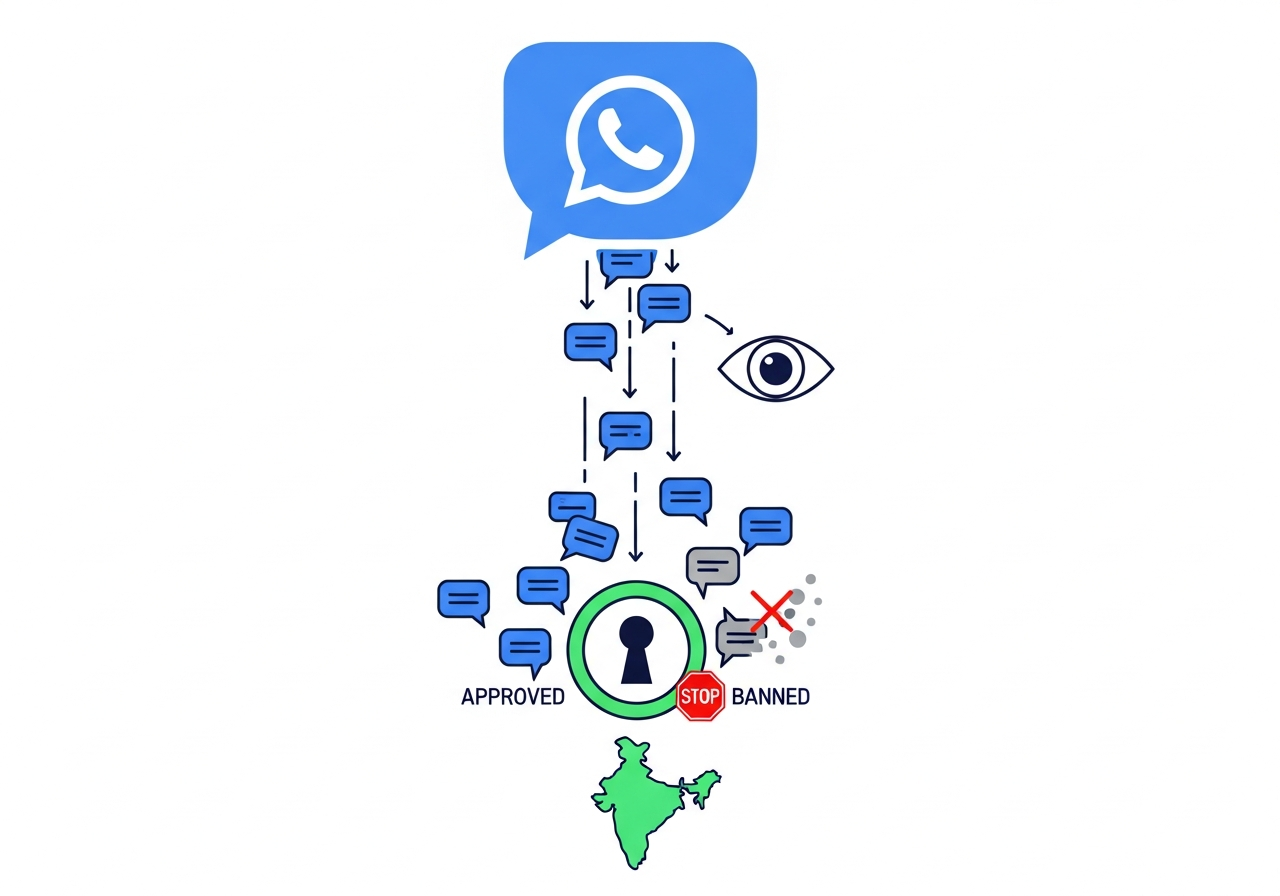
WhatsApp's ban decision isn't random — it's a calculated risk score based on measurable signals. Understanding the math behind it is the difference between bulk whatsapp messages campaigns that work and bulk whatsapp messages campaigns that destroy accounts.
The Ban Probability Formula: Ban risk = (Block rate %) × (Daily volume ÷ Tier limit) × (Content similarity score). Keep all three factors low and you stay safe. Push any one of them high and your account enters the danger zone.
The Three Factors in Detail
Factor 1: Block rate. This is the percentage of recipients who block your number after receiving a message. WhatsApp tracks this over a rolling 30-day window. Safe zone: under 3%. Warning zone: 3-5%. Danger zone: above 5%. A block rate above 10% almost guarantees a restriction within 48 hours.
Factor 2: Daily volume relative to tier. If your Business API number is on Tier 1 (1,000 daily recipients) and you're sending to 950 every day, you're at 95% capacity — this triggers conservative flagging. Keep daily volume under 80% of your tier limit to leave headroom for organic growth without triggering velocity alerts.
Factor 3: Content similarity score. WhatsApp measures how similar your outgoing messages are to each other. Sending "Hi, we have a Diwali offer" to 500 recipients in the exact same form triggers high similarity flagging. Personalising at least the recipient name, one detail (city, product interest), and varying the opening line reduces similarity score significantly.
The Safe Zone Numbers
| Factor | Safe | Warning | Critical |
|---|---|---|---|
| Block rate | < 3% | 3-5% | > 5% |
| Volume vs tier limit | < 80% | 80-95% | > 95% |
| Content similarity | < 50% | 50-75% | > 75% |
| Reply rate | > 5% | 2-5% | < 2% |
| Report rate | < 0.2% | 0.2-0.5% | > 0.5% |
How Do You Warm Up a New WhatsApp Business API Number Safely?
The single biggest mistake businesses make with the WhatsApp Business API is sending at full tier capacity from day one. Even though the API technically allows 1,000 messages on day one, doing so triggers conservative flagging and pushes your quality rating toward yellow before you've built any history.
The solution is a gradual warm-up protocol that mirrors how a real human conversation pattern would grow. This is how we warm up numbers for Kraya clients — a protocol built from watching 600+ Indian businesses avoid the ban trap.
The 21-Day Warm-Up Protocol
| Phase | Days | Daily Volume | Message Type | Goal |
|---|---|---|---|---|
| Phase 1 — Seeding | Days 1-3 | 20-30 messages | Test messages to team + friendly contacts | Establish baseline activity |
| Phase 2 — Trickle | Days 4-7 | 50-100 messages | Personal/utility messages to known contacts | Build two-way conversation history |
| Phase 3 — Ramp | Week 2 (days 8-14) | 200-500 messages | Utility templates to opted-in contacts | Demonstrate high reply rate |
| Phase 4 — Scale | Week 3 (days 15-21) | 500-1,000 messages | Marketing templates to segmented lists | Reach Tier 1 capacity safely |
| Phase 5 — Tier upgrades | Month 2+ | Auto-scaling | Full campaign mix | Automatic tier upgrade to 10K then 100K |
Skipping warm-up and sending 1,000 messages on day one is the single biggest reason new Business API accounts land in the yellow quality rating within the first week. The warm-up period is not optional — it's how WhatsApp learns to trust your number.
What Are the Content Rules That Keep Your Messages Compliant?
Warming up your number is only half the equation. The other half is the content you send. Even a perfectly warmed-up number can land in red rating within 48 hours if your message content triggers spam signals. For the complete content guidelines, see our WhatsApp ban prevention guide.
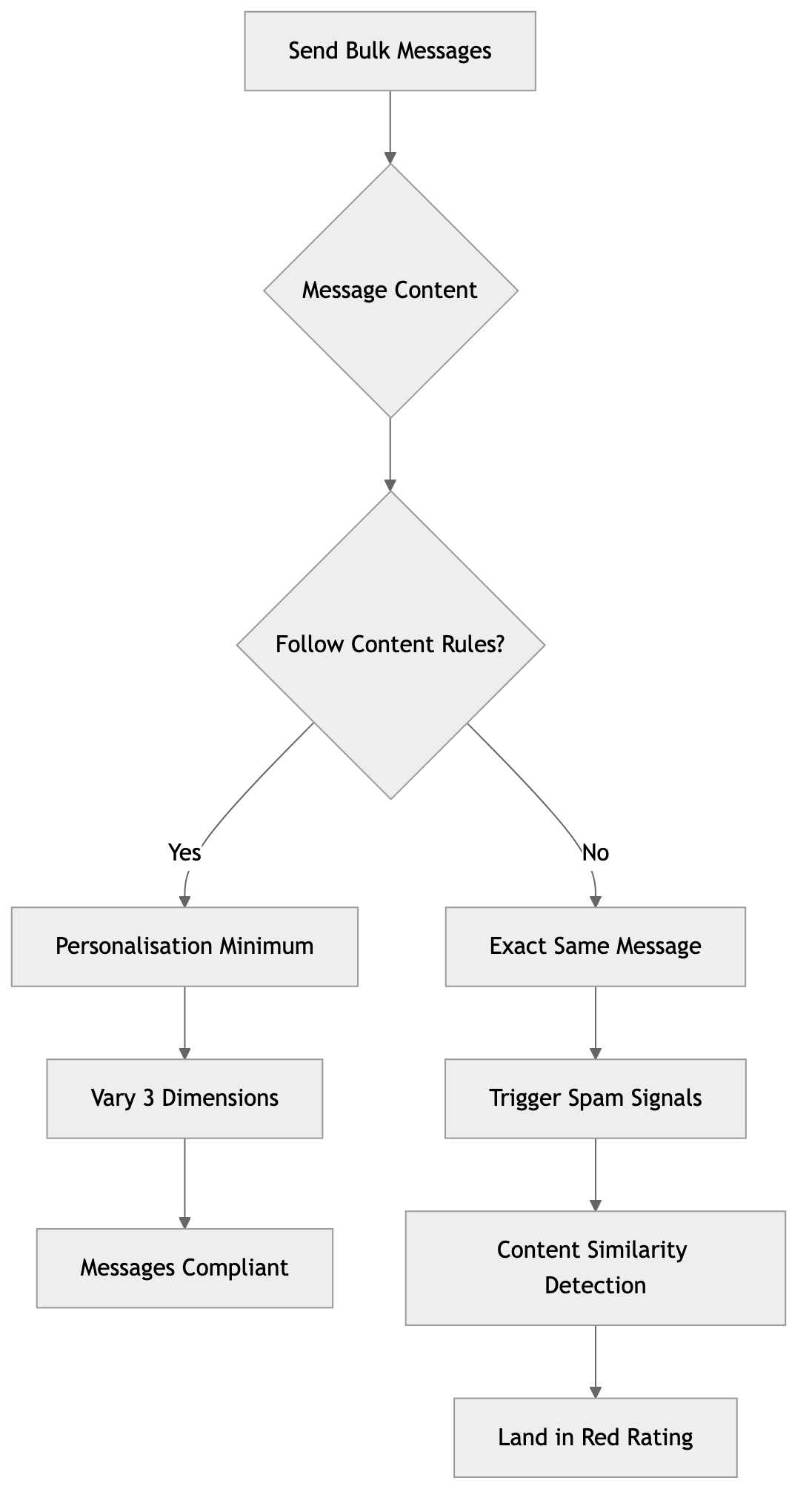
Personalisation Minimum
Every message must vary in at least three dimensions: recipient name (mandatory), one personal detail (city, product interest, previous interaction), and one varying phrase. Sending the exact same "Diwali offer 50% off" message to 500 recipients is the fastest way to trigger content similarity detection.
Bad example: "Hi, Diwali special — 50% off on all courses. Click here to enrol."
Good example: "Hi Priya, since you enquired about our Bengaluru CAT batch last month — our Diwali early-bird brings the fee down to ₹18,500 (from ₹35,000). Limited to 15 seats. Reply YES to reserve."
Opt-Out Mechanism (Mandatory)
Every bulk message must include a clear opt-out option. WhatsApp recommends: "Reply STOP to opt out" or "Reply UNSUB to stop receiving messages". Not including this isn't just bad practice — it materially increases block rate because users who don't see an unsubscribe option are more likely to block you outright.
Template Approval Process
For bulk messages sent through the Business API, every message must use a template pre-approved by Meta. Templates go through a review process checking for promotional language, compliance with WhatsApp's commerce policy, and correct category classification (Marketing, Utility, Authentication). Templates typically get approved within 24 hours for clean content, rejected within 48 hours for policy violations.
Reply Rate as Quality Signal
WhatsApp measures what percentage of your bulk recipients reply to your messages. A reply rate above 5% signals genuine conversation, which protects your quality rating. A reply rate below 2% signals one-way broadcasting, which penalises you even if block rate is low. Design your bulk messages to invite responses — questions, options to reply YES/NO, or direct calls-to-action that require interaction.
How Does Indian Law Affect Bulk WhatsApp Messaging?
Most articles about sending bulk whatsapp messages safely skip the legal context entirely, but Indian businesses face two overlapping rulebooks: WhatsApp's Terms of Service AND the Digital Personal Data Protection Act 2023. Understanding both is critical because violating either can result in account loss plus potential legal penalties.
The DPDP Act 2023 and WhatsApp
The Digital Personal Data Protection Act 2023 requires explicit consent before processing personal data for marketing communication. For bulk whatsapp messages under DPDP, this translates to three requirements:
- Documented opt-in: You must have proof that each recipient agreed to receive marketing messages on WhatsApp. A signed form, a checked checkbox, or a reply to an opt-in message all qualify.
- Purpose limitation: You can only send messages for the purpose the user consented to. If someone opted in for "order updates", you cannot send them marketing offers.
- Easy withdrawal: Users must be able to revoke consent as easily as they gave it. This maps to the mandatory opt-out mechanism WhatsApp already requires.
DPDP Act penalties for repeated violations go up to ₹250 crore. While enforcement for small businesses has been light so far, the regulatory direction is clear — opt-in documentation is shifting from best practice to legal requirement.
TRAI and Commercial Communications
India's Telecom Regulatory Authority has long regulated SMS and voice spam through the Do-Not-Disturb (DND) registry. While WhatsApp messages aren't currently covered by TRAI's DND rules the same way SMS is, the enforcement direction suggests that commercial WhatsApp messaging will likely come under similar oversight in the next 2-3 years. Building opt-in processes now future-proofs your business against tighter regulation.
What Does Bulk WhatsApp Messaging Actually Cost?
Price-sensitive businesses often pick the wrong path because they compare "₹500 per month" for an unofficial tool against "₹1.50 per message" for the Business API and assume the tool is cheaper. That math is wrong because it ignores the cost of getting banned.
True Cost Comparison Per 1,000 Delivered Messages
| Path | Direct Cost | Expected Lifespan | Effective Cost per 1K Delivered |
|---|---|---|---|
| Personal WhatsApp | ₹0 | ~200 messages before risk | ₹0 direct, ₹2-5 lakhs if banned |
| Business App broadcasts | ₹0 | Limited by 256-contact cap | ₹0 direct, cost = manual hours |
| Unofficial tool (Baileys) | ₹500/month | 2-8 weeks typical | Low direct, ₹2-5 lakhs when banned |
| Business API (Kraya BSP) | ₹0.30-1.50 per conversation | Indefinite | ₹300-1,500 per 1K, no ban risk |
The Business API looks expensive on a per-message basis but becomes the cheapest option once you factor in ban recovery cost. Losing a WhatsApp number with two years of business contacts costs more than three years of API conversation credits combined.
Conversation Pricing Breakdown
Business API messages are priced by conversation, not individual messages. A "conversation" is a 24-hour window from when you send a template message. Within that window, you can exchange unlimited messages for one conversation fee.
| Conversation Type | Price (India, 2026) | Use Case |
|---|---|---|
| Marketing | ₹0.88 | Promotional offers, product launches, campaigns |
| Utility | ₹0.125 | Order updates, appointment reminders, account alerts |
| Authentication | ₹0.125 | OTP, login verification |
| Service (user-initiated) | ₹0 | Customer support within 24 hours of user message |
When Should You Use Kraya for Bulk WhatsApp Messaging?
Kraya offers two products because sending bulk whatsapp messages and warm lead management are fundamentally different problems. Picking the right product for your use case is the first safety decision.
Kraya's Two Products
| Product | Use Case | Ban Risk | Setup |
|---|---|---|---|
| Kraya Business API (BSP-managed) | Bulk campaigns, marketing broadcasts, outbound to opted-in lists | Very Low (official API) | 2-3 days with Meta verification |
| Kraya Chrome Extension (non-API) | Warm lead management — responding to inbound enquiries, follow-ups on existing conversations | None (no bulk sending) | Instant, works inside WhatsApp Web |
The Business API Path (for Bulk)
If you need to send outbound messages to lists of 500+ recipients — coaching institute admission offers, e-commerce promotions, real estate project launches — the Kraya Business API path gives you the official Meta-approved infrastructure with built-in safeguards. This includes the automated warm-up protocol, quality rating monitoring dashboard, template approval management, and block rate alerting before problems escalate.
Our comparison of WhatsApp Business API providers breaks down what to look for in a BSP. Kraya specifically handles the technical setup, Meta verification, template pre-approval, and daily quality monitoring so your sales team can focus on the message strategy rather than compliance.
The Chrome Extension Path (for Warm Leads)
If your use case is responding to people who already messaged you first — inbound website enquiries, Click-to-WhatsApp ad leads, referral conversations — you don't need bulk capability at all. You need fast response, lead qualification, and systematic follow-up on conversations that already exist.
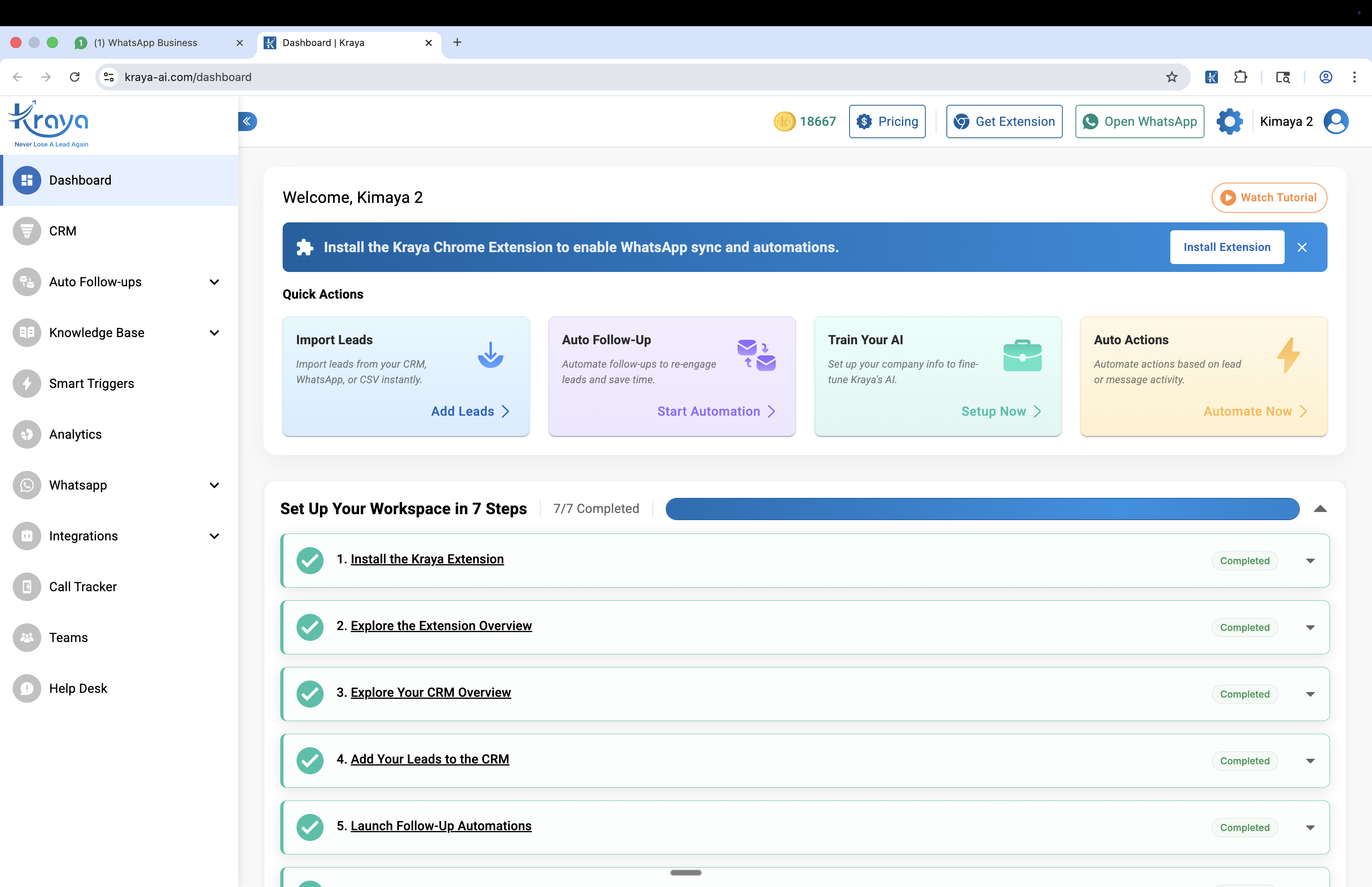
This is where the Kraya Chrome extension solves the problem without any ban risk. It works inside WhatsApp Web, adds CRM features like lead attributes, pipeline stages, and follow-up reminders on top of existing chats. Because it doesn't send bulk messages — it only helps you manage conversations that already exist — it has zero ban risk.
The distinction matters: if you're sending outbound to people who don't know you yet, you need the Business API. If you're managing inbound leads who already messaged you, the Chrome extension is safer, faster to set up, and doesn't need API approval.
Most Kraya clients use both — the API for their marketing campaigns and the extension for their sales team's daily lead management. The two products solve different problems in the same WhatsApp sales workflow.
What Are the Most Common Bulk Messaging Mistakes to Avoid?
Reviewing the ban cases across 600+ Indian businesses reveals a pattern. The same five mistakes account for over 80% of accounts lost while sending bulk whatsapp messages.
Mistake 1: Not Segmenting Lists by Engagement
Businesses treat their entire contact database as one bulk list. But contacts who haven't replied in 6 months block at 4-5x the rate of active contacts. Segment your list by recency and engagement — send marketing campaigns only to contacts who've interacted in the last 90 days.
Mistake 2: Copy-Paste Broadcasts
Sending the exact same message to every recipient triggers content similarity detection. Even on the Business API where templates are pre-approved, reusing the exact same template 10 times a day to different segments is a red flag. Create multiple template variations and rotate them.
Mistake 3: Sending During Prohibited Hours
WhatsApp's spam detection is more sensitive during 9pm-9am local time because legitimate business communication rarely happens then. Restrict bulk sends to business hours (10am-7pm IST) to reduce flagging.
Mistake 4: Mixing Marketing and Utility Templates
Sending a marketing template (promotional offer) immediately followed by a utility template (order update) to the same user confuses WhatsApp's classification and can flag the number. Keep marketing and utility campaigns on separate sending schedules with at least 30-minute gaps.
Mistake 5: Ignoring Yellow Quality Rating Warnings
When your quality rating drops to yellow, WhatsApp is telling you to slow down and fix something. Most businesses ignore the warning and keep sending. Within 48-72 hours, yellow becomes red, and red means account suspension is imminent. Pause campaigns, reduce volume by 50%, and investigate which template or segment caused the drop.
How Do You Recover If Your Bulk Campaign Triggers a Ban?
If you're reading this after a ban has already happened, the recovery path depends on which type of ban you got. Temporary bans show a countdown timer and auto-resolve. Permanent bans require an appeal through support@whatsapp.com with documentation. Our detailed temporary vs permanent ban comparison covers the exact recovery steps for both.
For API accounts facing a yellow or red quality rating, the recovery is different — you pause campaigns, fix the triggering content, and wait 24-72 hours for the rating to recover. BSPs like Kraya monitor this in real-time and alert you before ratings drop, so you can pause before problems escalate rather than reacting after damage is done.
Prevention is drastically easier than recovery. If you're currently sending bulk whatsapp messages and have not yet built the safeguards covered in this guide, talk to our team about migrating to the official API path — we handle the Meta verification, warm-up protocol, and quality monitoring so your bulk whatsapp messages scale without the ban risk that has destroyed so many Indian businesses.
Related: Lead Response Time: Why the First 5 Minutes Decide Your Sale
Related: WhatsApp Business API: The 2026 India Guide
Related: How to Send WhatsApp Broadcast Messages: Complete Guide for Android, iOS & Web
Related: 15 WhatsApp Broadcast Message Templates That Get Replies
Related: How to Follow Up on WhatsApp Without Getting Blocked or Annoying Your Leads
Related: Top WhatsApp CRM Tools for Startups & SMBs
Related: 12 WhatsApp Cold Outreach Templates That Actually Get Replies
Related: WhatsApp CRM Best Practices to Increase Response Rates
Related: WhatsApp Message Templates: Complete 2026 Approval Guide
Related: How to Create a WhatsApp Broadcast List: Android, iOS & Web Guide
Related: WhatsApp Broadcast: Complete Guide for Indian Businesses
Related: WhatsApp CRM for Consultants and Freelancers: How to Manage Client Enquiries Without Losing Leads
Related: WhatsApp Lead Generation Strategies for 2025 – Complete Guide for High-Converting Results
Related: WhatsApp Chatbot for Business: Complete Guide 2026
Related: WhatsApp Auto Reply for Business: AI Setup Guide 2026
Related: WhatsApp Greeting Messages That Convert: 10 Templates + Setup Guide
Related: Best Wati Alternatives for Indian SMBs in 2026
Related: Best AiSensy Alternatives for WhatsApp Marketing in India
Related: Best Interakt Alternatives for Indian Sales Teams in 2026
Related: Best Gallabox Alternatives for WhatsApp Automation in India
Related: WhatsApp CRM Integration Guide: Connect With Your Existing Tools
Frequently Asked Questions

Written by
Founder & CEO, Kraya AI
Abhyank Srinet is the Founder and CEO of Kraya AI, a WhatsApp CRM and sales automation platform serving 600+ Indian businesses. He is also the founder of MiM-Essay, one of India's largest Masters admissions consulting firms.
More from Abhyank


